9-8
Mixing MIDI
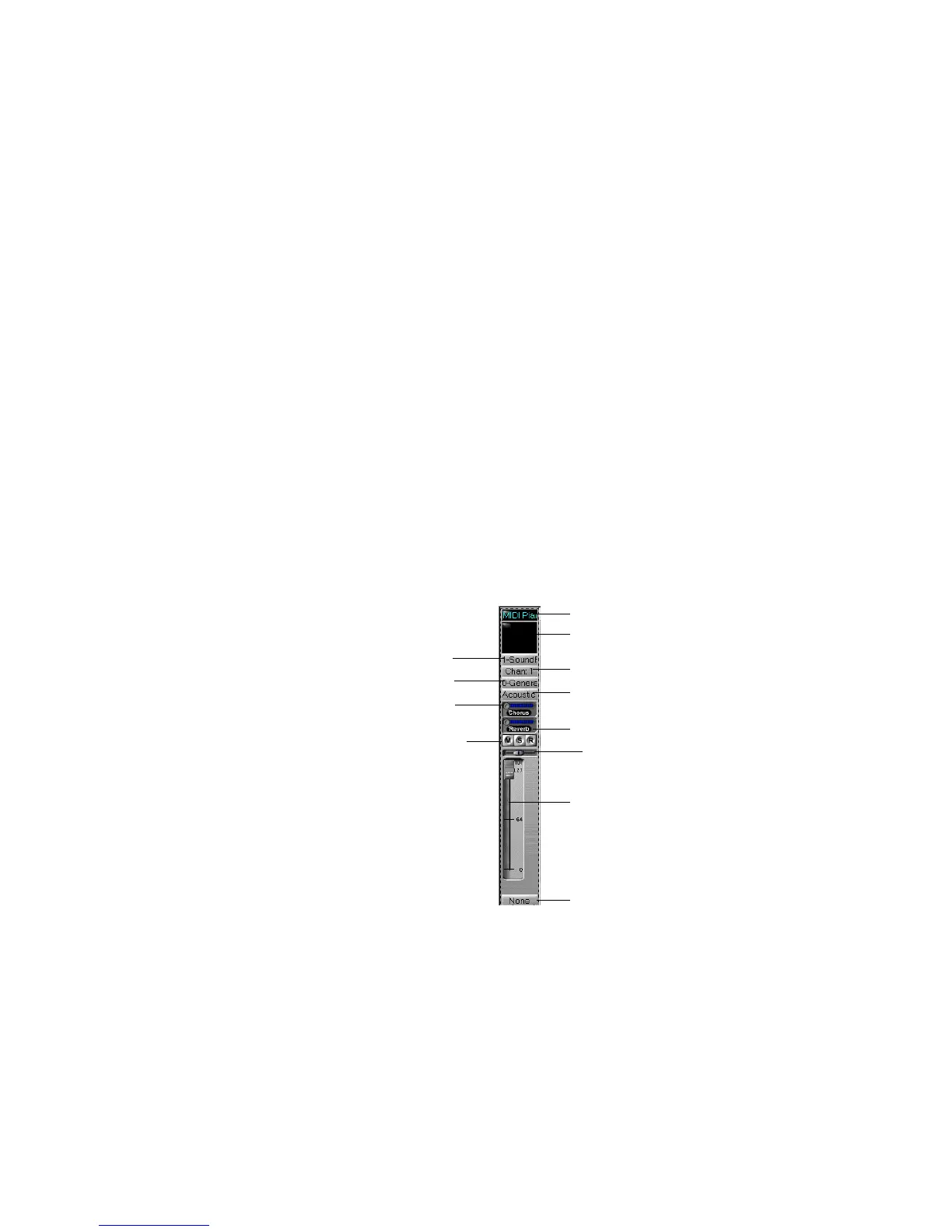
Each MIDI track in your project is assigned a strip in the Console view.
A MIDI strip looks like this:
The chorus, reverb, pan, and volume controls work by sending controller
messages to your MIDI device. As you move the knobs and faders for
these controls, the controller value is shown in the Console view toolbar.
These messages are merged into the stream of MIDI data sent to the
2. Choose
Add Track-Audio
or
Add Track-MIDI
.
Pro Audio adds a new track to the project..
To Rename a Track or Aux Bus…
1. Click on the module name.
2. Type a new name.
3. Press Enter.
If you rename a track, the new name is copied to the Track view. If no
name has been assigned to a track, the Console view displays the
track’s number.
Name
Port
Channel
Bank
Patch
Chorus
Reverb
Mute, Solo, Arm
Pan
Volume
Source
Real-time effects (if any)



 To Next Page