2-3
Getting Started
Playing the Song
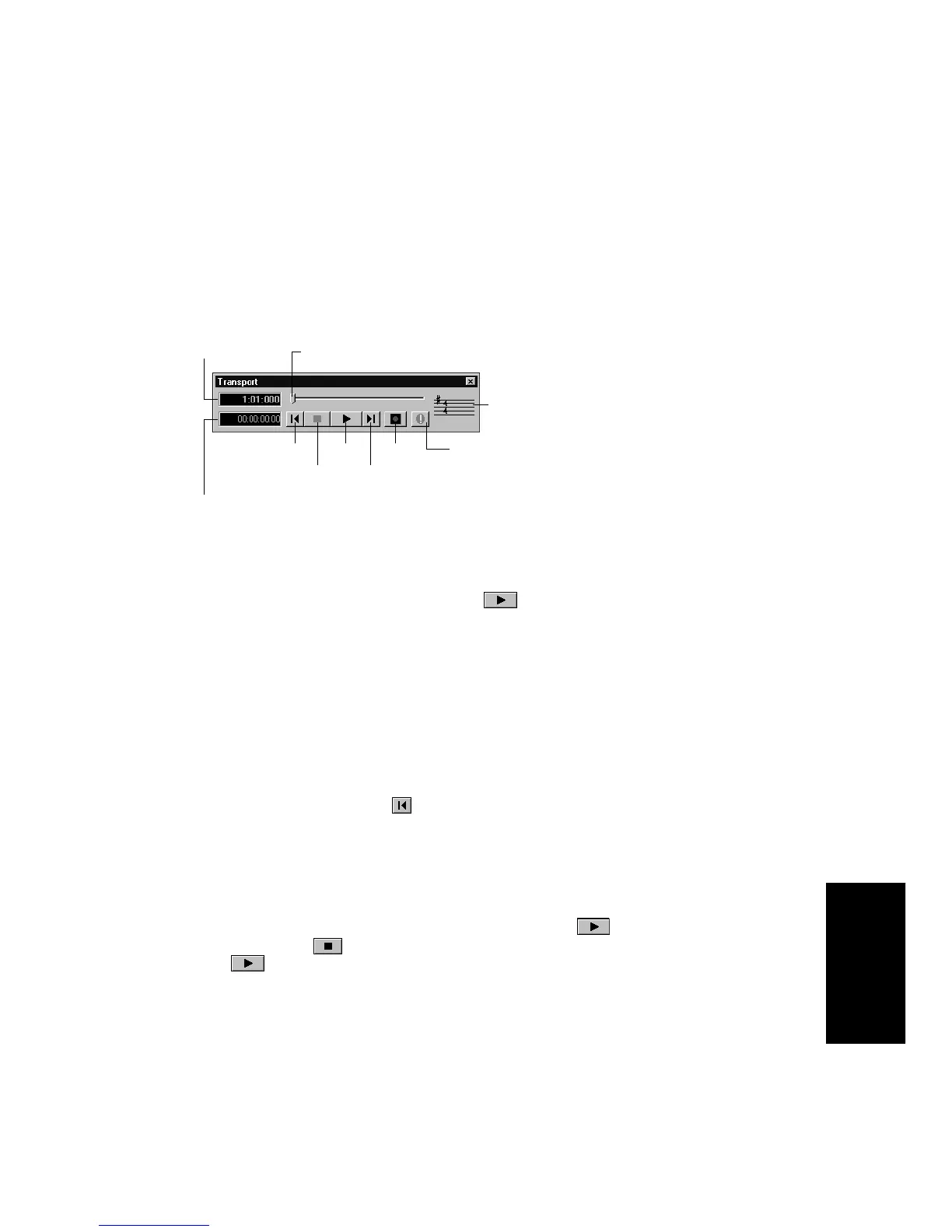
Buttons in the Large Transport toolbar, shown in the following picture,
can control most of Pro AudioÕs basic playback functions. If you donÕt see
the Large Transport toolbar, then choose View-Toolbars and check
Transport (Large).
Starting Playback
1. To play the song, click the Play button , or press the space
bar.
Do you hear music? Go ahead, get out your instrument and jam along!
If you don't hear anything, see
Appendix A: Troubleshooting
for some
troubleshooting tips.
Restarting the Song
When Pro Audio gets to the end of the song, it stops. To play the song
again, do the following:
1. Click the Rewind button , or press W to go back to the first
measure.
2. Click the Play button, or press the space bar.
Pausing Playback
1. To temporarily pause playback, click the Play button or the
Stop button , or press the space bar. Click the Play button
again to resume playback.
Certain Pro Audio functions can only be used when the song is
paused. If a function or command does not seem to work, try pausing
the song.
Now time (MBT)
Now time (SMPTE)
Now time slider
Rewind
Stop
Play
Go to End
Record
Reset
Meter/Key



 To Next Page