D-2
speciÞcation leaves some details open to interpretation by software and
hardware manufacturers.
Timebases
MIDI Þles can be expressed in any of a number of timebases (ppq
resolutions). It is likely that most MIDI Þles you will encounter use a
common timebase, such as 96 or 120. Although Pro Audio supports many
timebases, it is possible that a MIDI Þle may use a timebase that Pro
Audio does not support. In that case, the times will be converted into
whatever timebase is currently the default.
Supported MIDI File Meta-Events
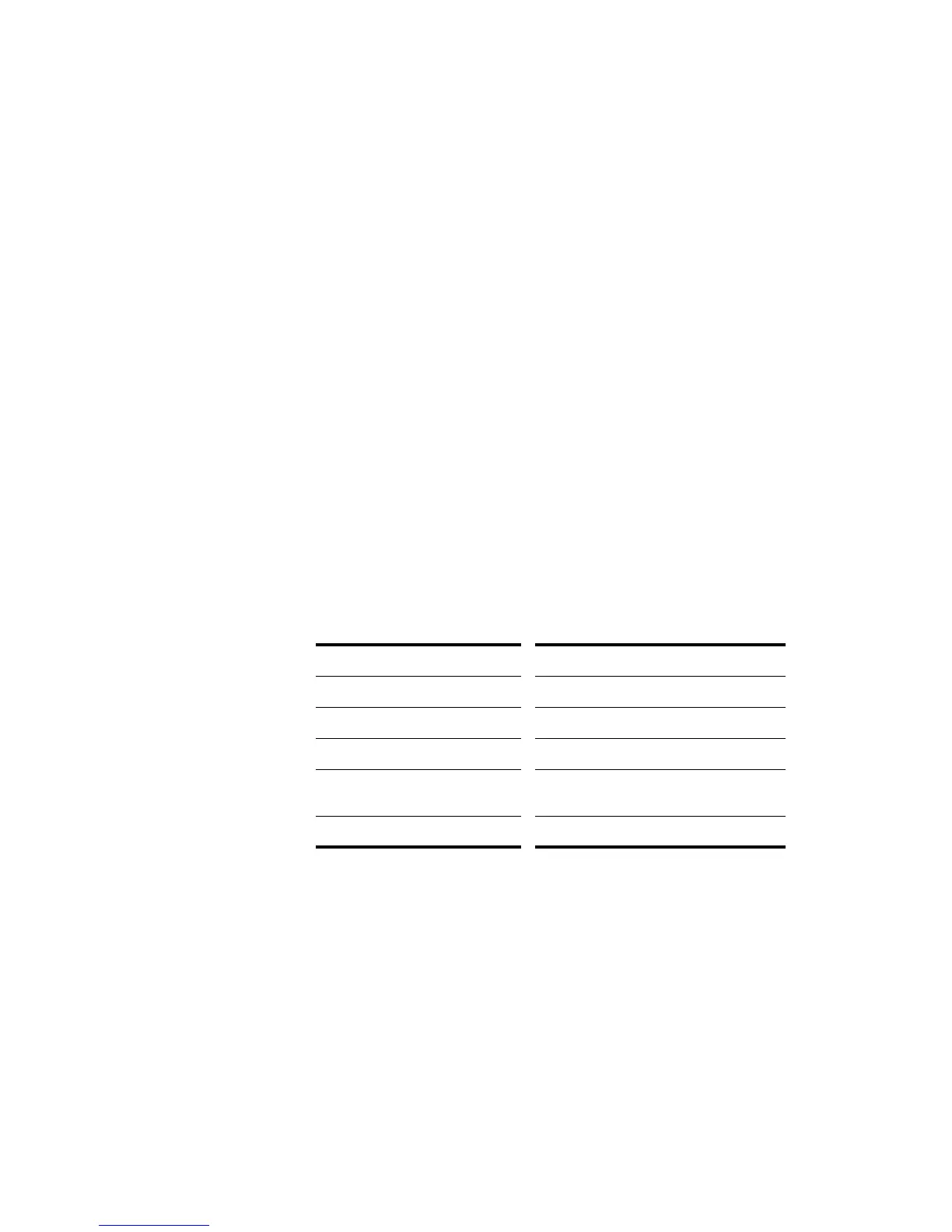
MIDI Þles can contain meta-events. The types of meta-events that Pro
Audio supports are listed in the following table:
Features Not Supported by MIDI Files
While the MIDI Þle format is very ßexible and extensive, it cannot store
the following parameters that are part of a standard project Þle: key
offset, velocity offset, time offset, and forced channel.
When you save a project to a MIDI Þle, most of these parameters are
applied to the individual events. For instance, if you have assigned track
1 to channel 10 in the Track view, Pro Audio will write the MIDI Þle so
To Save a Song as a Standard MIDI File or RIFF MIDI
File…
1. Choose
File-Save As
to display the Save As dialog box.
2. Choose the desired format from the Save as Type list.
3. Enter a file name and click Save.
MIDI File Meta-event… How it is represented in Pro Audio…
Meter and key signature Meter/key signature map entry
Tempo Tempo change
General text Track name
General text in the conductor track
of a Format 1 file
Markers view markers
Track name Track name



 To Next Page