9-10
When moving the Volume fader, the Value box in the toolbar displays the
level from a scale of 0 (minimum) to 127 (maximum). When you move the
Pan slider, the Value box displays the pan value on a scale that ranges
from 0 (hard left) to 64 (center) to 127 (hard right).
Routing and Mixing Digital Audio
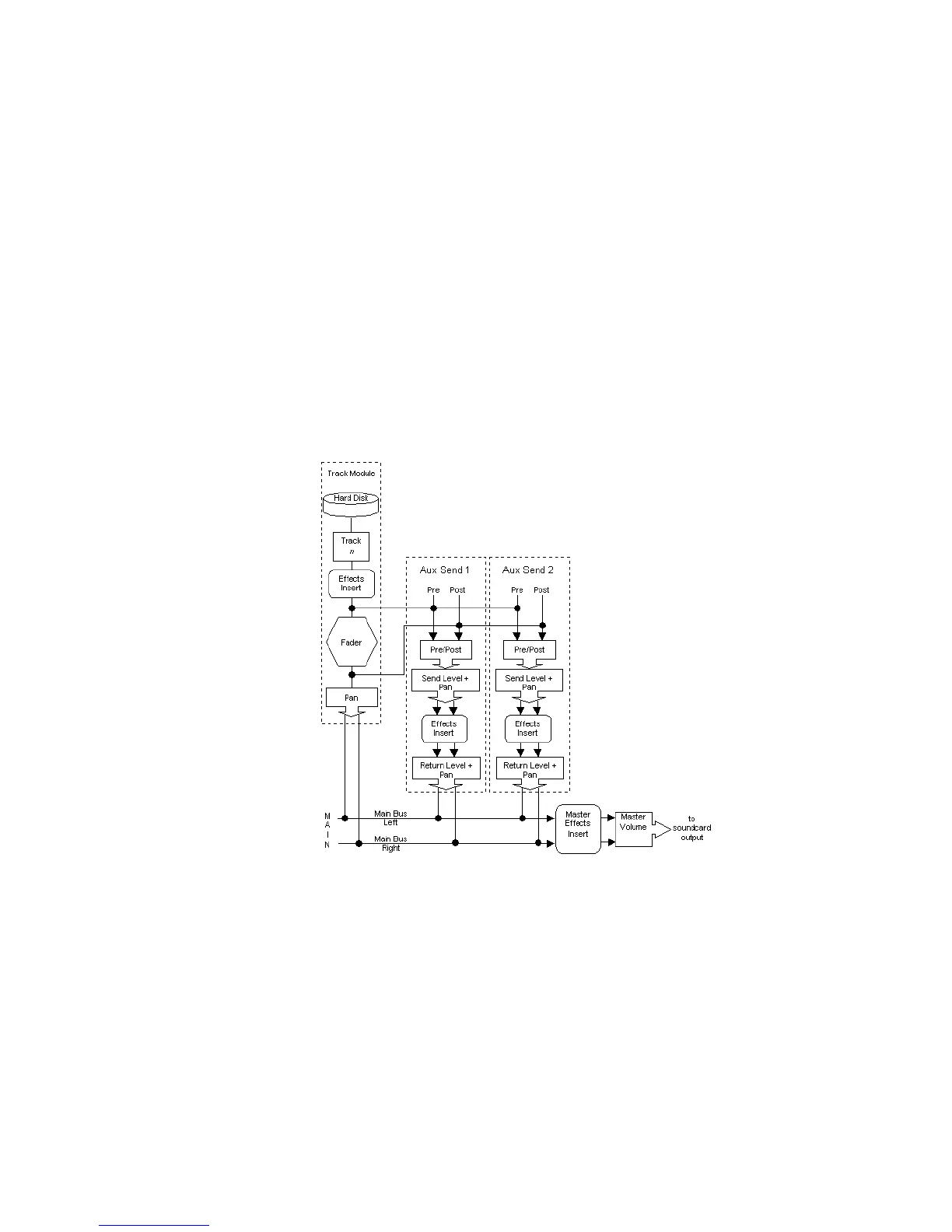
The Console view lets you route and mix your digital audio data in a
number of different ways. The Òwiring diagramÓ for digital audio in the
Console view looks like this:
Audio events in each track are processed by any real-time audio effects
you have patched in place, passed through the track pan control and
volume fader, and then sent to the designated main output, in stereo.



 To Next Page