B-3
Tips & Tricks
These features are described below.
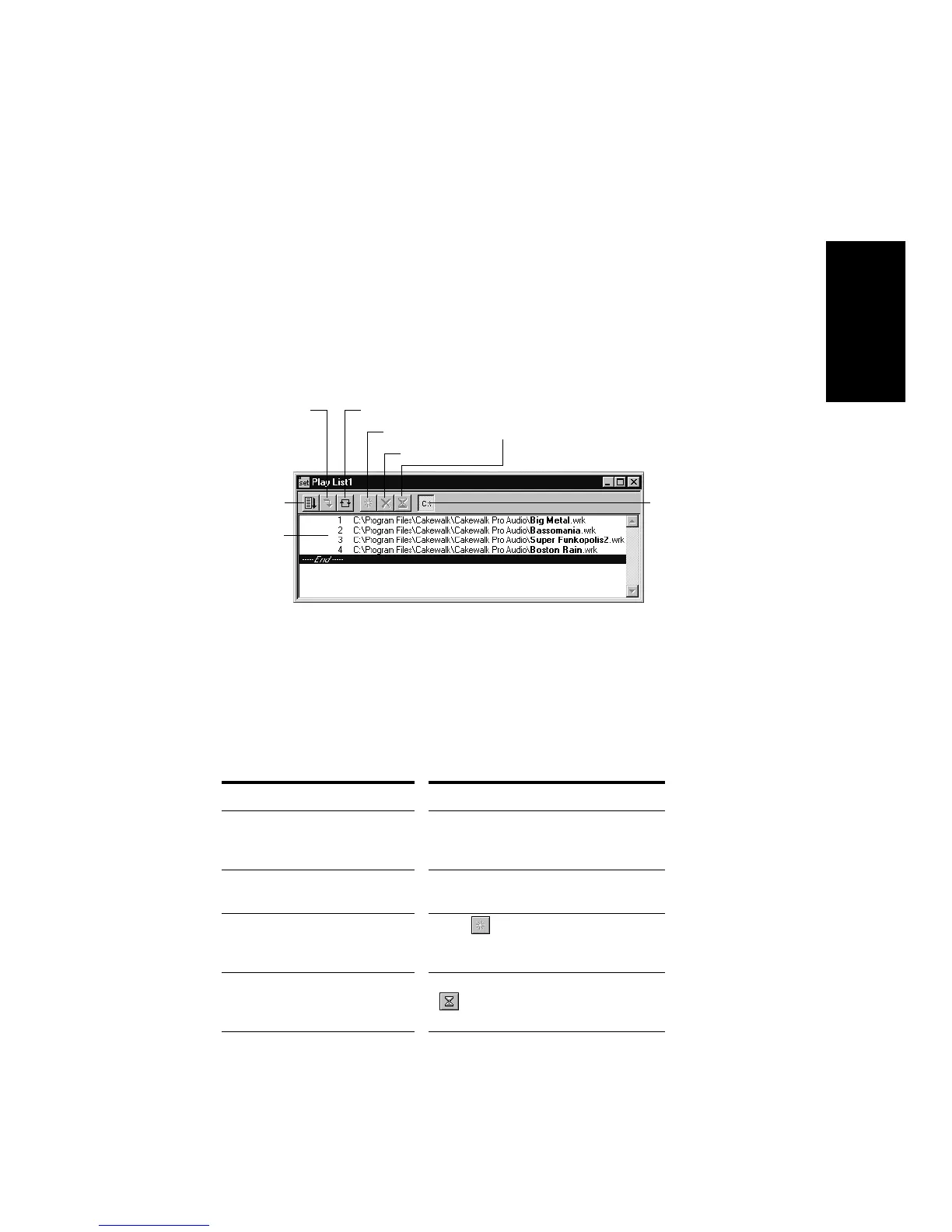
The Play List View
The Play List view lets you create, edit, and save a play list (or set) of
up to 128 Pro Audio projects. Once youÕve created the list, you can play
back the entire sequence automatically. You can even program the list to
pause between songs for a Þxed amount of time or to wait for a keystroke
before proceeding.
The Play List view looks like this:
Play lists can be saved for future use. Play list Þles have the extension
.set.
To Create and Edit a Play List…
1. To create and edit a play list in the Play List view, follow the
instructions in the table:
To do this… Do this…
Open an existing play list Choose
File-Open
, choose Play List
from the Files of Type list, choose the
file you want and click Open
Create a new play list Choose
File-New
, choose Play List
Set from the list, and click OK
Add songs to the play list Click or press Insert, choose a
file from the Add Song to Play List
dialog box, and click Open
Set the delay after a song Click on the song in the play list, click
, enter the delay you want, and
click OK
Add a song
Enable the
play list
Switch to the
next song
Repeat the list
List of songs
Drop a song
Set a delay
Display
full path



 To Next Page