C-13
Advanced Setup
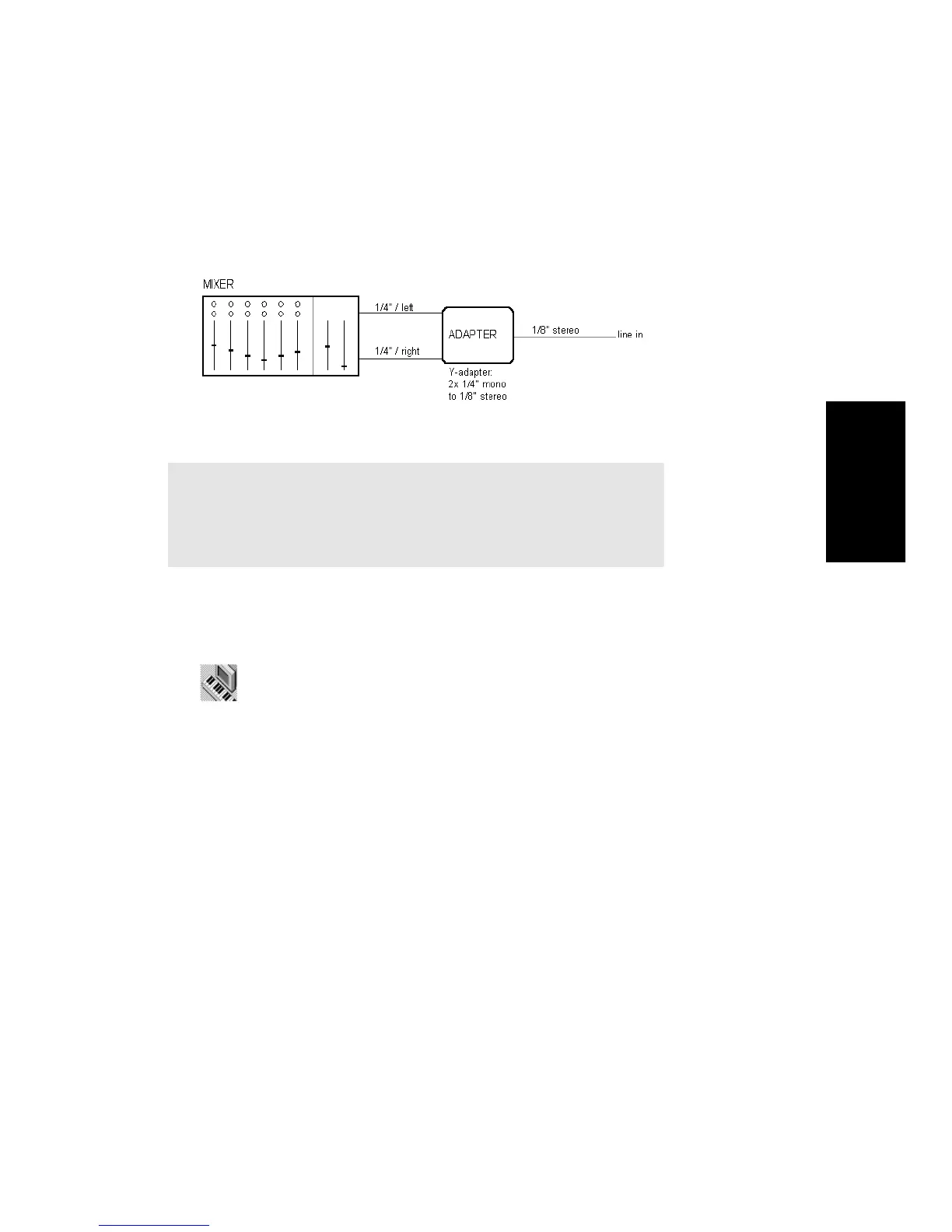
Mixer
You can connect a mixer to the sound card with a setup of the following
kind:
Step 8. Start Pro Audio
When you installed Pro Audio, the default setup procedure added a
Cakewalk folder to your Programs menu.
Here are some other ways to start Pro Audio in Windows:
¥ Right-click on the desktop and choose New-Cakewalk Song. When
the song icon appears, type a name for the song. Then double-click
the icon to start Pro Audio.
¥ Click the Start button, point to Documents, and choose a previously
opened Pro Audio song from the menu.
To Start Pro Audio…
1. Click the Start button located in the lower-left corner of the
screen.
2. Point to Programs to see a list of available programs and folders.
3. Point to the Cakewalk folder to open it.
4. Click on Pro Audio 9.
Note:
If your mixer has busses, use them! This helps avoid feedback.



 To Next Page