C-12
If you want to connect a guitar ampliÞerÕs direct output to the sound
card, you should base your setup on this example.
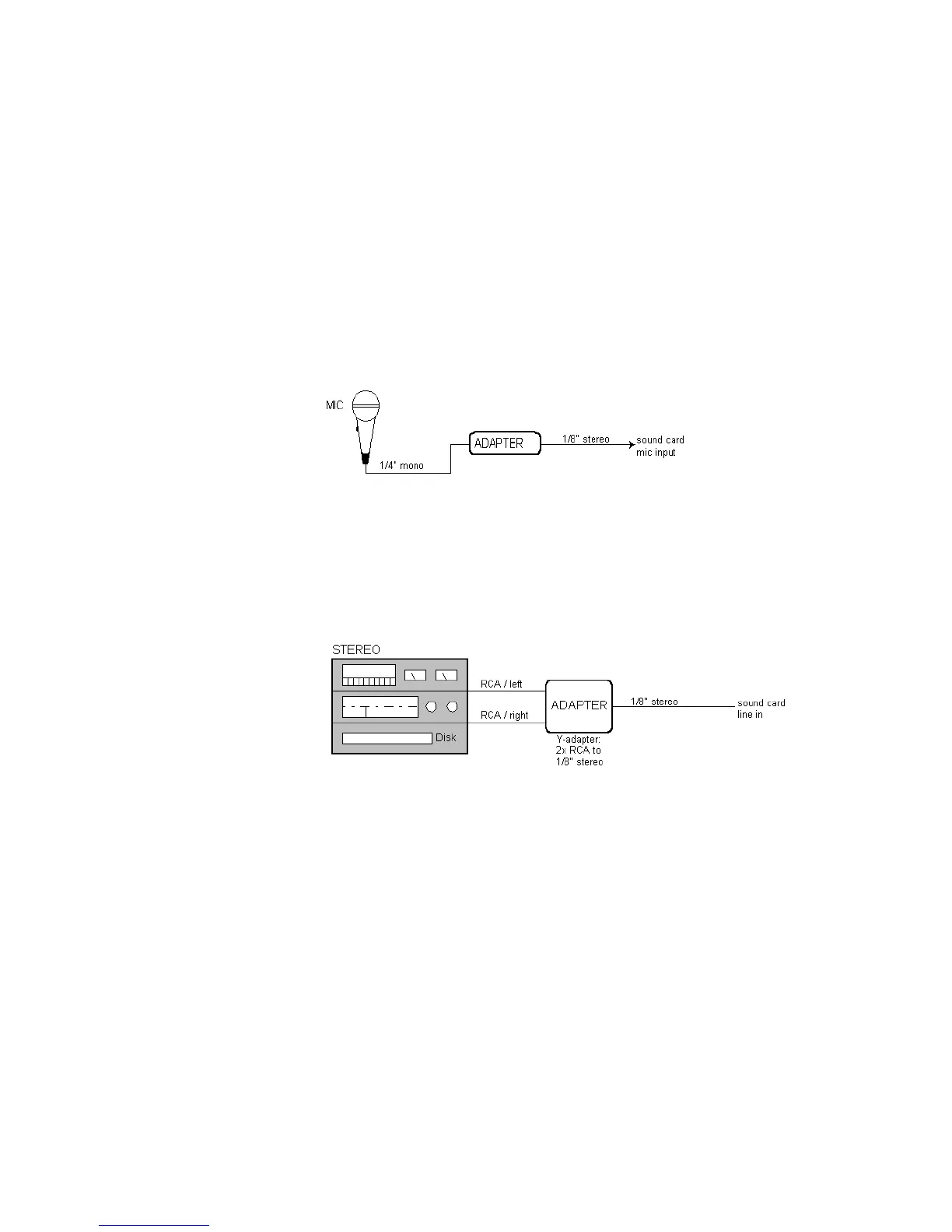
Microphone Direct-In
Microphones can be plugged into the sound cardÕs mic input. Some
inexpensive microphones are made especially for use with sound cards
and come equipped with 1/8Ó jacks. However, better quality microphones
take better quality cables, which do not terminate in 1/8Ó jacks. The
diagram below illustrates how to connect a microphone that terminates
in a 1/4Ó jack:
Home Stereo, CD Player, Radio Tuner, Preamp Output
The output of a stereo component can be connected to the sound cardÕs
line in, using a dual RCA to 1/8Ó stereo mini Y-adapter. Many portable
cassette players come with this kind of adapter, or even with a single
cable with all the necessary jacks. In the following diagram, a stereo
component is connected to the Y-adapter using standard RCA cables:
Internal CD Player
If you are using your computerÕs internal CD player, and it does not have
its audio outs connected internally to the sound card, run a cable from
the CD playerÕs Headphone jack to the cardÕs Line In jack. If there is no
Headphone jack, youÕll need to use an external CD player.



 To Next Page