7-19
Editing Audio
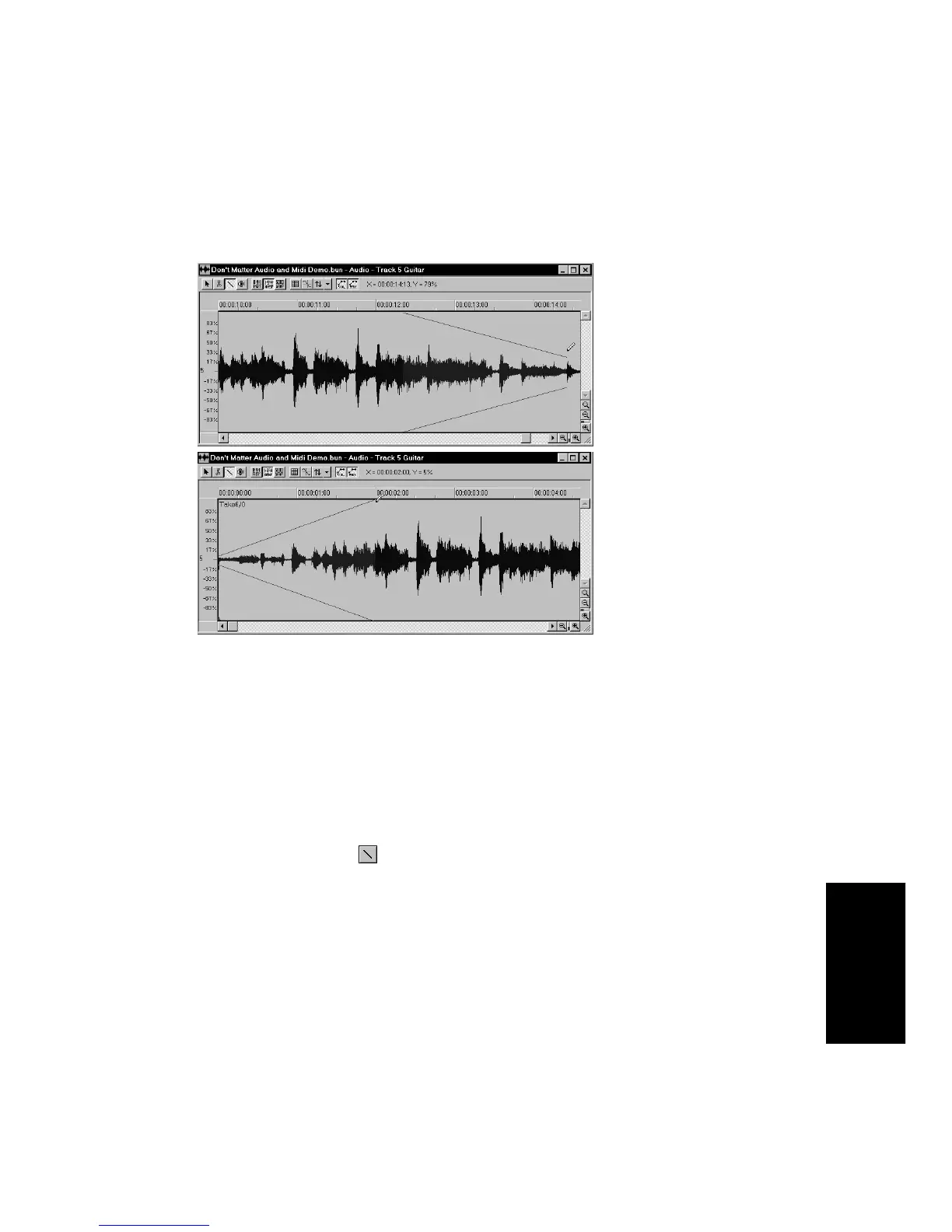
The following pictures show fade and swell envelopes in the midst of
being drawn:
The height of the envelope at each point determines the multiplicative
factor that will be applied to the waveform at that point. The zero-
crossing line of the waveform corresponds to an envelope height of 0
percent, the maximum amplitude line corresponds to 100 percent. In the
Þrst picture, for example, the envelope starts at 100 percent at the left,
and fades to 0 percent (silence) at the right. In the second picture, the
envelope starts at 0 percent, and swells to 100 percent.
To Apply a Fade or Swell...
1. Click the Draw tool .
2. Click in an event at the starting point of the fade or swell.
3. Drag toward the right to the end of the fade or swell. You’ll see
two mirror-image horizontal lines that indicate the shape of the
envelope.
4. Drag up or down to change the slope of the envelope. The
waveform changes to show you the effect of the envelope.



 To Next Page