When
the
first
time
connecting
the
camcorder
to
the
computer,
perform
the
steps
below
.
• Mac OS 10.2
-10.3
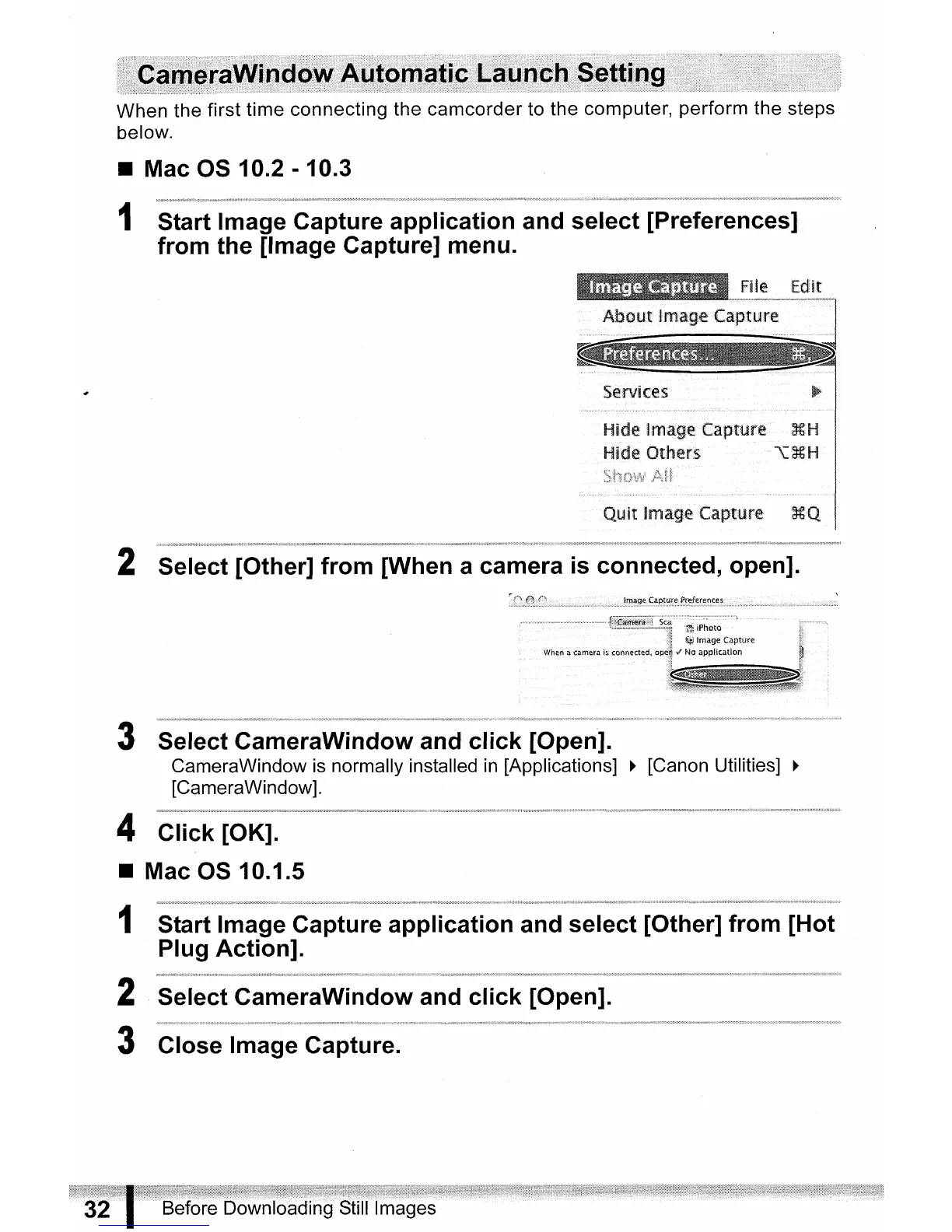
1 Start Image Capture application and select [Preferences]
from the [Image Capture] menu.
Services
Hide Image Capture
XH
Hide Others
""\L~H
QU>it
Image Capture
~.Q
2 Select [Other] from [When a camera
is
connected, open].
3 Select CameraWindow and click [Open].
CameraWindow
is normally installed in [Applications]
~
[Canon Utilities]
~
[CameraWindow].
4 Click [OK].
• Mac OS 10.1.5
1 Start Image Capture application and select [Other] from [Hot
Plug Action].
2 Select CameraWindow and click [Open].
3 Close Image Capture.
Before
Downloading
Still·
Images



 To Next Page