92
Copying
Still
Images
Between
the
Disc
and
Memory
Card
You
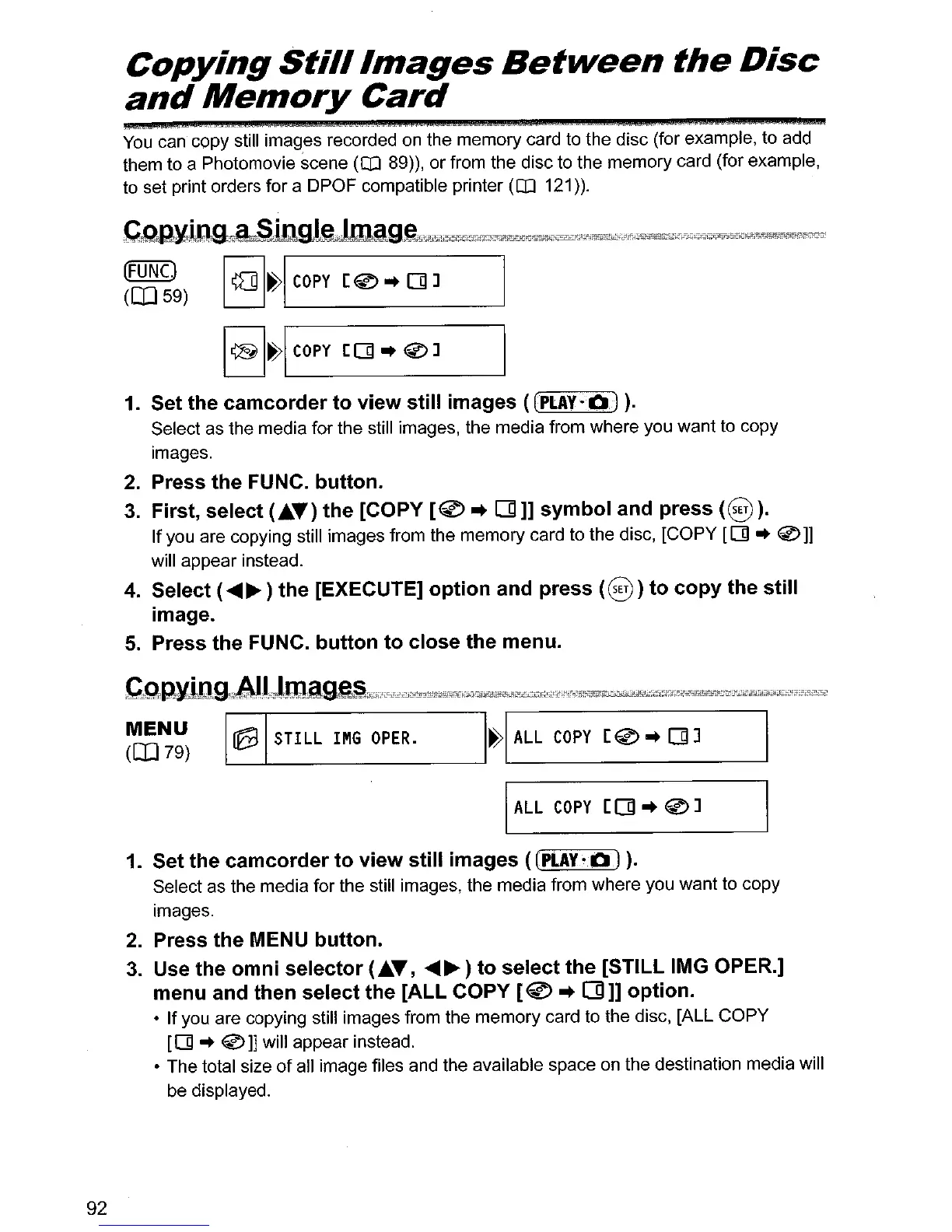
can copy still images recorded on the memory card to the disc (for example, to add
them to a Photomovie scene
(OJ
89)), or from the disc to the memory card (for example,
to set print orders for a DPOF compatible printer
(OJ
121)).
Cg,pylQQn;~mgl~jjjlo1"Jg~'WJlf"j*f,t#Uk,,~:rW2"tl!1'2JfW",~=jjj;C"f~TV£L"*;f":8'*',1lJt*l1~f):iG*X;i;;~~illIlliW;,;c,',r4iifn~
~~~~)
I
II]
I~I
COpy
[®
..
[]
1 I
I
@
I~I
COpy
[[]
..
0]
I
1.
Set the
camcorder
to
view
still images
«(PLAY~O).
Select as the media for the still images, the media from where you want to copy
images.
2.
Press
the
FUNC. button.
3.
First
1
select
(AT)
the
[COpy
[~
..
[]]]
symbol
and press
(8).
If
you are copying still images from the memory card to the disc,
[COpy
[01
..
®
l]
will appear instead.
4.
Select (
.........
) the [EXECUTE]
option
and press
(8)
to
copy
the still
image.
5.
Press the FUNC.
button
to
close the menu.
CcQ·R~StAJ,l1?lmage'§1'J;"iS.'0;"Y"'?V'!'dki;'XI:;q'71fMi!';*iS.'~'7F;,;I£;';";;;;';i!Wit~;;#'ViiajaifijJl2""r-i!0'!$rrr;;"J,7,y{;;;;;¥;;;;;
Hti?i!'i!Ji!ii'
~~~)
~
STILL
IMG
OPER.
I~I
ALL
COPY
[@
..
[]
1 I
IALL
COpy
[[]
..
@l
I
1.
Set the
camcorder
to
view
still images
«(PLAY·OJ).
Select as the media for the still images, the media from where you want to copy
images.
2.
Press the MENU button.
3.
Use the
omni
selector
(AT,
.........
)
to
select the [STILL IMG OPER.]
menu and then select the
[ALL
COpy
[~
..
(]]]
option
.
•
If
you are copying still images from the memory card to the disc, [ALL COPY
[01"
®]]
will appear instead.
• The total size
of
all image files and the available space on the destination media will
be displayed.



 To Next Page