Step
3:
Using
the
Wireless
Controller
11\§~t1iLlQ!hecckB~;LLi1WJJm~,auUgJJJ~Atlel¥c;r~Ii~Q2S,lif£~!;;;ri
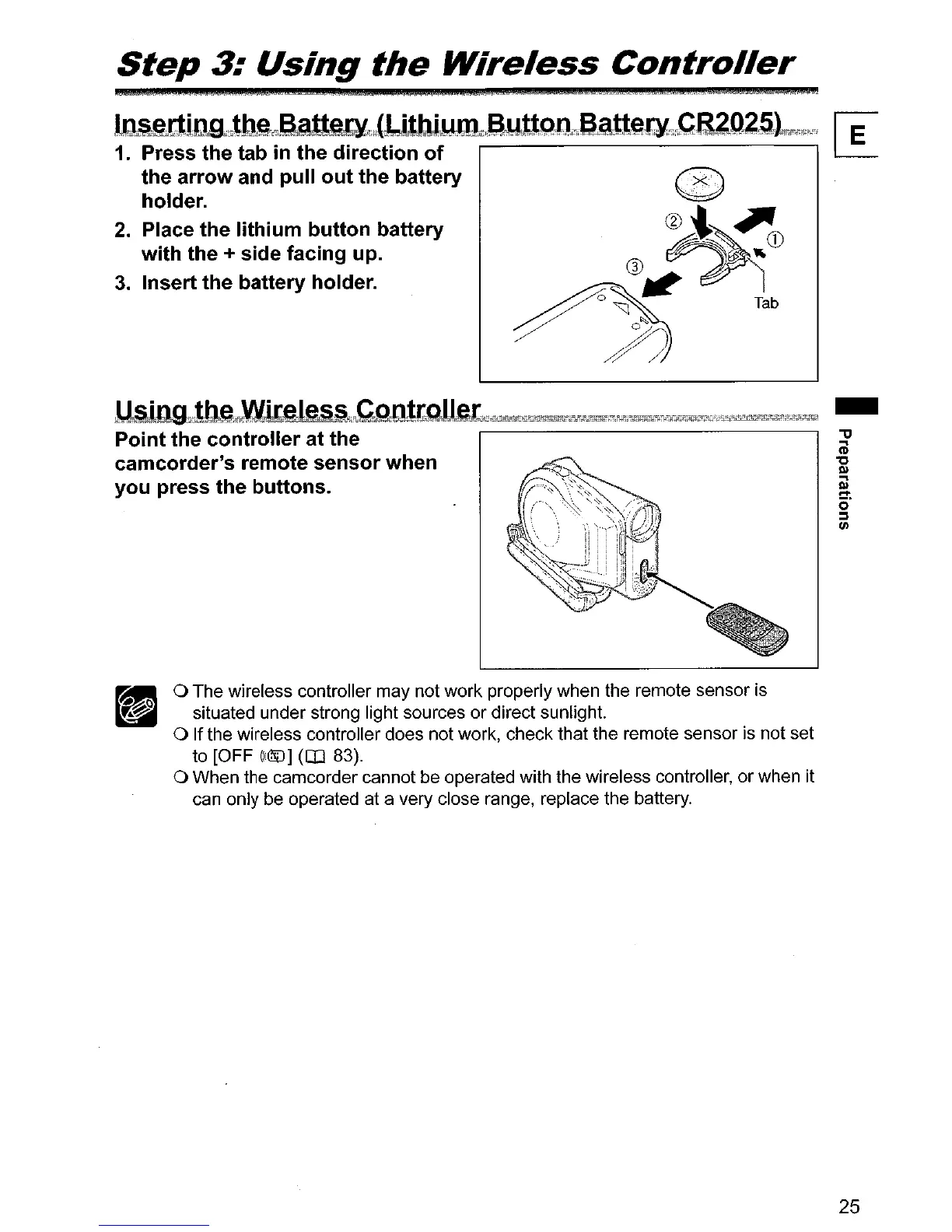
1. Press the tab
in
the direction of
the arrow and pull out the battery
holder.
2. Place the lithium button battery
with the + side facing up.
3. Insert the battery holder.
kUJiltlQw~e~f\,~amr~_i:!Jl41'!!:l!!1!!1!2'1'!;r;r;";W;~"1;'"T;":+";mt~';F-;T""T,Wf,m;Kirrii;%;;0i+'iS-'i~!!i,=tt;;rA00'W
-
Point the controller at the
camcorder's remote sensor when
you press the buttons.
o The wireless controller may not work properly when the remote sensor is
situated under strong light sources
or
direct sunlight.
o If the wireless controller does not work, check that the remote sensor is
not
set
to [OFF
(((li[J]
(OJ 83).
o When
the
camcorder cannot be operated with
the
wireless controller,
or
when it
can only be operated at a very close range, replace the battery.
25



 To Next Page