Step
7:
Inserting
a
Memory
Card
Only miniSD cards can be used with this camcorder.
1.
Turn off the camcorder.
Make sure the card access indicator
is
not
flashing before you turn
,the
camcorder off.
2.
Open
the
cover.
3.
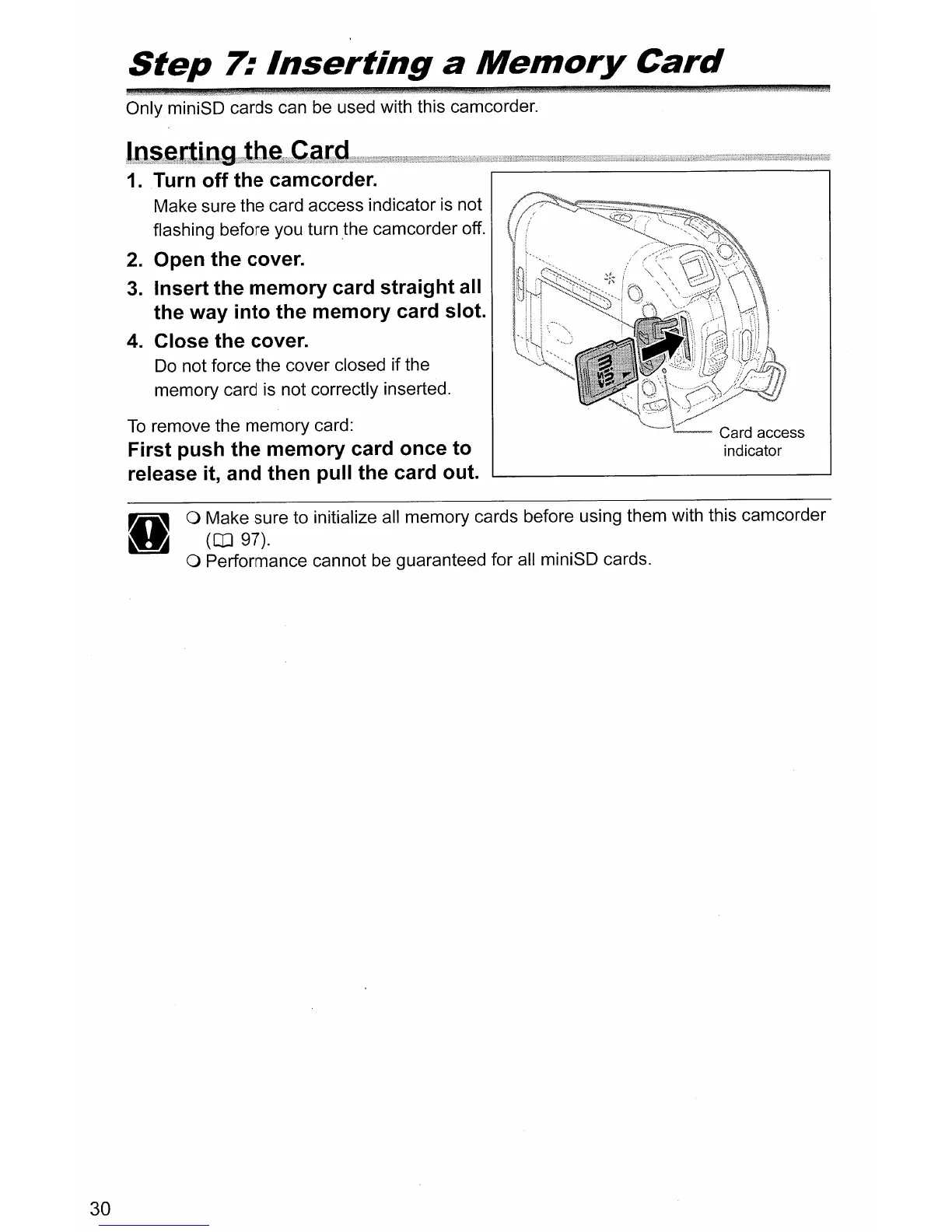
Insert the memory card straight all
the way into the memory card slot.
4.
Close the cover.
Do
not force the cover closed if the
memory card is not correctly inserted.
To
remove the memory card:
First push the memory card once to
release it, and then pull the card out.
30
o Make sure to initialize all memory cards before using them with this camcorder
(CD
97).
o Performance cannot be guaranteed for all miniSD cards.



 To Next Page