128
List
of
Messages
Message
Explanation
CD
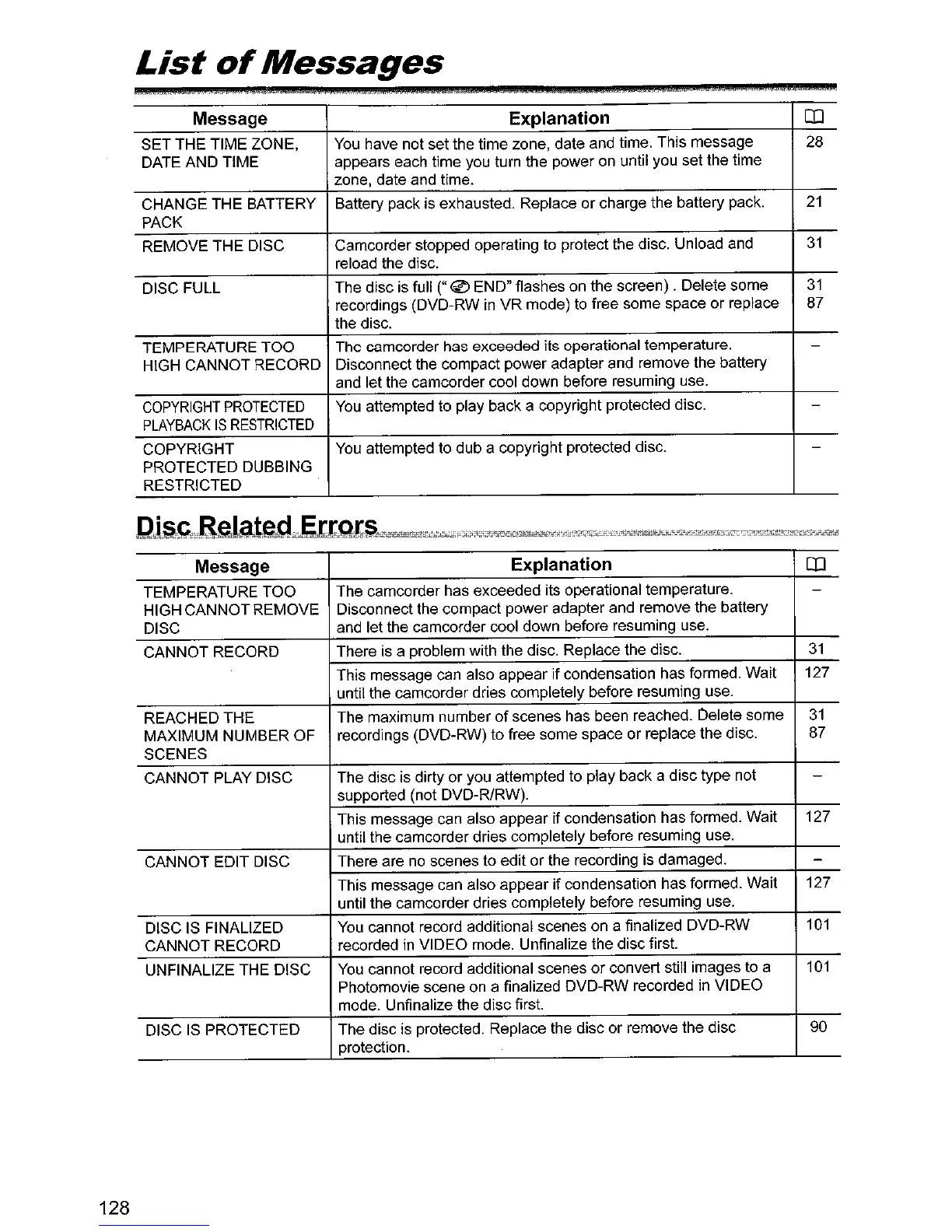
SET THE TIME ZONE,
You
have not set the time zone, date and time. This message
28
DATE AND TIME
appears each time you turn the power on until you set the time
zone, date and time.
CHANGE THE BATTERY
Battery pack is exhausted. Replace
or
charge the battery pack.
21
PACK
REMOVE THE DISC Camcorder stopped operating to protect the disc. Unload and
31
reload the disc.
DISC FULL The disc is full
("
~
END" flashes on the screen) . Delete some
31
recordings (DVD-RW
in
VR mode) to free some space or replace
87
the disc.
TEMPERATURE TOO The camcorder has exceeded its operational temperature.
-
HIGH CANNOT RECORD Disconnect the compact power adapter and remove the battery
and let the camcorder cool down before resuming use.
COPYRIGHT
PROTECTED
You
attempted to play back a copyright protected disc. -
PLAYBACK
IS
RESTRICTED
COPYRIGHT
You
attempted to dub a copyright protected disc. -
PROTECTED DUBBING
RESTRICTED
Message Explanation
CD
TEMPERATURE TOO
The camcorder has exceeded its operational temperature.
-
HIGH CANNOTREMOVE Disconnect the compact power adapter and remove the battery
DISC and let the camcorder cool down before resuming use.
CANNOT RECORD There is a problem with the disc. Replace the disc.
31
This message can also appear if condensation has formed. Wait 127
until the camcorder dries completely before resuming use.
REACHED THE The maximum number
of
scenes has been reached. Delete some
31
MAXIMUM NUMBER OF
recordings (DVD-RW) to free some space or replace the disc.
87
SCENES
CANNOT PLAY DISC The disc is dirty or you attempted to play back a disc type not
-
supported (not DVD-R/RW).
This message can also appear if condensation has formed. Wait
127
until the camcorder dries completely before resuming use.
CANNOT EDIT DISC
There are no scenes to edit
or
the recording is damaged.
-
This message can also appear
if
condensation has formed. Wait
127
until the camcorder dries completely before resuming use.
DISC
IS
FINALIZED
You
cannot record additional scenes on a finalized DVD-RW
101
CANNOT RECORD recorded
in
VIDEO mode. Unfinalize the disc first.
UNFINALIZE THE DISC
You
cannot record additional scenes
or
convert still images to a
101
Photomovie scene
on
a finalized DVD-RW recorded in VIDEO
mode. Unfinalize the disc first.
DISC
IS
PROTECTED The disc is protected. Replace the disc
or
remove the disc
90
protection.



 To Next Page