~
Using
the
Mini
Video
Light
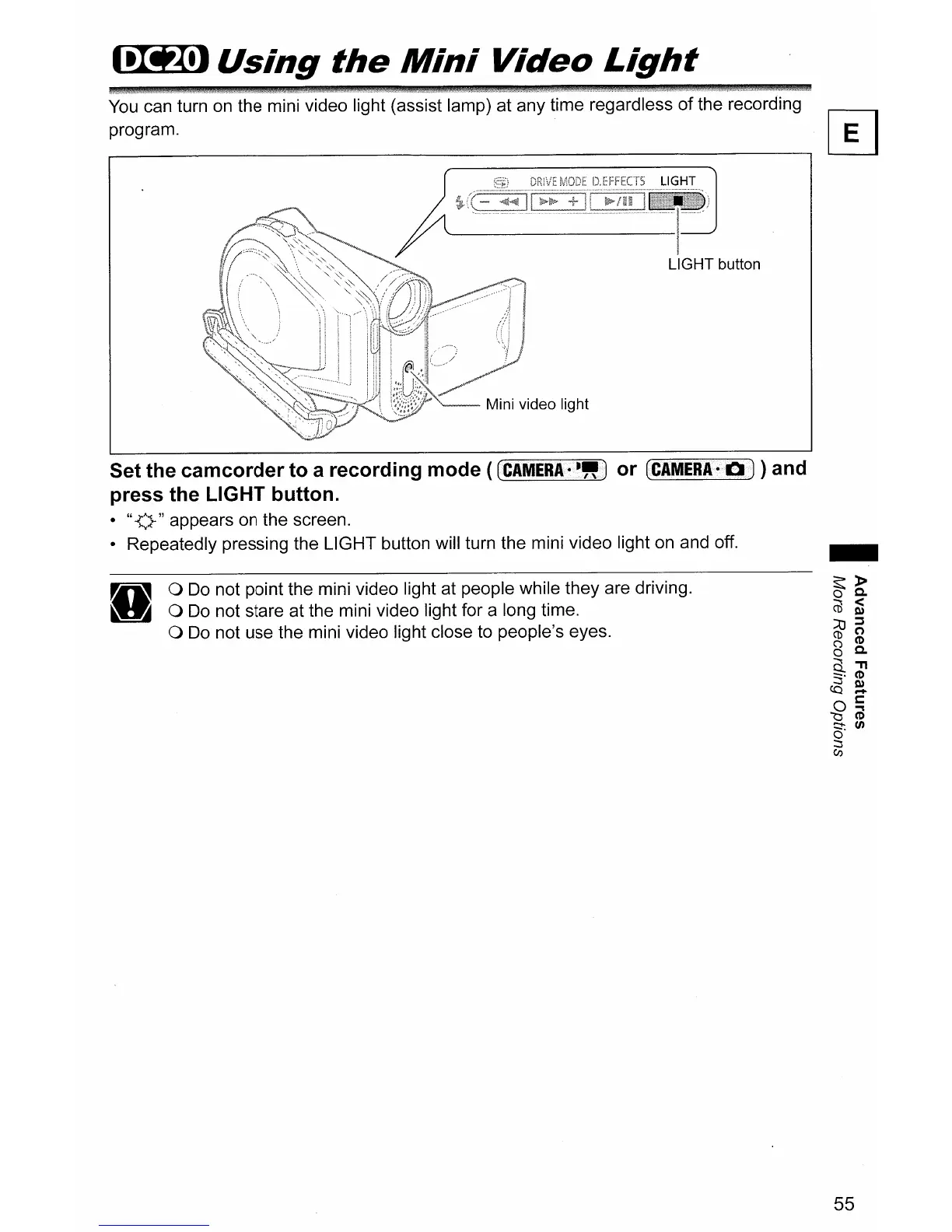
You
can turn
on
the mini video light (assist lamp) at any time regardless
of
the recording
program.
~
LIGHT button
Set the camcorder to a recording mode
((CAIVIERAi--!!<)
or (CAMERA-b)) and
press the LIGHT button.
· "v" appears on the screen.
• Repeatedly pressing the LIGHT button will turn the mini video light on and off.
o
Do
not point the mini video light at people while they are driving.
o
Do
not stare at the mini video light for a long time.
o
Do
not use the mini video light close to people's eyes.
55



 To Next Page