Continuous
Shooting
and
Exposure
Bracketing
o Single
Records a single still image when you press the PHOTO
button.
66
_D-=-=:UJ_C_o_n_tin_u_ou_S_S_h_oo_ti_ng=--_----l
Captures a quick series of still images while you press the
~
High-Speed Continuous PHOTO button. For the number
of
frames per second,
Shooting refer to the table
on
the next page.
~
AEB (Auto Exposure The camcorder records a still image
in
three different
Bracketing) exposures (dark, normal, light
in
1/2 EV steps), allowing
you to choose the shot you like the best.
~----~
IIVIQ(Je
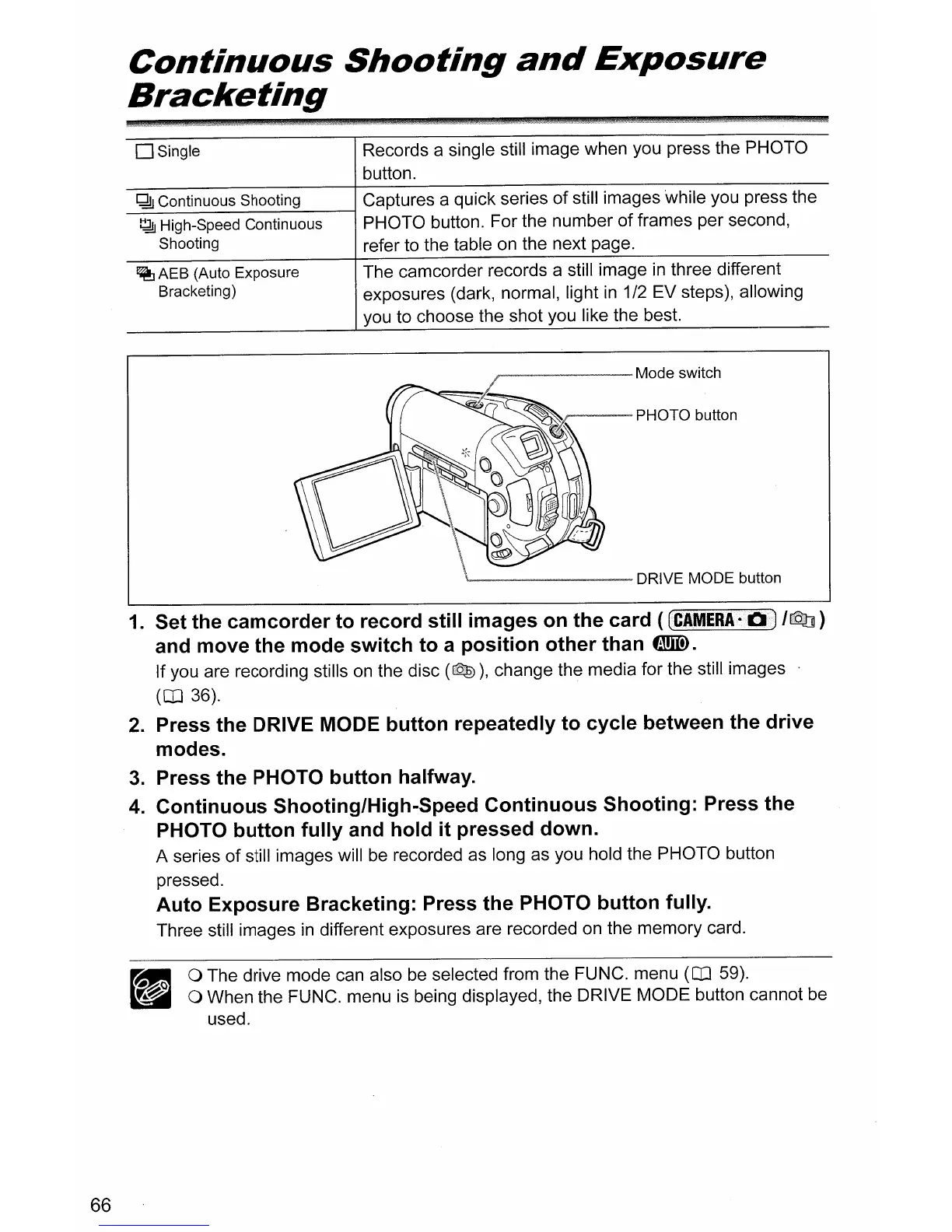
switch
'--------
DRIVE MODE button
1.
Set the
camcorder
to
record
still
images
on
the
card (
CCIMERA-bD
/rQil
)
and
move
the
mode
switch
to
a
position
other
than
tmID.
If you are recording stills
on
the disc (Qe)), change the media for the still images
(CD
36).
2.
Press
the
DRIVE MODE
button
repeatedly
to
cycle
between the
drive
modes.
3.
Press
the
PHOTO
button
halfway.
4.
Continuous
Shooting/High-Speed
Continuous
Shooting:
Press
the
PHOTO
button
fully
and
hold
it
pressed
down.
A series
of
still images will
be
recorded as long as you hold the PHOTO button
pressed.
Auto
Exposure
Bracketing:
Press
the
PHOTO
button
fully.
Three still images
in
different exposures are recorded
on
the memory card.
II
0 The drive mode can also be selected from the FUNC. menu
(CD
59).
~~
-.""'"
0 When the FUNC. menu
is
being displayed, the DRIVE MODE button cannot be
used.



 To Next Page