~
Using
the
Flash
You
can use the built-in flash for recording still images in dark places. The flash is
equipped with the red-eye reduction function.
~A
(auto)
@ (red-eye reduction, auto)
~
(flash on)
@ (flash off)
The flash fires automatically according to the brightness
of
the subject.
The flash fires automatically according to the brightness
of
the subject. The assist lamp lights up to reduce the
red-eye effect.
The flash always fires.
The flash does not fire. Use this setting
in
places where
flash photography is prohibited.
56
1.
Set the camcorder to record still images (
(CAMERA"
0)
) and select a
recording program other than Fireworks (SeN).
2.
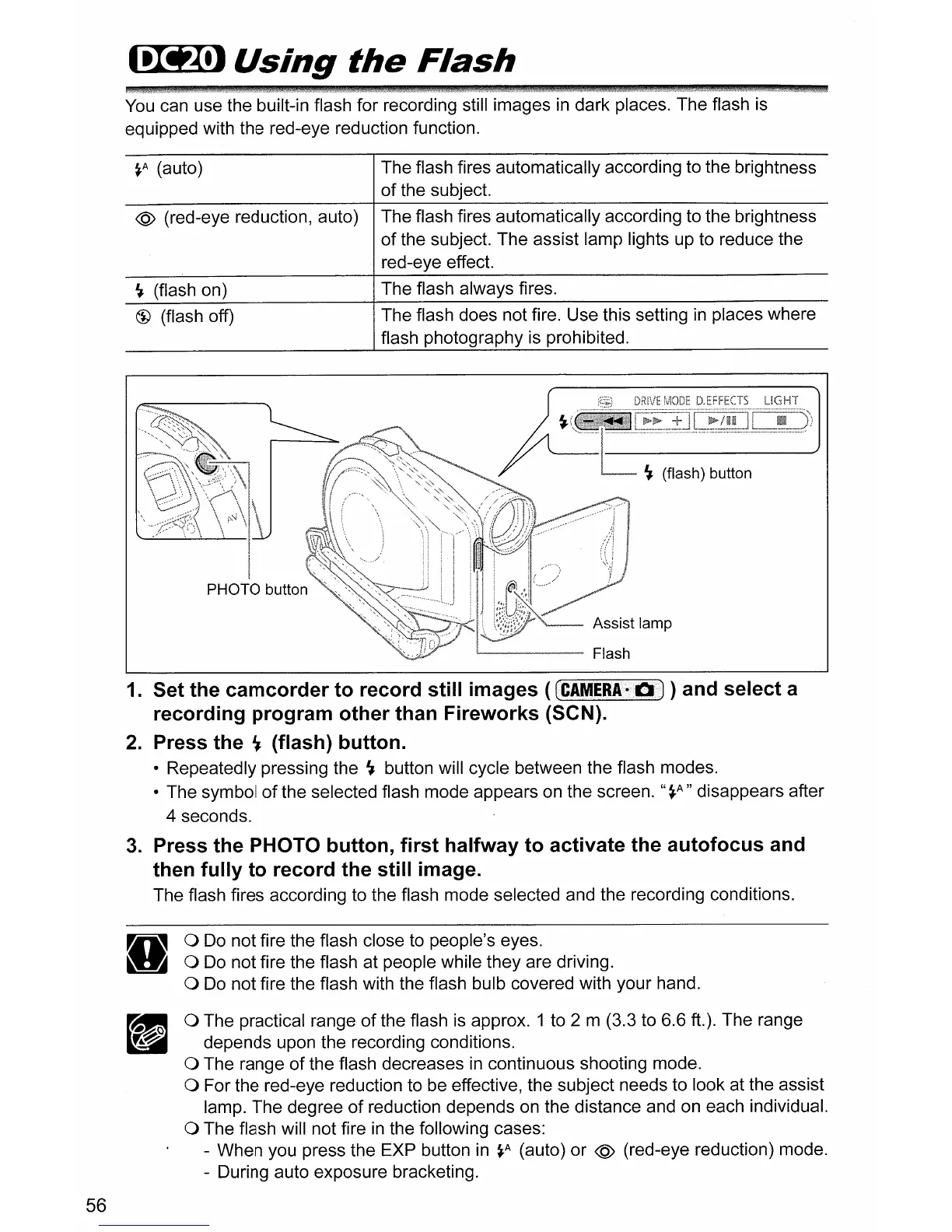
Press the
~
(flash) button.
• Repeatedly pressing the
~
button will cycle between the flash modes.
• The symbol
of
the selected flash mode appears on the screen.
"~A"
disappears after
4 seconds.
3.
Press the PHOTO button, first halfway to activate the autofocus and
then fully to record the still image.
The flash fires according to the flash mode selected and the recording conditions.
o Do not fire the flash close to people's eyes.
o Do not fire the flash at people while they are driving.
o Do not fire the flash with the flash bulb covered with your hand.
o The practical range
of
the flash is approx. 1 to 2 m (3.3 to 6.6 ft.). The range
depends upon the recording conditions.
o The range
of
the flash decreases
in
continuous shooting mode.
o For the red-eye reduction to be effective, the subject needs to look at the assist
lamp. The degree
of
reduction depends on the distance and on each individual.
o The flash will not fire
in
the following cases:
- When you press the EXP button in
~A
(auto)
or
@ (red-eye reduction) mode.
- During auto exposure bracketing.



 To Next Page