Manually
Adjusting
the
Focus
/find
Changing
the
Focusing
Mode
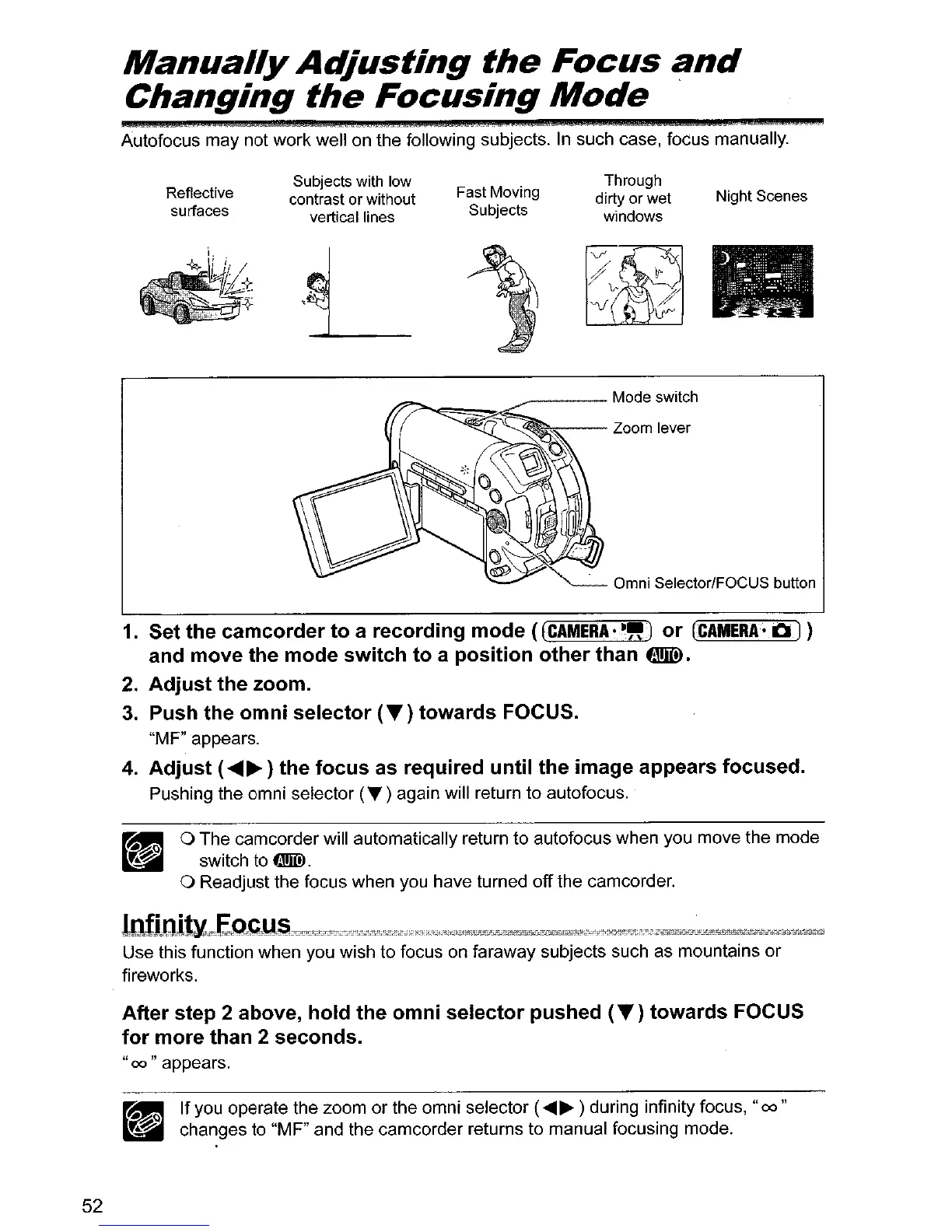
Autofocus may not work well on the following subjects.
In
such case, focus manually.
Reflective
surfaces
Subjects with low
contrast or without
vertical lines
-L
Fast Moving
Subjects
Through
dirty
or
wet
windows
Night Scenes
52
1.
Set
the
camcorder
to
a
recording
mode
(
[CAMERA
••
,,)
or
(CAMERA·
10
1)
and
move
the
mode
switch
to
a
position
other
than
tmID.
2.
Adjust
the
zoom.
3.
Push
the
omni
selector
(T)
towards
FOCUS.
"MF" appears.
4.
Adjust
(
....
~)
the
focus
as
required
until
the
image
appears
focused.
Pushing the omni selector
(T)
again will return to autofocus.
o The camcorder will automatically return to autofocus when you move the mode
switch to
W>.
o Readjust the focus when you have turned off the camcorder.
Use this function when you wish to focus on faraway subjects such as mountains
or
fireworks.
After
step
2
above,
hold
the
omni
selector
pushed
(T)
towards
FOCUS
for
more
than
2
seconds.
"00
" appears.
•
If
you operate the zoom or the omni selector (....... ) during infinity focus,
"00"
~~CI
..,~
changes to "MF" and the camcorder returns to manual focusing mode.



 To Next Page