• Setting the Direct Transfer Download Destination Folder
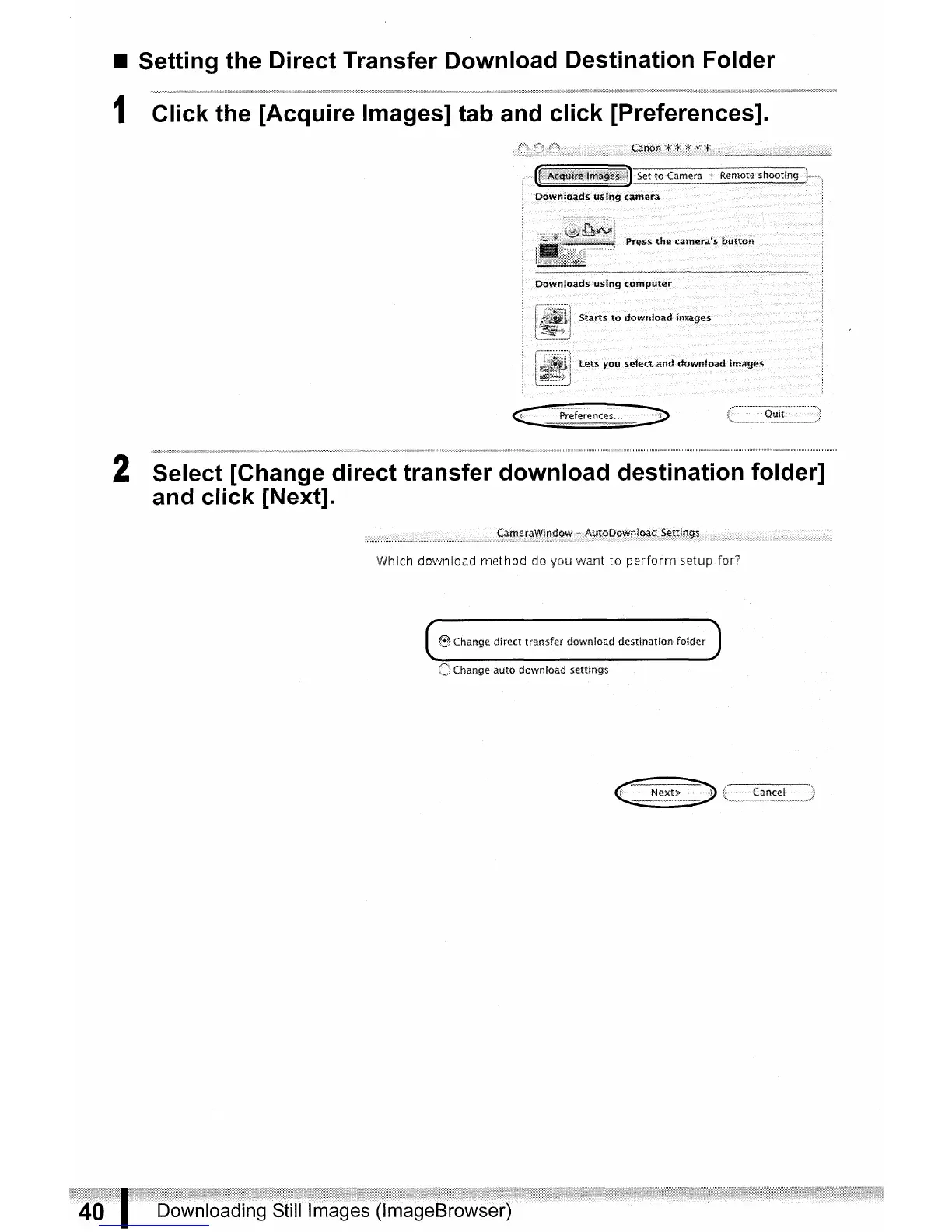
1 Click the [Acquire Images] tab and click [Preferences].
2 Select [Change direct transfer download destination folder]
and click [Next].
Whicfl download method do you want to
perform
setup for?
~
Change direct transfer download destination folder
C Change auto download settings



 To Next Page