Creating
Panoramic
Images
You
can shoot a series
of
overlapping images and merge them on a computer into one
large panoramic image using the supplied software (PhotoStitch).
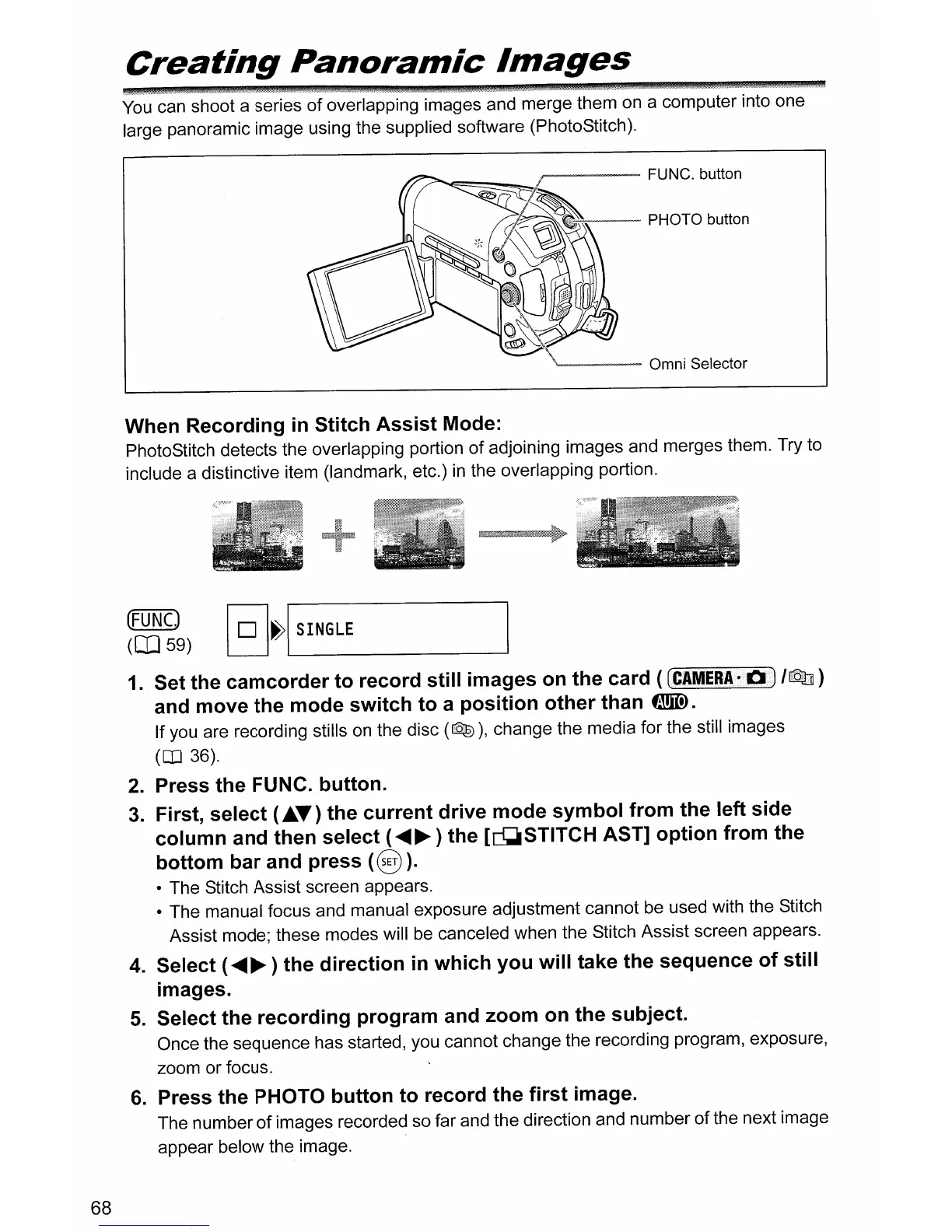
'-----
Omni Selector
When Recording
in
Stitch Assist Mode:
PhotoStitch detects the overlapping portion
of
adjoining images and merges them. Try to
include a distinctive item (landmark, etc.)
in
the overlapping portion.
(FUNCJ
(0]59)
@]~I
SINGLE
68
1
..
Set the camcorder to record still images
on
the card (
eCAMERA-i!lJ
IrQ]
)
and move the mode switch to a position other than
tmID.
If you are recording stills
on
the disc
(QID),
change the media for the still images
(OJ 36).
2.
Press the FUNC. button.
3.
First, select
(."")
the current drive mode symbol from the left side
column and then select (
.....
~
) the [Q;lSTITCH AST] option from the
bottom bar and press
(8
).
• The Stitch Assist screen appears.
• The manual focus and manual exposure adjustment cannot be used with the Stitch
Assist mode; these modes will be canceled when the Stitch Assist screen appears.
4.
Select (
.....
~
) the direction
in
which you will take the sequence of still
images.
5.
Select the recording program and zoom
on
the subject.
Once the sequence has started, you cannot change the recording program, exposure,
zoom or focus.
6.
Press the PHOTO button to record the first image.
The number
of
images recorded so far and the direction and number
of
the next image
appear below the image.



 To Next Page