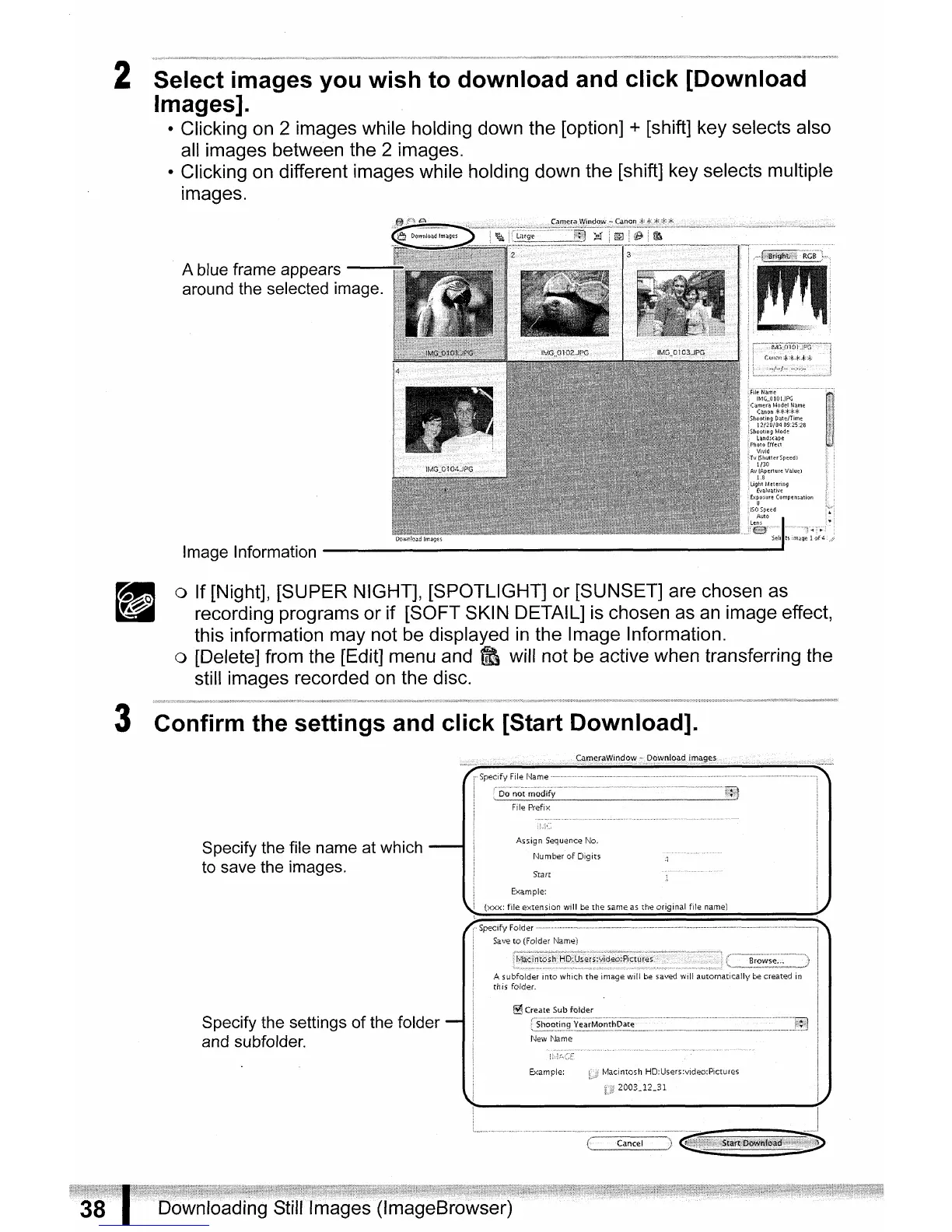
2 Select images you wish to download and click [Download
Images].
• Clicking on 2 images while holding down the [option] + [shift] key selects also
all images between the 2 images.
• Clicking on different images while holding down the [shift] key selects multiple
images.
Image Information
-------------------
.....
o If [Night], [SUPER NIGHT], [SPOTLIGHT] or [SUNSET] are chosen as
recording programs or if [SOFT SKIN DETAIL] is chosen as
an
image effect,
this information may not be displayed
in
the Image Information.
o [Delete] from the [Edit] menu and
~
will not be active when transferring the
still images recorded on the disc.
3 Confirm the settings and click [Start Download].
Specify the file name at which
to save the images.
Specify the settings of the folder
and subfolder.



 To Next Page