~~~9)
I
~}
I~I
D.
EFFECT
OFF
1.
Set the
camcorder
to
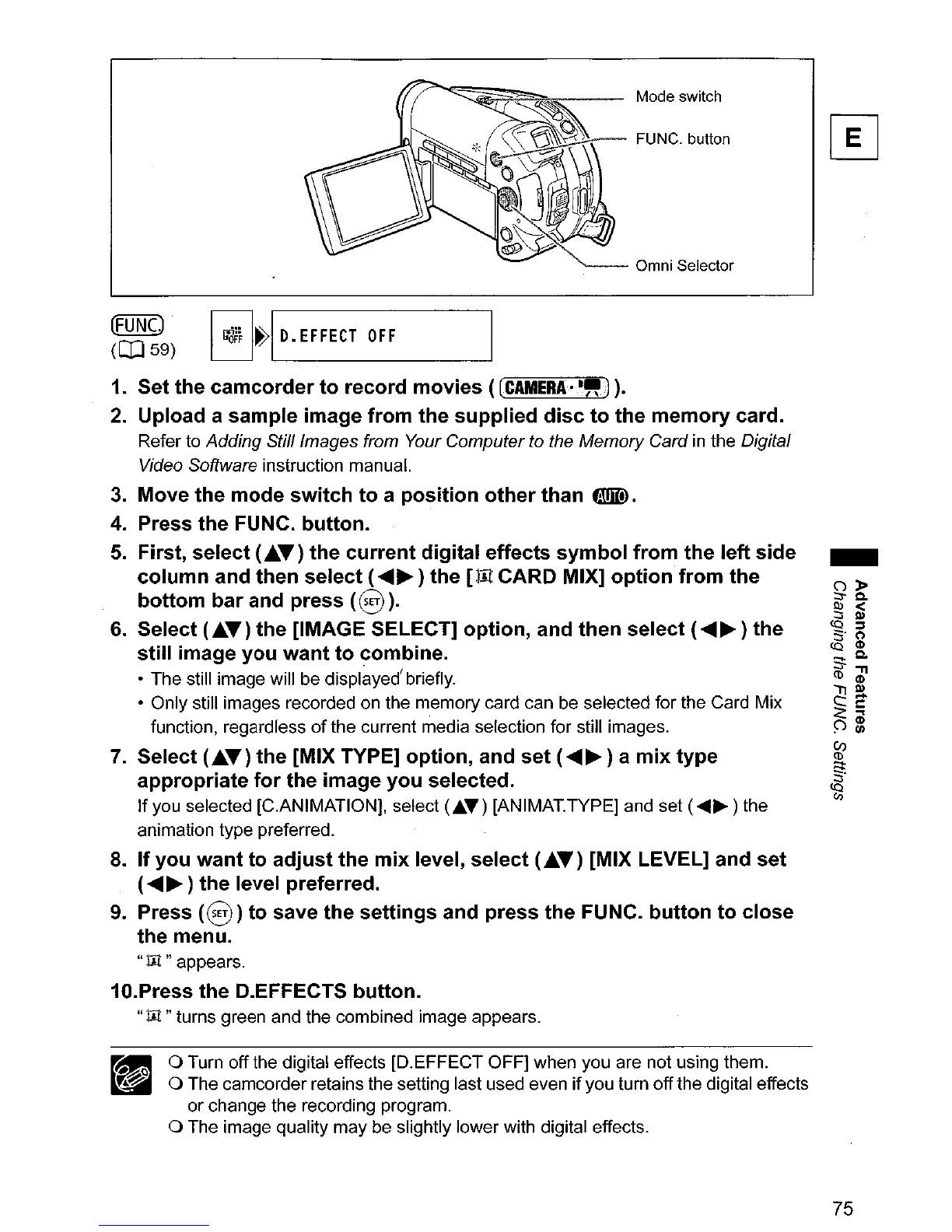
record movies ([CAMERA·-").
2.
Upload a sample image
from
the
supplied
disc
to
the
memory
card.
Refer to Adding Still/mages from Your Computer to the Memory Card
in
the Digita/
Video Software
instruction manual.
3.
Move
the
mode
switch
to
a
position
other
than
fD).
4.
Press the FUNC. button.
5.
First, select (
....
T)
the
current
digital effects
symbol
from
the left
side
column
and then select (
........
) the
[lIt
CARD MIX]
option
from
the
bottom
bar
and press
(8
).
6.
Select (.A.T) the [IMAGE SELECT] option, and then select (
........
) the
still image
you
want
to
combine.
• The still image will be displayed'briefly.
• Only still images recorded on the memory card can be selected for the Card Mix
function, regardless
of
the current media selection for stilt images.
7.
Select (.A.T) the [MIX TYPE] option, and
set
(
........
) a
mix
type
appropriate
for
the
image you selected.
If
you selected [C.ANIMATION], select
(J;.~)
[ANIMAT.TYPEj and set (
........
) the
animation type preferred.
8.
If
you want
to
adjust
the
mix
level, select (.A.T) [MIX LEVEL] and
set
(
........
) the level preferred.
9.
Press
(8)
to
save the settings and
press
the FUNC.
button
to close
the
menu.
"m"appears.
10.Press the D.EFFECTS button.
"m
"turns green and the combined image appears.
o Turn off the digital effects [D.EFFECT OFF] when you are not using them.
o The camcorder retains the setting last used even if you turn offthe digital effects
or change the recording program.
o The image quality may be slightly lower with digital effects.
-
75



 To Next Page