167
A Registering Customized Picture Stylest
6
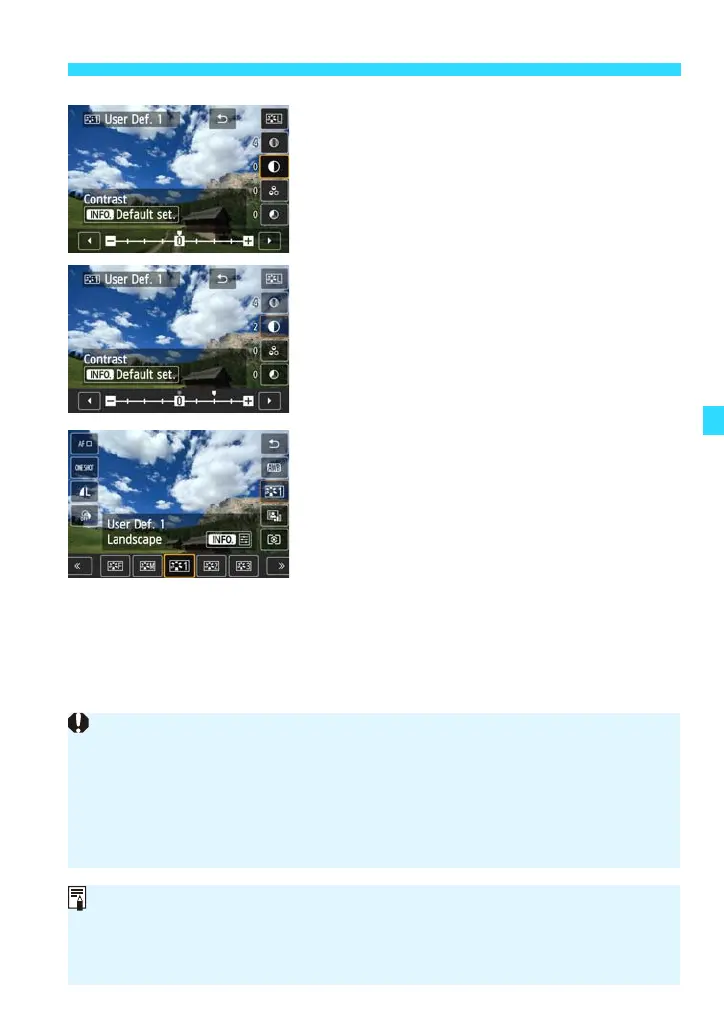
Select a parameter.
Tap a parameter such as [Sharpness] to
select it.
7
Set the parameter.
Tap [h]/[g] to set the parameter.
For details, see “Adjusting the Picture
Style” on pages 162-165.
Press [2] to register the modified
Picture Style. The Picture Style selection
screen will then reappear.
The base Picture Style will be indicated
under [User Def.*].
If a Picture Style has already been registered under [User Def.*], changing
the base Picture Style in step 5 will nullify the parameter settings of the
registered Picture Style.
If you execute [Clear all camera settings] (p.220), all the [User Def.*]
settings will revert to their defaults. Picture Styles registered via EOS Utility
(EOS software) will have only their modified parameters reverted to their
default settings.
To shoot with a registered Picture Style, follow step 3 on page 106 to select
[User Def.*], then shoot.
Regarding the procedure to register a Picture Style file to the camera, refer to
the EOS Utility Instruction Manual (PDF).















 To Next Page