199
3 Shooting Video Snapshots
After shooting, you can rearrange, delete, or play back the video snapshots in
the album.
1
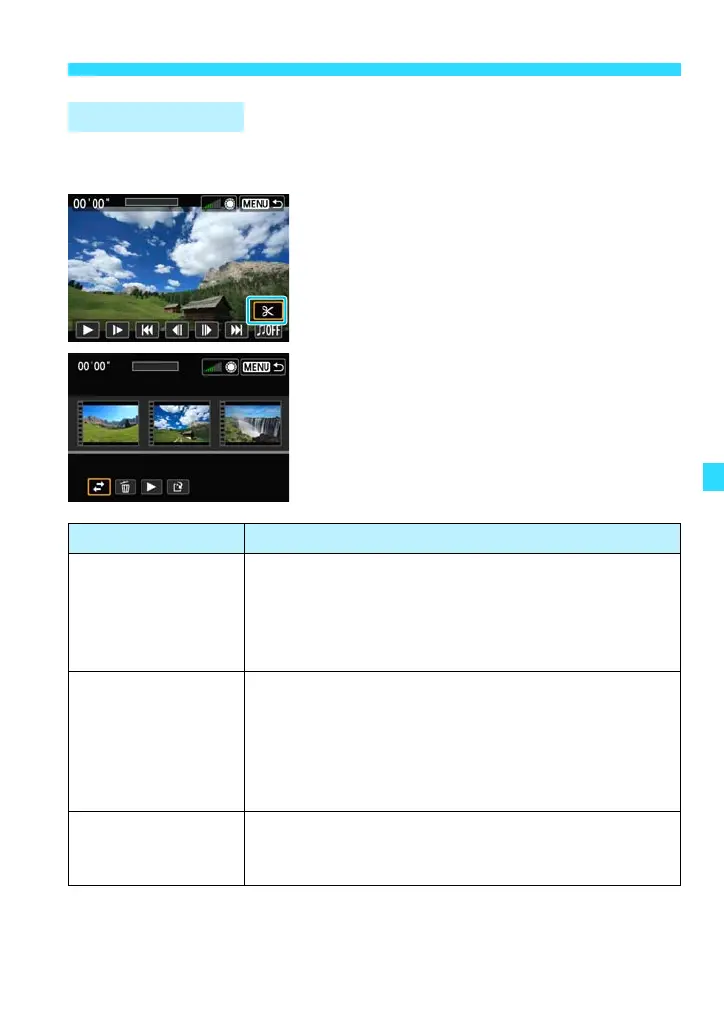
On the playback panel, select [X]
(Edit).
The editing screen will be displayed.
2
Select an editing operation.
Tap the icon of the editing operation or
press the <Y> <Z> keys to select an
editing operation, then press <0>.
Editing an Album
Function Description
z Move snapshot
Tap the video snapshot you want to move or press
the <Y> <Z> keys to select the video snapshot you
want to move, then press <0>. Press the <Y>
<Z> keys to move the snapshot to the desired
location.
L Delete snapshot
Tap the video snapshot you want to delete or press
the <Y> <Z> keys to select the video snapshot you
want to delete, then press <0>. The [L] icon will
be displayed on the selected video snapshot.
Pressing <0> again will cancel the selection and
[L] will disappear.
7 Play snapshot
Tap the video snapshot you want to play or press the
<Y> <Z> keys to select the video snapshot you
want to play, then press <0>.















 To Next Page