249
Viewing Images on a TV Set
If the TV set connected to the camera with an HDMI cable is compatible with
HDMI CEC*, you can use the TV set’s remote control for playback
operations.
* An HDMI-standard function enabling HDMI devices to control each other so that you
can control them with one remote control unit.
1
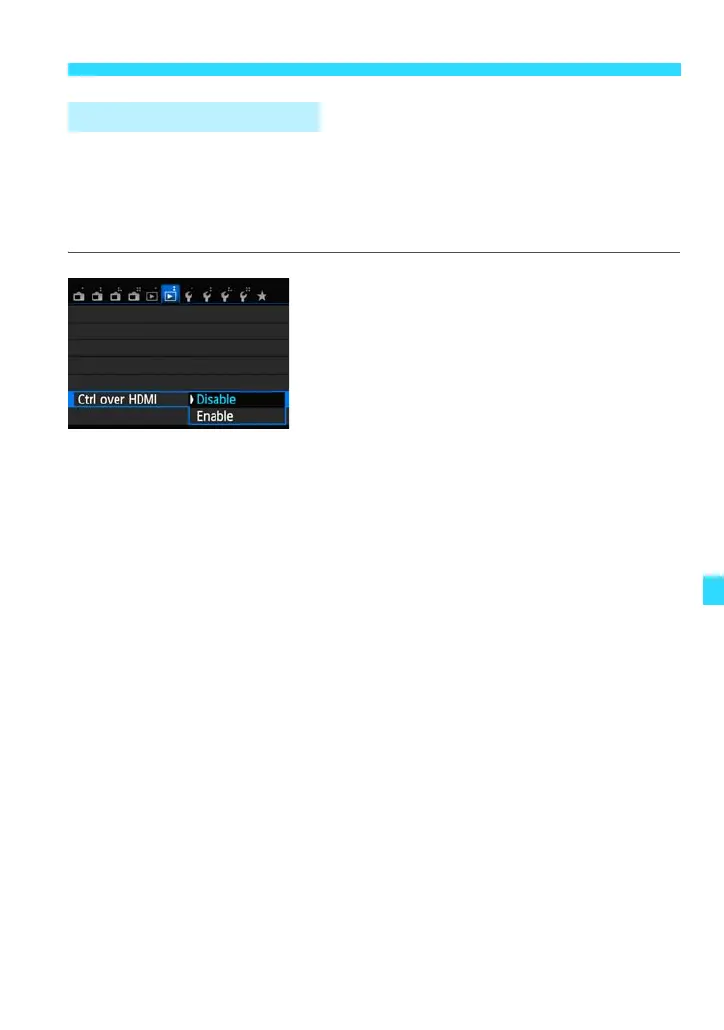
Set [Ctrl over HDMI] to [Enable].
Under the [x2] tab, select [Ctrl over
HDMI], then press <0>.
Select [Enable], then press <0>.
2
Connect the camera to a TV set.
Use an HDMI cable to connect the
camera to the TV set.
The TV set’s input will switch
automatically to the HDMI port connected
to the camera.
3
Press the camera’s <x> button.
An image will appear on the TV screen
and you can use the TV set’s remote
control to play back images.
4
Select an image.
Press the remote control’s / button to
select an image.
Using HDMI CEC TV Sets















 To Next Page