55
3 Menu Operations
1
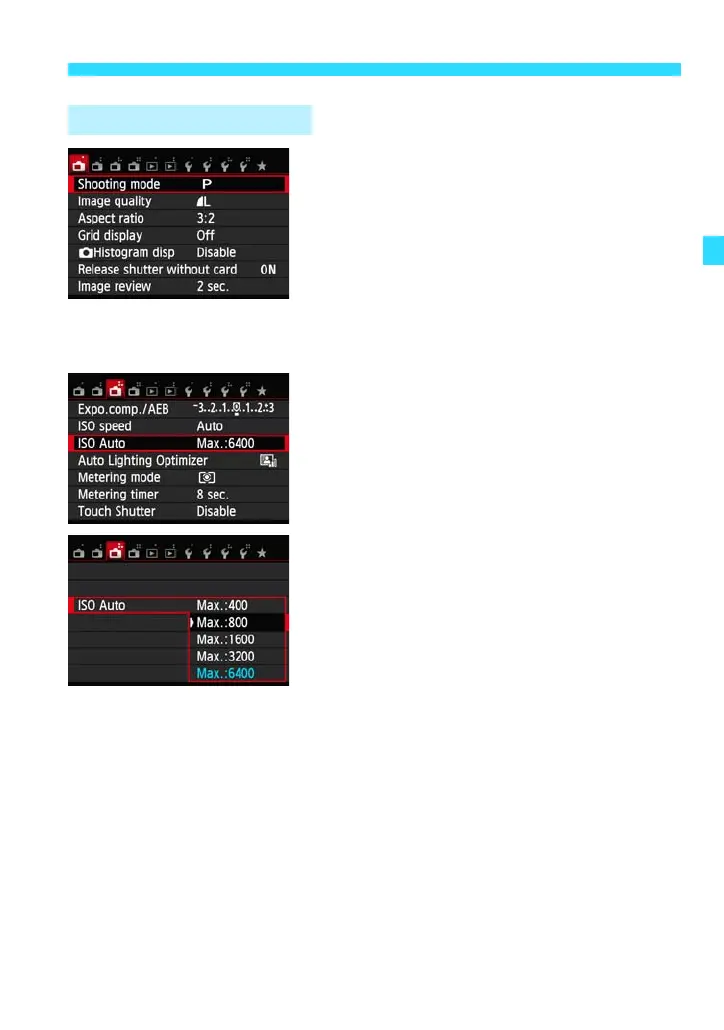
Display the menu screen.
Press the <M> button.
2
Select a tab.
Press the Main Dial’s <Y> <Z> keys to
select a tab (group of functions).
For example, in this manual, “the [A3]
tab” refers to the screen displayed when
the third A (Shooting) tab from the left
[S] is selected.
3
Select the desired item.
Press the Main Dial’s <W> <X> keys to
select the item, then press <0>.
4
Select the setting.
Press the Main Dial’s <W> <X> or <Y>
<Z> keys to select the desired setting.
(Some settings require you to press
either the <W> <X> or <Y> <Z> keys
to select them.)
The current setting is indicated in blue.
Menu Setting Procedure















 To Next Page