75
C Creative Auto Shooting
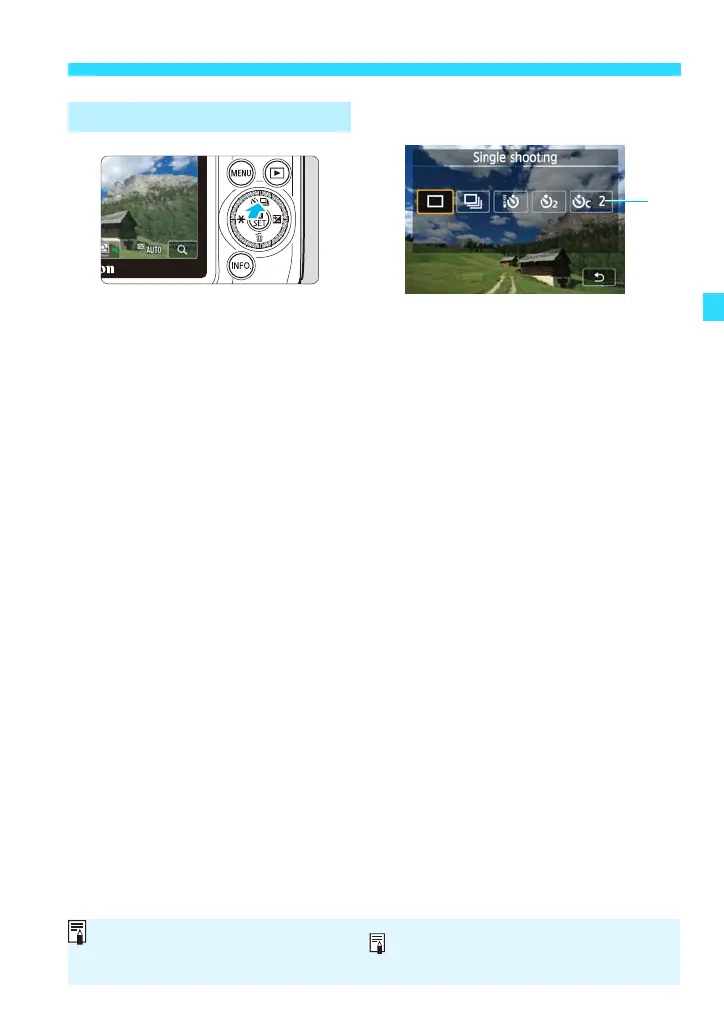
(5) Drive/self-timer mode
Set by pressing <j/i>.
[u] Single shooting:
Shoot one image at a time.
[i] Continuous shooting:
While you hold down the shutter button completely, shots will be
taken continuously. You can shoot up to approx. 4.6 shots per
second.
[Q] Self-timer: 10sec./remote control:
The picture is taken 10 seconds after you press the shutter button. A
remote controller can also be used.
[l] Self-timer: 2 sec.:
The picture is taken 2 seconds after you press the shutter button.
[q] Self-timer: Continuous:
Tap [d]/[f] to set the number of multiple shots (2 to 10) to be taken
with the self-timer. 10 seconds after you press the shutter button,
the set number of multiple shots will be taken.
Setting by Pressing <j/i>
When using the self-timer, see the notes on page 127.
If you have set Extra Effect Shot, [i] [q] cannot be set.















 To Next Page