3-CONTROLSANDINSTRUMENTS
Enteringtheservicescreens
AfterthemachinehasbeenstartedorthekeyswitchhasbeenturnedtoON,theoperatororservicetechnicianmay
usethemainmenutoadjustmachinecongurationstoworkingconditions,totestcomponents,viewfaultsthatmay
haveoccurred,ortoselectpreferences.Languagescanbesetatthebeginningofthemenucongurationtoallow
theoperatortoworkinthelanguageofchoice.
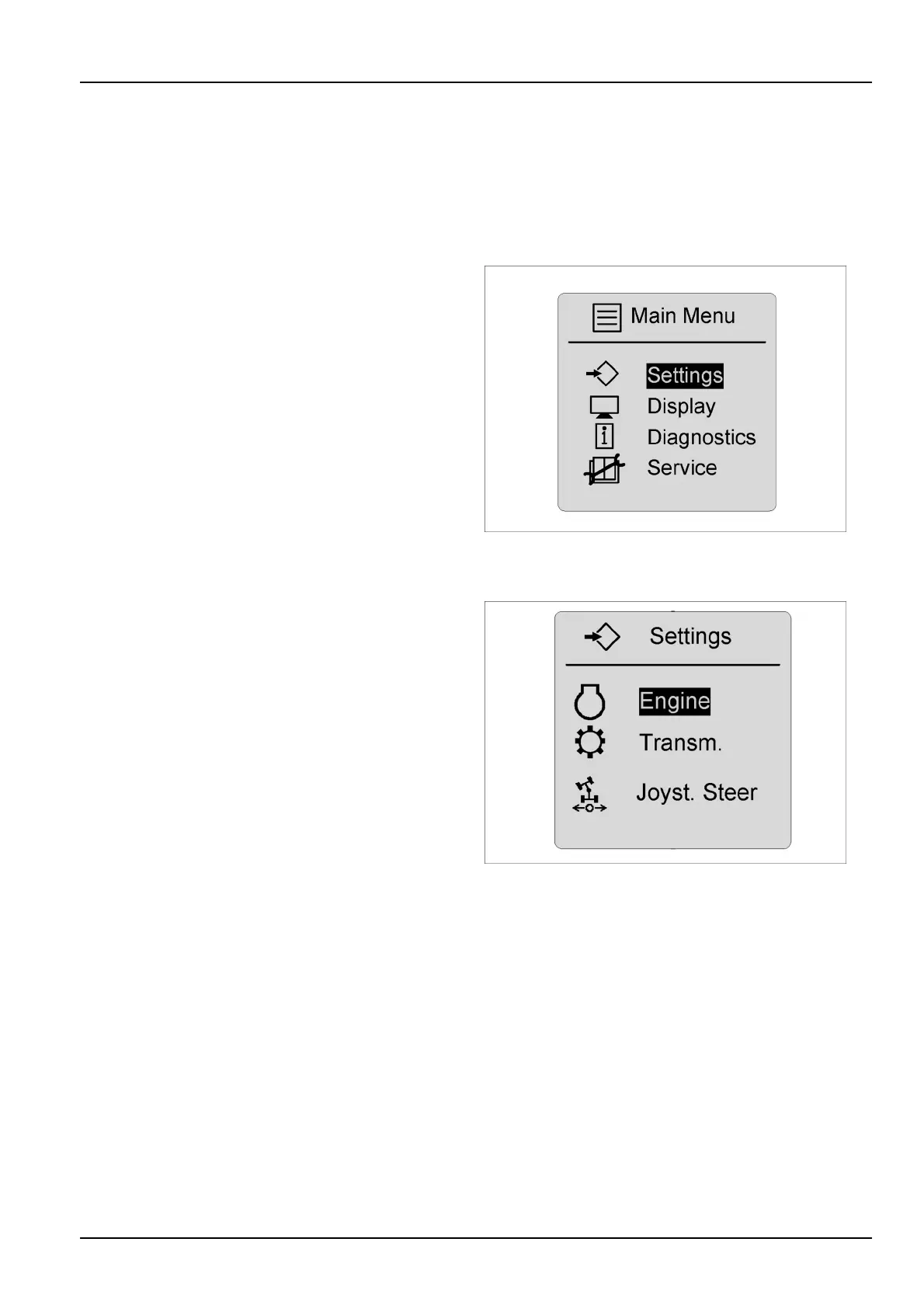
Mainmenu
Pressandholdtheconrmkeyfortwosecondstoarrive
atthemainmenu.Thearrowkeyscanbeusedtoscroll
throughmenuselections.
Itemsandselectionsinthismenuare:
Settings
Display
Diagnostics
Service
RCPH10WHL804AAH12
Settings
Selectionsatthesettingmenuinclude:
Engine
Transmission
Joysticksteering(Option-willdisplayonlyifmachineis
joysticksteeringequipped)
RCPH10WHL803BAH13
3-49



 To Next Page