6-WORKINGOPERATIONS
Joysticksteeringspeedselect
Whenjoysticksteeringhasbeenenabled,joysticksteer-
ingwillbeindicatedontheLCDscreen.Usejoystick
steeringforrepetitive,highproductionoperationssuchas
truckloading,etc.Joysticksteeringisnotintendedforpri-
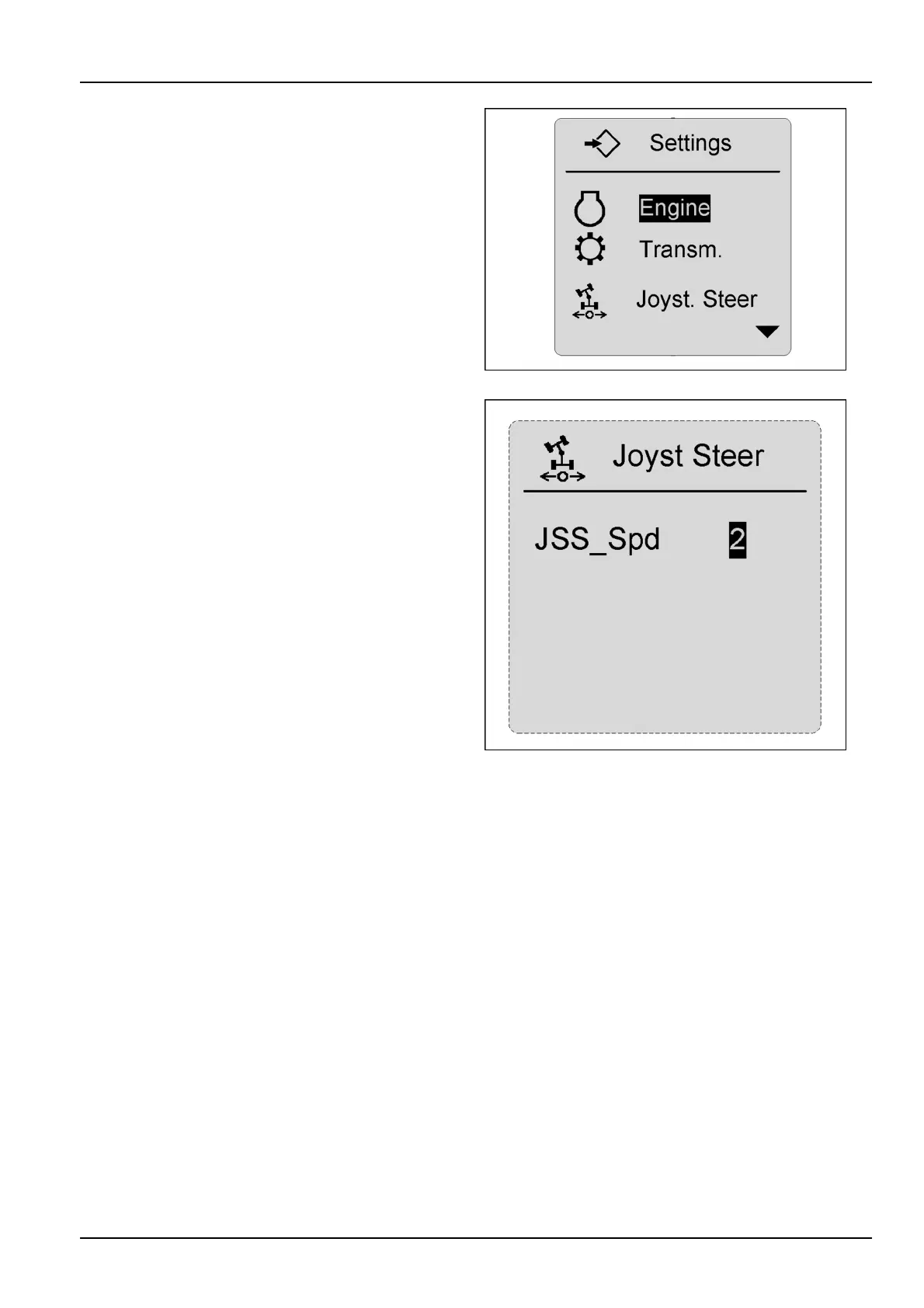
marysteeringuse.HighlightjoysticksteeringontheSet-
tingsscreenandpresstheenterkeytochoosejoystick
steeringspeedselections.
RCPH10WHL366BAH11
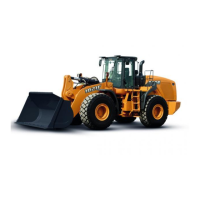
Toselectthespeedmostsuitablefortheoperationbeing
performedwhenusingjoysticksteering,highlighttheJoy-
stickSpeedSelectatthepreferencescreenandpress
theconrmkey.Choosethespeedfromaonetothree
range:slow(1),standard(2),orfast(3)usingthearrow
keys.Afterthedesiredspeedhasbeenselected,press
theconrmkeyagaintolockinthespeedselection.The
highertherangeselected,themoreresponsivesteering
capabilitiesofthemachinebecome.Alwayssetthespeed
tosuittheoperator,operatingconditions,andworktobe
performed.Astheoperatorbecomesmorefamiliarwith
joysticksteering,ahighersteeringspeedmaybedesired.
SPEEDLEVELS
1.Slow
2.Standard
3.Fast
NOTICE:Whenrstbecomingaccustomedtojoystick
steering,operatethemachineinalowerspeedrangein
aclearopenarea.
RCPH10WHL370BAH12
6-9



 To Next Page