M-Series Operator’s Manual 4/9/2015 10-35
F1-Island
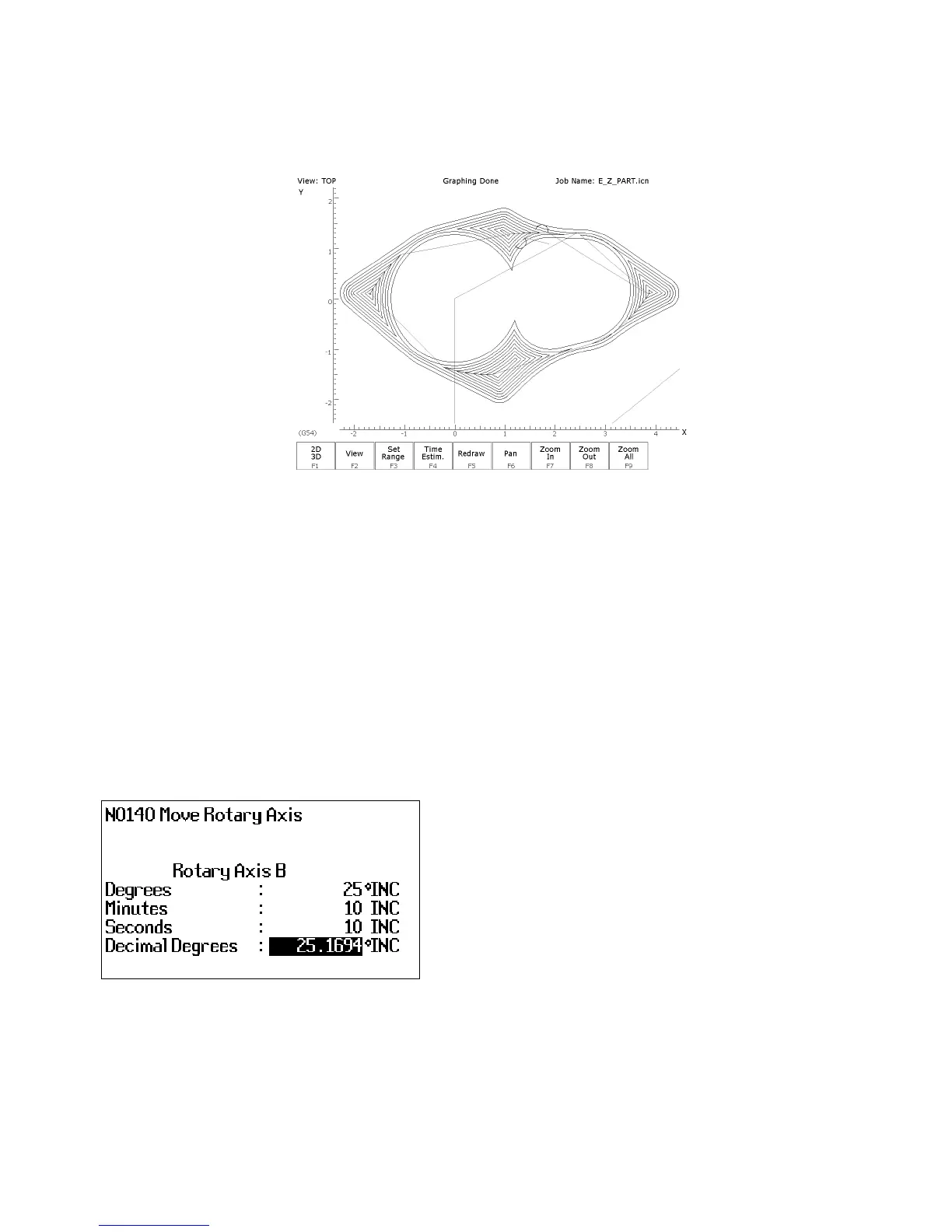
(Island Avoidance) Once you have defined a pocket in the cleanout cycle. There may be areas or
islands that you don’t want cleaned out. To create an island press F1-Island, enter the starting point of the island and
then use F2-Linear and F3-Arc to create the island.
See an example of a completed cleanout backplot below.
F6 – Other
Choosing F6 - Other will display the following operations that may be inserted.
F1 - Comment - Enter a comment, up to 35 characters long, which will be displayed in the generated CNC program.
F2 - Spindle - Change the actual state of the spindle. Press F3 - Toggle or SPACE to toggle between CW, CCW, and
OFF.
F3 - Coolant - Change the actual state of the coolant. Press F3 - Toggle or SPACE to toggle between FLOOD, MIST,
and OFF.
F4 - Clamp - Turn the Clamp ON and OFF. Press F3 - Toggle or SPACE to change the clamp state.
F5 - Z Home - Send the Z-axis to its home position.
F6 - M & G Code - Enter M & G codes into your Intercon part program. Great care must be taken when using this
function, as you could cause unpredictable results in the controller if you accidentally changed positioning modes in
your program, or perhaps turning the spindle off during a cut.
F7 - Rotary - Insert a rapid rotary move. This operation requires a rotary fourth axis. The fields are identical to
the fields in the Linear Mill operation as shown below, but the resulting move is a G0 (Rapid) moving only the
rotary axis.
F8 - Import DXF - Insert Intercon operations created from objects in DXF files. For more information, refer to the
“Importing DXF files” section later in this chapter.



 To Next Page