M-Series Operator’s Manual 4/9/15
Helical and circular motion can be programmed in two different ways: specifying the final point and the radius of
the arc, or specifying the final point and the parameters I, J, K (center point of the arc as incremental values from
the start position).
* NOTE: For closed circles (arc of 360 degrees), use method 2: specify final point and parameters I, J and K.
Method 1 (specify final point and radius) will not work.
METHOD 1: USING FINAL POINT AND RADIUS
The commands G2 and G3 will have the following structure:
G2 Xa Yb Zc Rd
G3 Xa Yb Zc Rd
where a, b, and c will be the X, Y, and Z coordinates of the final point of the arc, and d will be the radius.
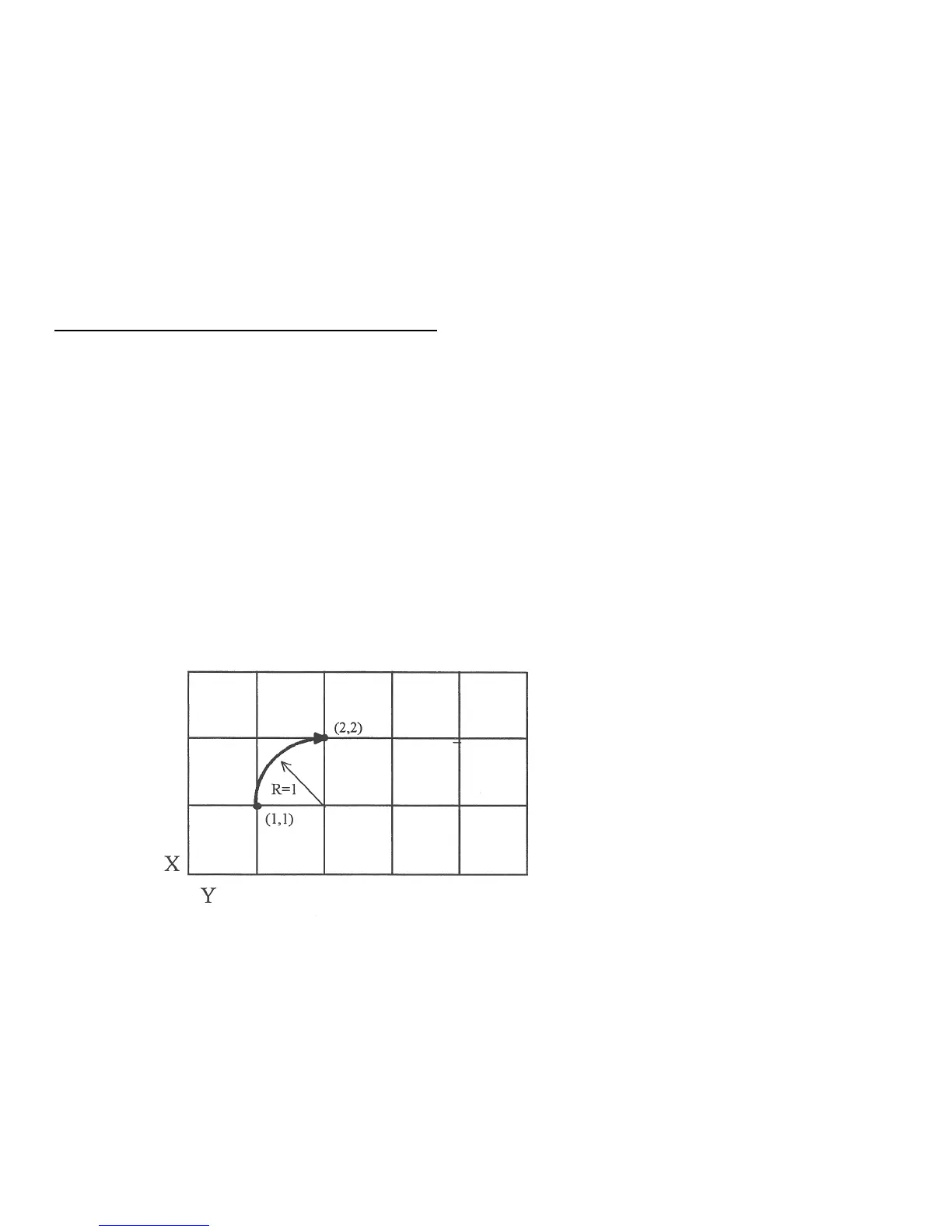
In most cases there will be two possible arcs of the same radius connecting two given points. This occurs
because the center of the arc is not specified. To choose the bigger arc, make the radius negative. To choose the
smaller arc, make the radius positive. See examples 1 and 2 for graphical explanations of this concept.
Example 1 (small arc solution: positive radius):
G17 G90 F25 ; selects XY plane and absolute positioning
G00 X1.0 Y1.0 Z0 ; rapid to start position X1, Y1, Z0
G02 X2 Y2 Z0 R1 ; arc to X2 Y2 Z0 with radius of 1
; (small arc solution)
Example 2 (big arc solution: negative radius):
G17 G90 F25 ; selects XY plane and absolute positioning
G00 X1.0 Y1.0 Z0 ; rapid to start position X1, Y1, Z0
G02 X2 Y2 Z0 R -1 ; arc to X2 Y2 Z0 with radius of 1
; (big arc solution)



 To Next Page