M-Series Operator’s Manual 4/9/15
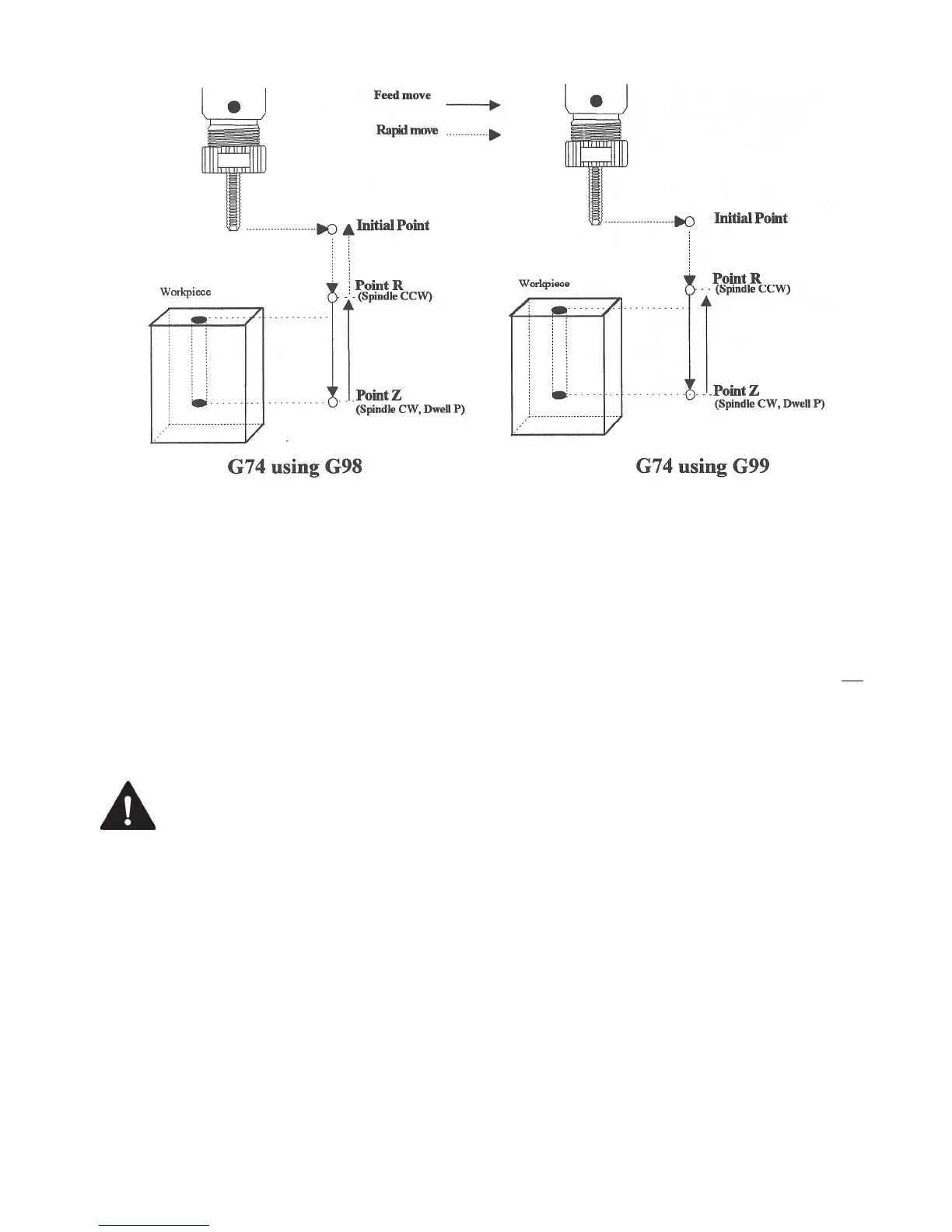
G74 - Counter Tapping
G74 performs left-hand tapping. The spindle speed (and feedrate, if you are doing floating tapping) should be set
and the spindle started in the CCW direction before issuing G74. G74 will normally use the default M3 to select
spindle CW (at the bottom of the hole) and M4 to re-select spindle CCW (after backing out of the hole) depending
on the settings of parameters 74 and 84.
The tap may continue to cut a short distance beyond the programmed Z height as the spindle comes to a stop before
reversing. When tapping blind holes, be sure to specify a Z height slightly above the bottom of the hole to prevent
the tool from reaching bottom before the spindle stops.
Note: If rigid tapping is enabled, a Q may be used to set the thread lead or pitch. However, because Q is not modal
in the case of Rigid Tapping, you must specify Q on every line at which Rigid Tapping is to occur.
Note: At the bottom of the hole, G74 will call the default version of the specified M function even if it has been
customized by an M function macro.
WARNING
FEED HOLD is temporarily disabled during the tapping cycle, but it will be re-
enabled at the end of the cycle.
NOTICE
Pressing CYCLE CANCEL while the tap is in the hole will very probably break the tap
or strip the threads in the tap hole. However, do so if it is an emergency.
Example:
M4 S500 F27.78 ; start spindle CCW, set up for 18 pitch tap
G74 X1 Y1 R.1 Z-.5 ; counter-tap a 0.5 deep hole at X1 Y1
Y1.5 ; ... and another one at X1 Y1.5
G80 ; cancel canned cycles



 To Next Page