M-Series Operator’s Manual 4/9/15
G81 - Drill Cycle Transformation to G81 Air Drill Cycle
G81 may be modified to execute an M function instead of moving the Z-axis by setting parameter #81 to the desired
M function. Example use is for air-actuated drills.
Example: Execute M39 each time a new G81 position is given:
G10 P81 R39 ; Set parameter 81 to 39 (G81 air drill with M39)
G81 X5 ; Move to X5 and execute M39
Y3 ; Move to Y3 and execute M39
To revert to Z-axis drilling, specify M function #-1.
Example:
G10 P81 R-1 ; Set parameter 81 to -1 (G81 drilling cycle)
M function #39 is designed for general air drill use. See the description of M39 in the M functions section.
A different M function may be used instead, but any M function used must be a macro file that uses the M103 and
M104 commands to time the cycle (see the example in the M function section under M103). If the macro file does
not use M103, the control will automatically cancel the job 1/2 second after starting G81. For information on
creating customized M functions, review Macro M functions in Chapter 13.
The M39 default air drill cycle has a time out of 2.0 seconds. As a result, if the cycle does not complete within 2
seconds then the cycle aborts and the output relay is turned off under PLC program control.
* NOTE: The PLC program must be involved in the execution of the cycle. The PLC program is responsible for
turning on relays based on M function requests and the status of program execution. The PLC program must also
stop all programmed machine functions when the program is canceled. See the M39 description (Chapter 13) for a
sample of an air drill cycle M function.
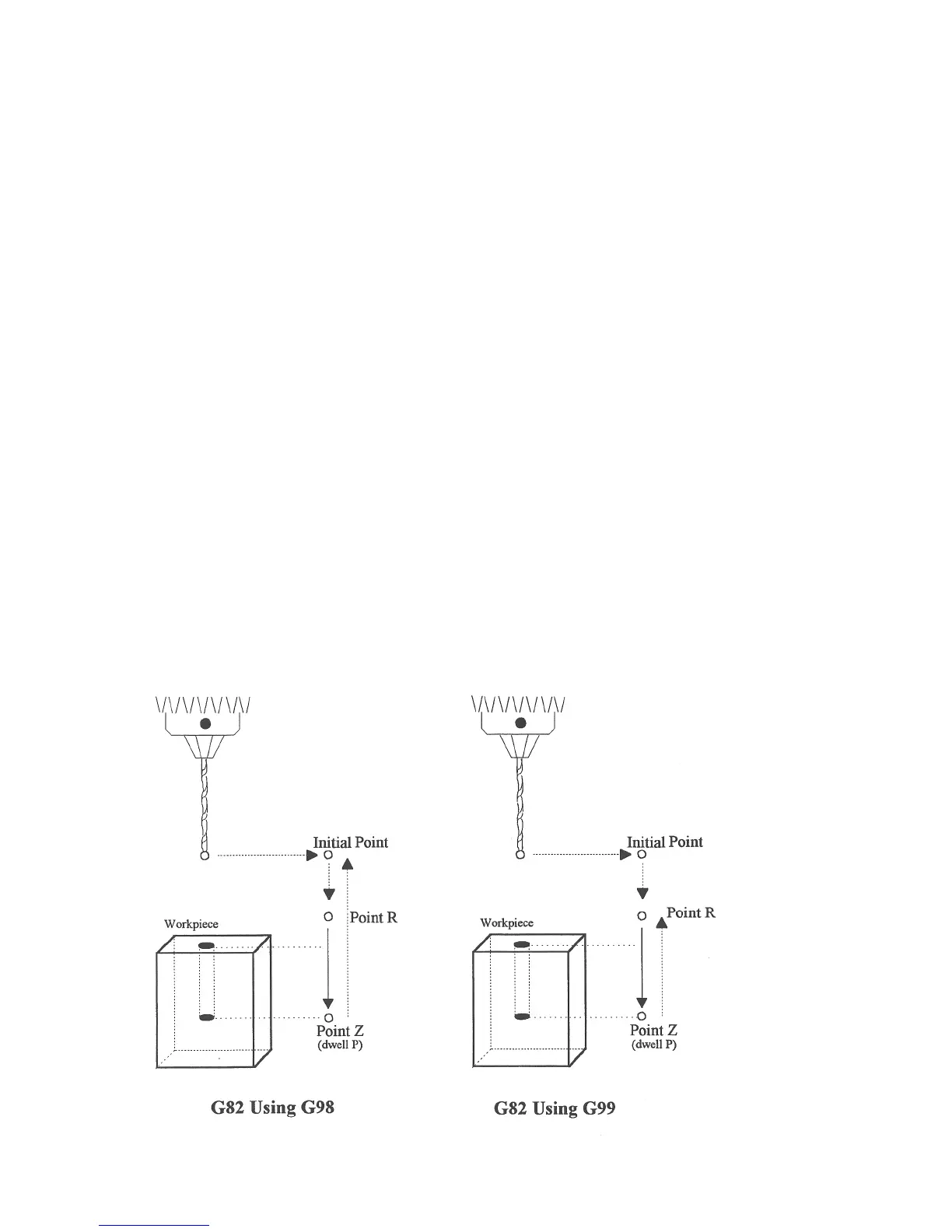
G82 - Drill with dwell



 To Next Page