M-Series Operator’s Manual 4/9/15
8-11
Contour Digitize Parameters
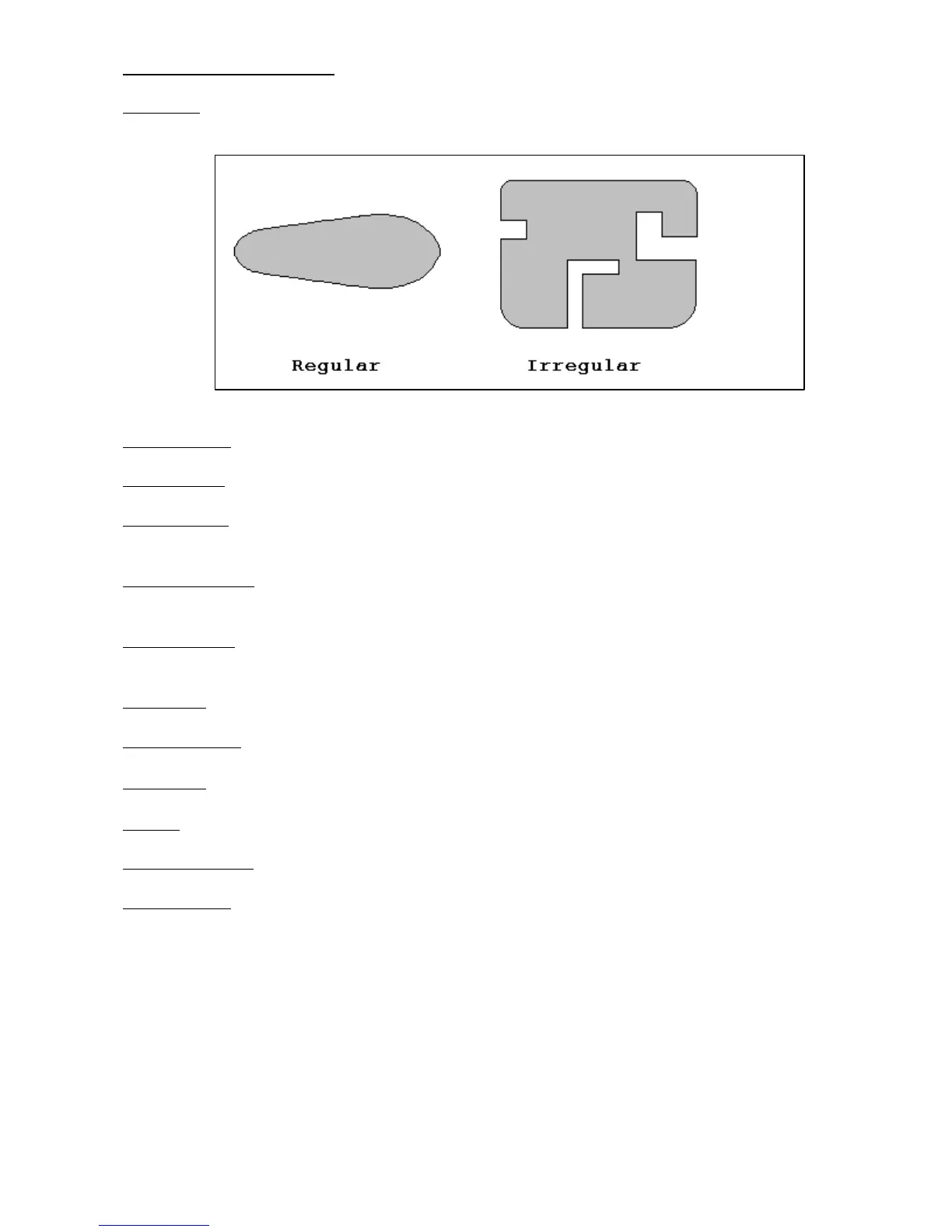
Copy Type: Toggle between CAM or Wall. Use CAM for regular shapes (no extreme direction changes) and use
Wall following for contours with irregular shapes. See example below.
X Patch Length: The length of the contour to be digitized, along the X-axis.
Y Patch Width: The width of the contour to be digitized, along the Y-axis.
Axis Step Over: The distance to pull back away from the surface in the X and/or Y direction. A larger value
should be used for a rough digitize along the Y-axis. This distance should be a positive incremental value.
Digitize File Name: The base name of the file in which the digitize data is stored. The file has an extension of
.cam for CNC replay and is stored in the c:\cncm\ncfiles directory.
Replay Feedrate: The feedrate to include with the G1 command on the first line of the data file. If the data file is
run as a CNC program, this is the feedrate at which the machine will retrace the digitized surface.
Plunge Rate: The feedrate the Z axis plunges between successive depth passes.
Z Surface Height: Surface height of material for reproduction of digitized parts.
Z Clearance: Clearance to rapid to above surface of part during replay.
Z Depth: Depth of the part as measured from the surface height.
Z Depth Increment: Depth of cut for each Z step of the part.
Probe Diameter: Diameter of probe tip used to digitize the part.



 To Next Page