M-Series Operator’s Manual 4/9/15
9-6
F7 - 1 Axis (Single Axis) Press F7 - 1 Axis to enter the Single Axis screen. Follow these steps:
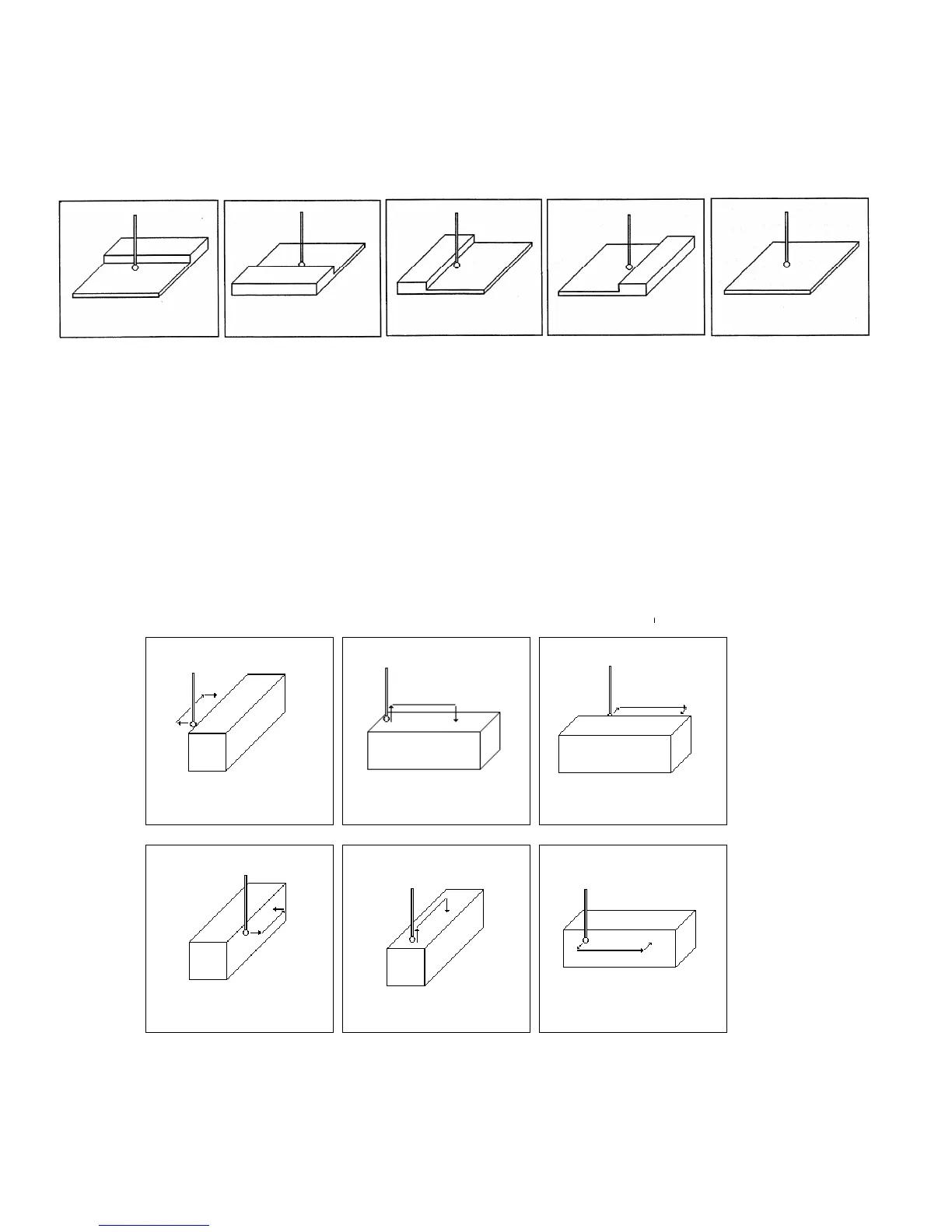
1 - Press F1 - Orient to select the orientation of the probe. You will see one of the screens shown below.
2 - Slowly jog the probe to the approximate position as shown in the picture. Be sure to give enough probe
clearance.
3 - Press CYCLE START to start the probing cycle.
Once the probing cycle is complete, the probe will move away from the surface by the amount in Parameter 13. The
probed position will be shown on screen. Press ESC to return to the Set Part 0/ Position screen or digitize screen.
F8 – Angle – Use this feature to measure an angle from based on 2 probed points.
Follow these steps:
1 - Press F1 - Orient to select how the angle is to be measured.
2 - Slowly jog the probe to the first position as shown in the picture. Be sure to give enough probe clearance.
3 - Select Auto or Jog between points.
4 - Enter the distance to second point.
5 - Enter a clearance amount away from the surface.
6 - Press CYCLE START to start the probing cycle.



 To Next Page