M-Series Operator’s Manual 4/9/15
9-5
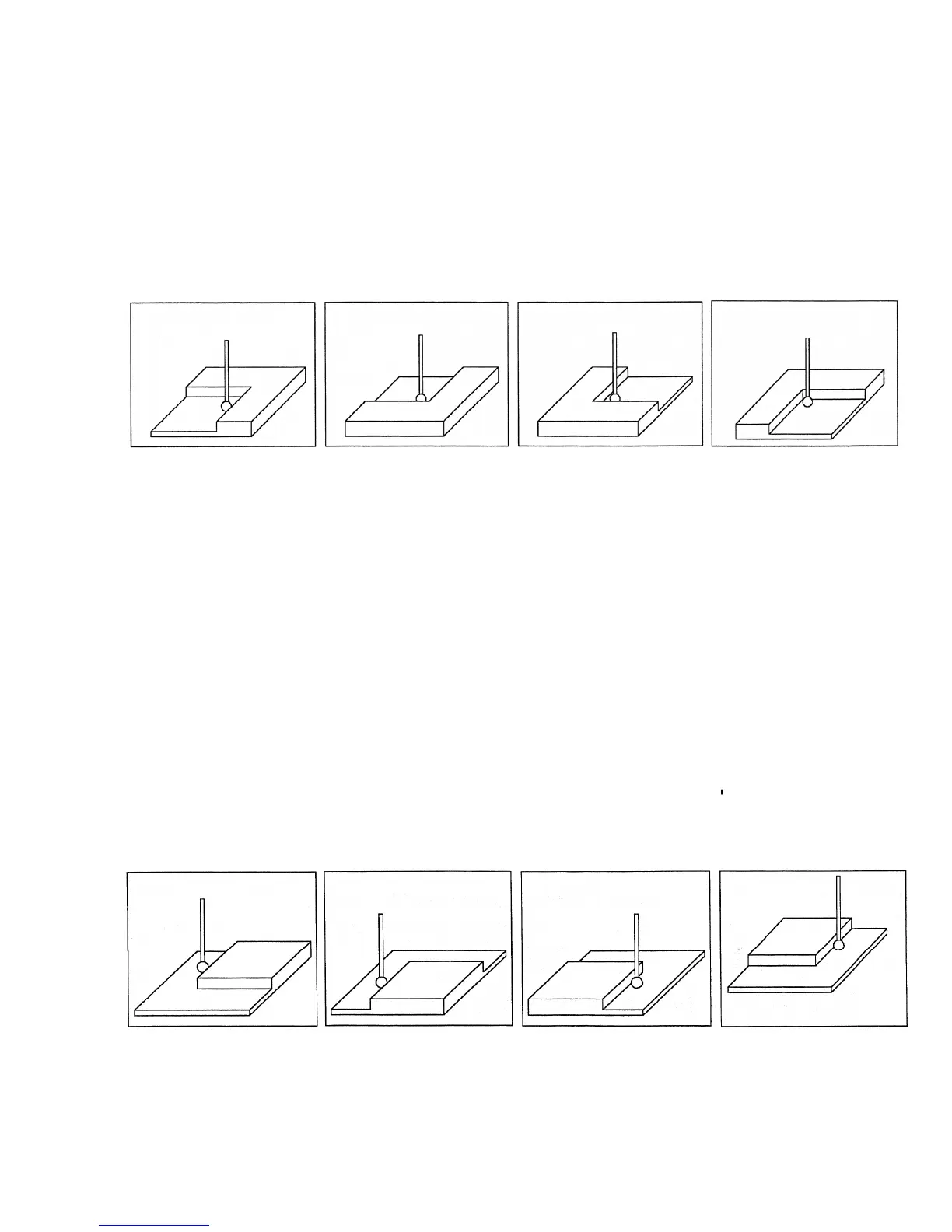
F5 - In Corner (Inside Corner) Press F5 - In Corner to enter the Inside Corner screen. One of the
pictures will appear with instructions. This cycle is similar to that of a slot cycle; the main
difference is that you need to enter a clearance amount.
1 - Press F1 Orient and the screen will cycle through one of the probe orientations shown here.
2 - Enter the clearance Amount. This is an approximate distance (in the Z direction) the probe must move to clear
the corner
3 - If the corner is rounded, jog the probe far enough away for it to miss the curved area during the probing cycle (at
least twice the corner radius).
4 - Press CYCLE START to start the probing cycle.
At the end of the probing cycle, the probe will be positioned above the corner at the Z clearance level entered. Press
ESC to return to the Set Part 0/ Position screen or digitize screen.
F6 - Out Corner (Outside
Corner) Press F6 – Out Corner to enter the Outside Corner screen. A picture
similar to the following will appear, with instructions and two input fields.
Follow these steps:
1 - Press F1 - Orient to select the orientation of the probe with respect to the Corner. You will see one of the
pictures shown.
2 - Press F2 - Side to select which side of the corner the probe will be positioned near. You will see the screen
change.
3 - Slowly jog the probe to the approximate position as shown in the picture. Be sure to give enough probe
clearance.
4 - Select the Z clearance field using the arrow keys. Enter the approximate distance the probe has to travel in order
to lift up over the corner.
5 - Select the Distance to Corner amount using the up or down arrow keys. Enter the approximate distance from the
corner the probe is along the X or Y axis.
6 - Press CYCLE START to start the probing cycle.
Once the probe has completed its search, it will be positioned above the corner at the Z clearance you specified.
Press ESC to return to the Set Part 0/ Position screen or digitize screen.



 To Next Page