M-Series Operator’s Manual 4/9/2015 10-14
Canned Cycle Introduction #1: Using Pattern and Repeat
(Drilling, boring, tapping)
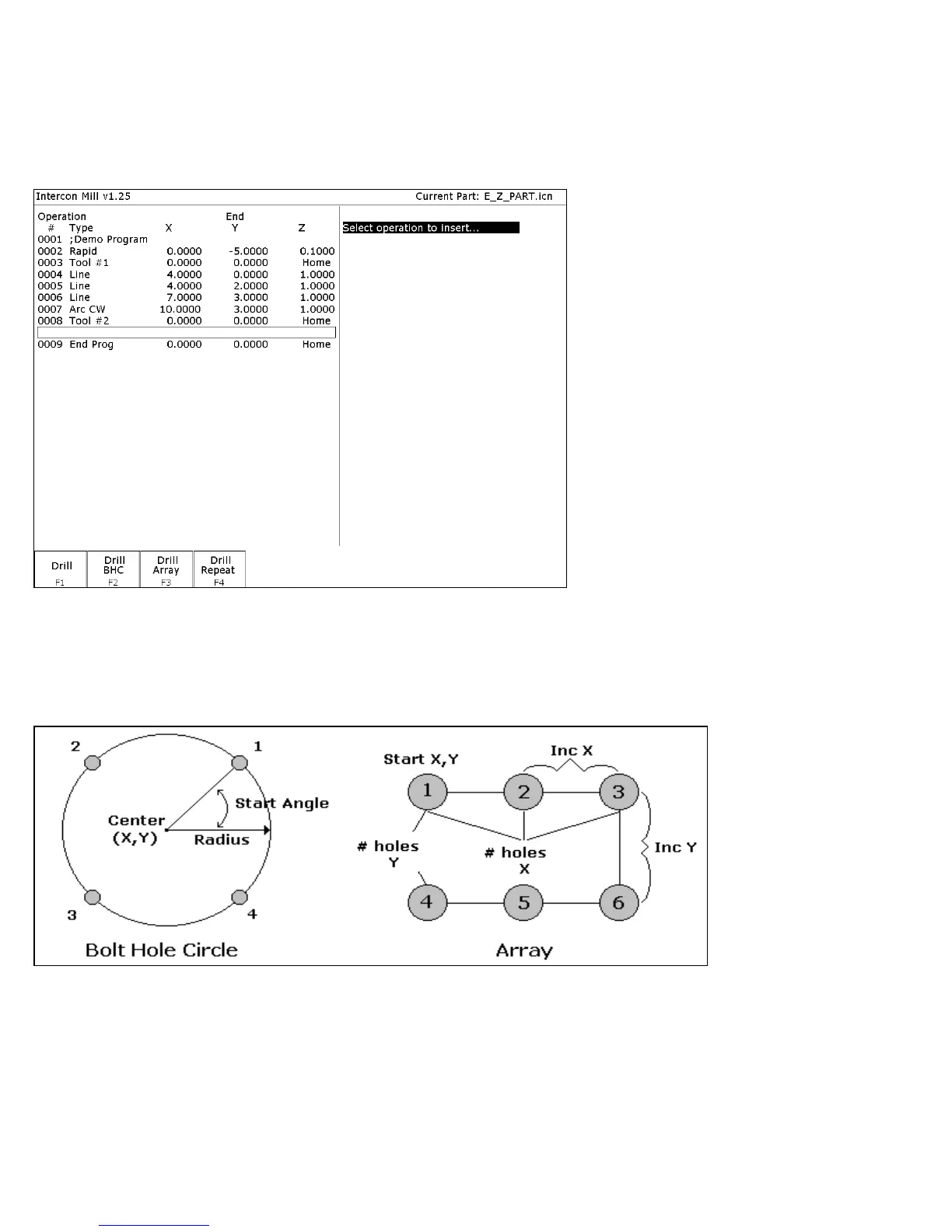
Selecting F1 - Drill will give you four choices; F1 – Drill, F2 – Drill BHC, F3 – Drill Array, or F4 – Drill Repeat.
F2 - Bore and F3 - Tap will have the same menu selections as drill except they will display Bore or Tap cycles
All canned cycle operations using the Drill BHC (Bolt Hole Circle) or Drill Array are identical to their equivalent
using the F1 - Drill single hole selection. The use of the Drill BHC or Drill Array, however, offers the option to drill
more than one hole in a pattern dictated by the new fields in the menu. F4 - Drill Repeat allows the user to repeat a
set of holes with a different type drilling, boring or tapping operation with out re-entering the X, Y coordinates.
The Bolt Hole Circle and array patterns are explained graphically in the following figure:



 To Next Page