Program interface Control Station Duetto
110 2.0/0518
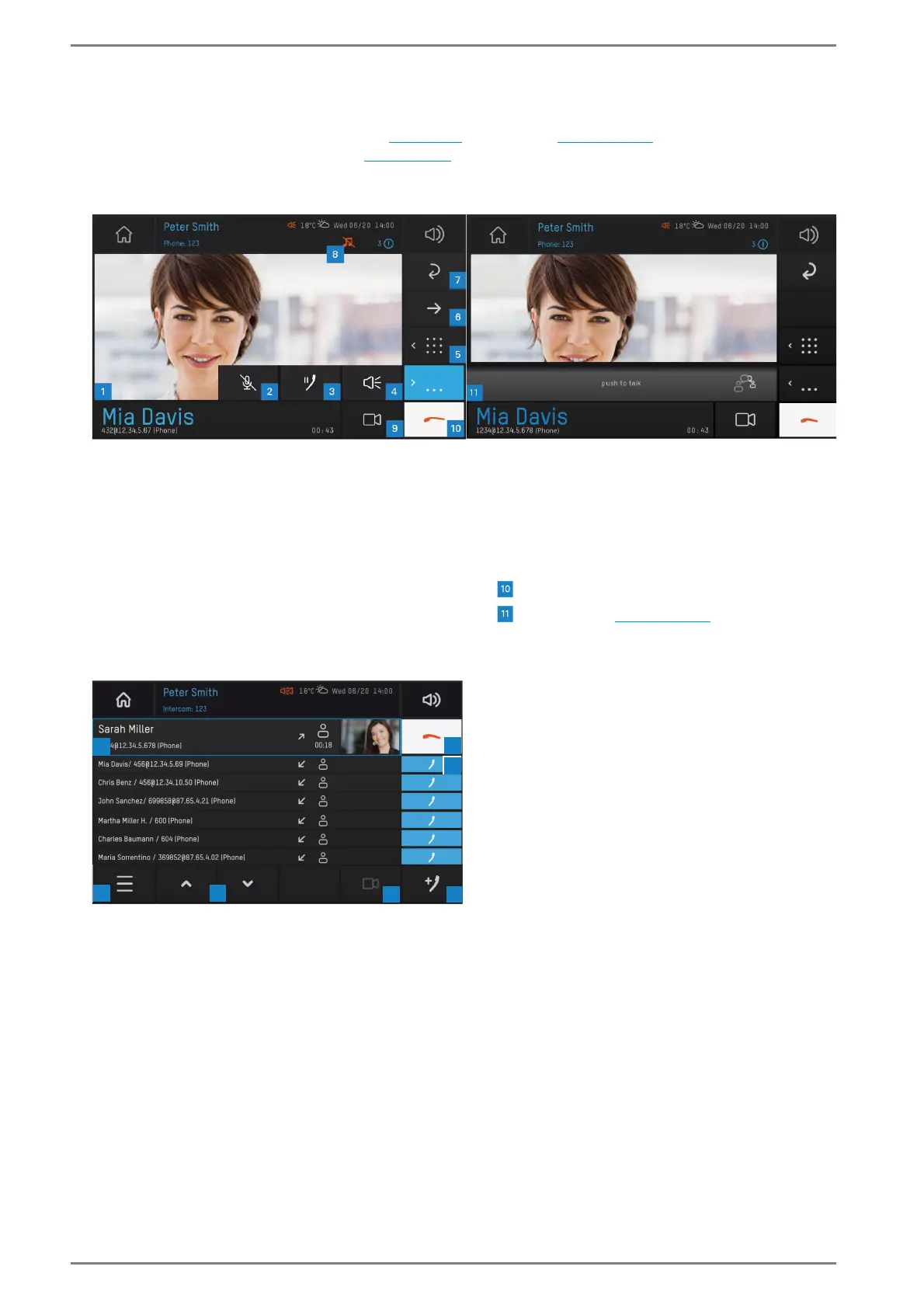
Call representation
Calls can either be displayed in full view (see below) or list view (see page 110). The default appearance
can be selected in the web interface (see page 40). It is still possible to change the view during a call.
Full view
User interface “full view”
List view
User interface “list view”
1 Video in full view 6 Transfer call
2 Mute microphone 7 Back to the list view
3 Pause call 8 Shows audio output during conversation
4 Change audio source (handset/loudspeaker/
headset)
9 Switch video on / off
Cancel call
5 Display keypad Push-to-talk (see page 126)



 To Next Page