Web interface – System Control Station Duetto
92 2.0/0518
SNMP configuration
DUETTO > SYSTEM > SNMP
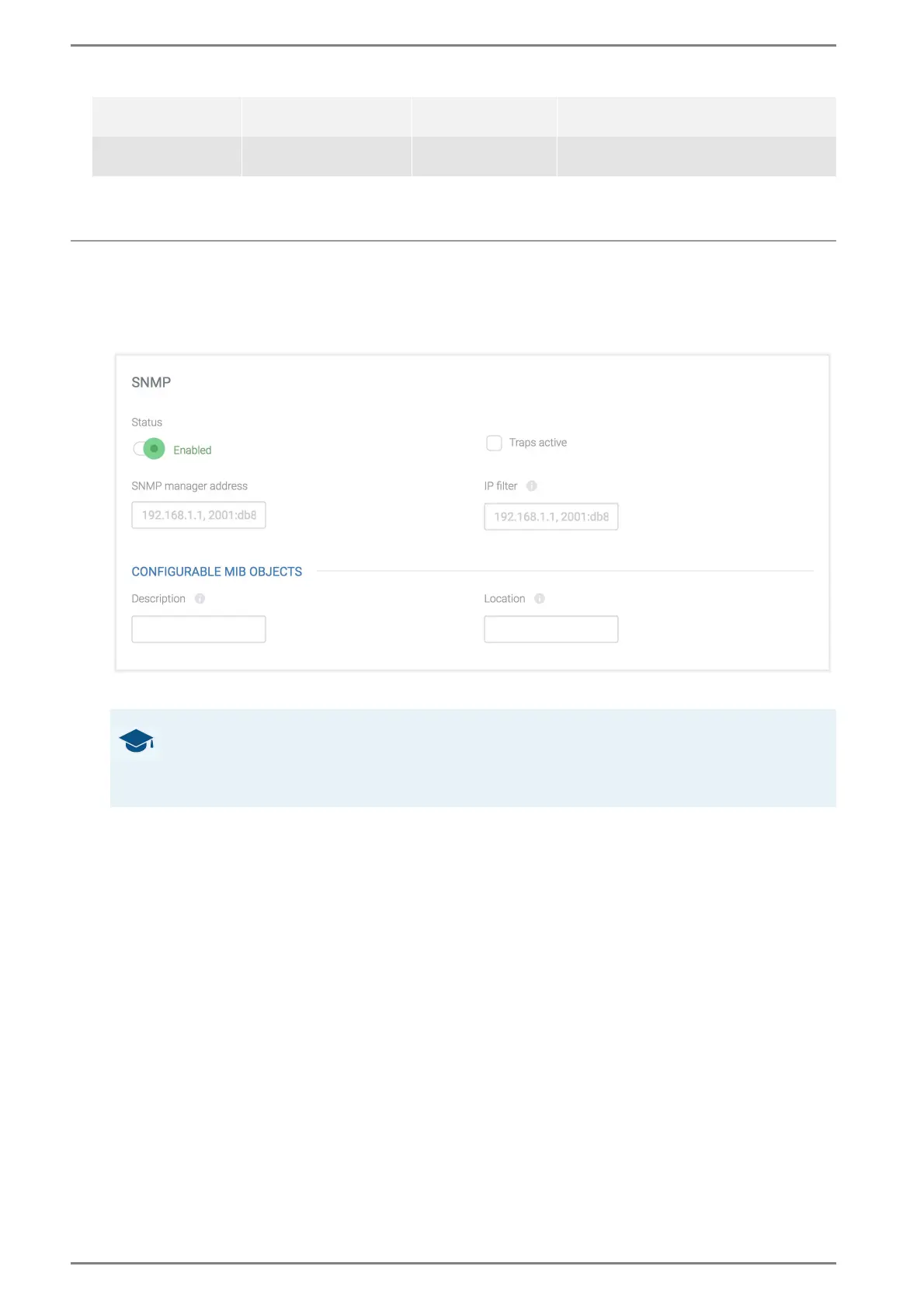
SNMP
Traps active: Activate this checkbox to enable sending of traps to the management station.
SNMP manager address: In this field, the IPv4 or IPv6 address of the PC authorised for mon-
itoring the SIP station (“management station”) can be entered.
IP filter: In this field, an IPv4 or IPv6 address can be entered from which GET commands can
be sent to the DUETTO device. All other IP addresses will be blocked. If this field is empty, the
DUETTO device can receive GET commands from any IP address.
Configurable MIB objects
OID 1.3.6.1.4.1.41836.1.1.5: This object is used for requesting the description of DUETTO.
In this field, enter the desired device description, which can be read out by the management
station with the OID 1.3.6.1.4.1.41836.1.1.5.
OID 1.3.6.1.4.1.41836.1.1.6: This object is used for requesting the location of DUETTO. In
this field, enter the device location, which can be read out by the management station with the
OID 1.3.6.1.4.1.41836.1.1.6.
➥ Click on the button Save to save the settings.
inputChanged-
Notification
.1.3.6.1.4.1.41836.1.0.6
Sent on changes of
the digital inputs
din[1,2]Status (1 (connected),
2 (not connected)
coldStart .1.3.6.1.6.3.1.1.5.1
Sent on a cold start
of the device
-
GOOD TO KNOW: What are traps?
Independently from the values of the MIB, so-called traps will be sent. Traps are unrequested
messages of an agent to the management station, reporting that a specific event has occurred (e.g.
conversation between two SIP stations has been established).



 To Next Page