Control Station Duetto Web interface – Intercom
2.0/0518 37
Web interface – Intercom
Intercom configuration
DUETTO > INTERCOM
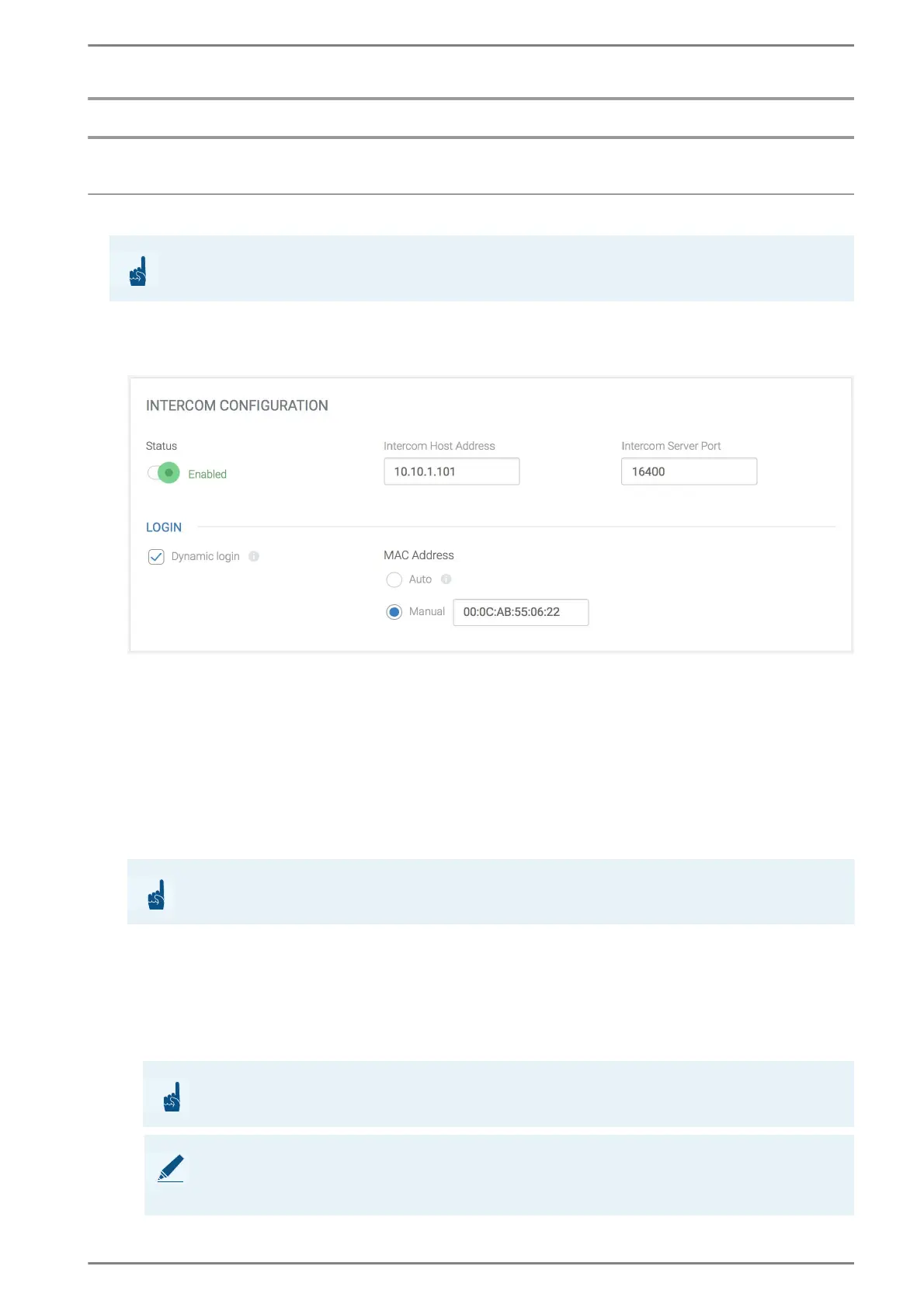
INTERCOM CONFIGURATION
Status: Activation of the Intercom service.
Intercom Host Address: In this field, enter the IP address of the allocated IP subscriber card.
This IP subscriber card establishes the standard/fallback connection. For each intercom con
-
nection (standard and fallback), a different IP subscriber card has to be used.
Intercom Server Port: In this field, the port number of the standard connection can be
changed. For each connection of DUETTO/EE 980 (standard and fallback), a different port num
-
ber has to be used.
Login
Dynamic login: Activate this checkbox for a dynamic login of the subscriber port of DUETTO.
The field MAC Address will be activated for a manual entry of the MAC address.
MAC Address: Select the desired radio button to define the MAC address of DUETTO. The
following functions are available:
Auto: Use the MAC address of the Ethernet interface of the device.
Manual: In this field, enter a valid MAC address for the connection to the Intercom Server. In
order to activate this field, activate the checkbox Dynamic login. If this field is deactivated,
the MAC address will be configured automatically.
ATTENTION: Only for hybrid stations
This section only refers to versions EE 980 and EE 980CM of the DUETTO series!
ATTENTION: Use correct MAC address
For a dynamic login, the correct MAC address is required!
ATTENTION: Configuration of MAC address
The MAC address will only be used for registration on the Intercom Server as an authentication!
NOTE: MAC address for VirtuoSIS key subscribers
The MAC address of the devices´ Ethernet interface will be used for authentication as a VirtuoSIS
key subscriber. It is still possible to connect the subscriber via an optional MAC address.



 To Next Page