Control Station Duetto Introduction
2.0/0518 9
Connections
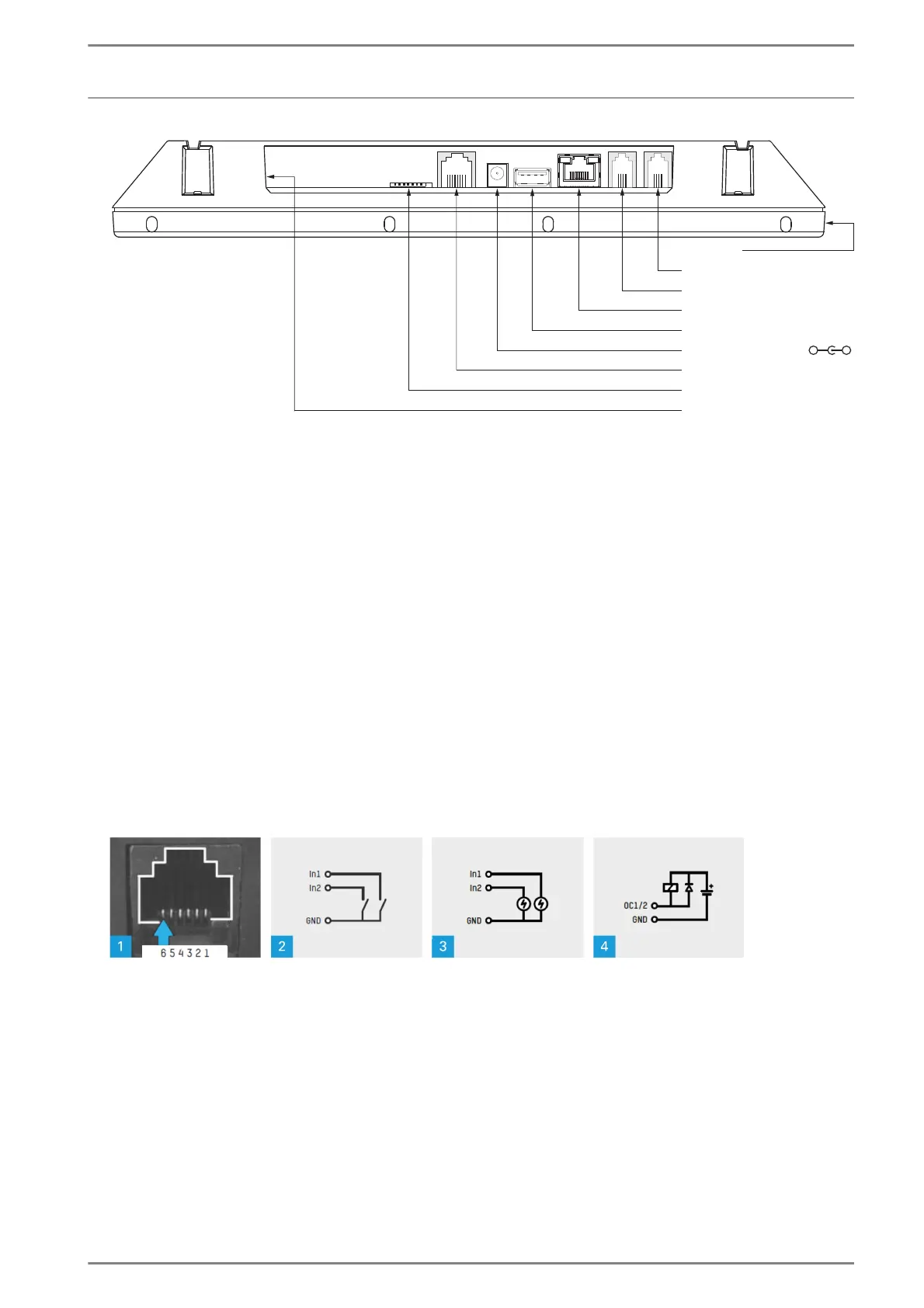
Connection diagram (bottom view)
Network connection
Connect the Ethernet cable to the RJ 45 jack “Network”.
Power supply
PoE (“Power over Ethernet”)
Power supply is provided via the Ethernet cable, which is connected to the RJ45 jack “Network”. If no
PoE is provided via this Ethernet cable, a PoE injector can be used (e.g. “PA 15W POE”).
External power supply
Connect a power supply unit (power range: 22 – 30 VDC, 700 mA) to the coaxial power jack “External
power supply” (outer diameter 5.5 mm, inner diameter 2.1 mm).
Input s / outputs
Connect the cable to the RJ12 jack “Input / output”. Via this connection, up to two inputs and outputs
can be used.
Connector pin assignment and connection options of inputs and outputs
Connector pin assignment and connection options
1 Pin assignment of the RJ12 jack “Input / output”:
6: Input 1
5: Input 2
4: INGND (reference point for inputs)
3: OCGND (reference point for outputs)
2: Output 1
1: Output 2
2 Use of internal reference:
The inputs are designed for floating contacts (e.g. relay contacts, push buttons or switches).
MicroSD card slot
Input / output
External power supply
USB 2.0
Network
Headset
USB 2.0
-
+



 To Next Page