Program interface Control Station Duetto
124 2.0/0518
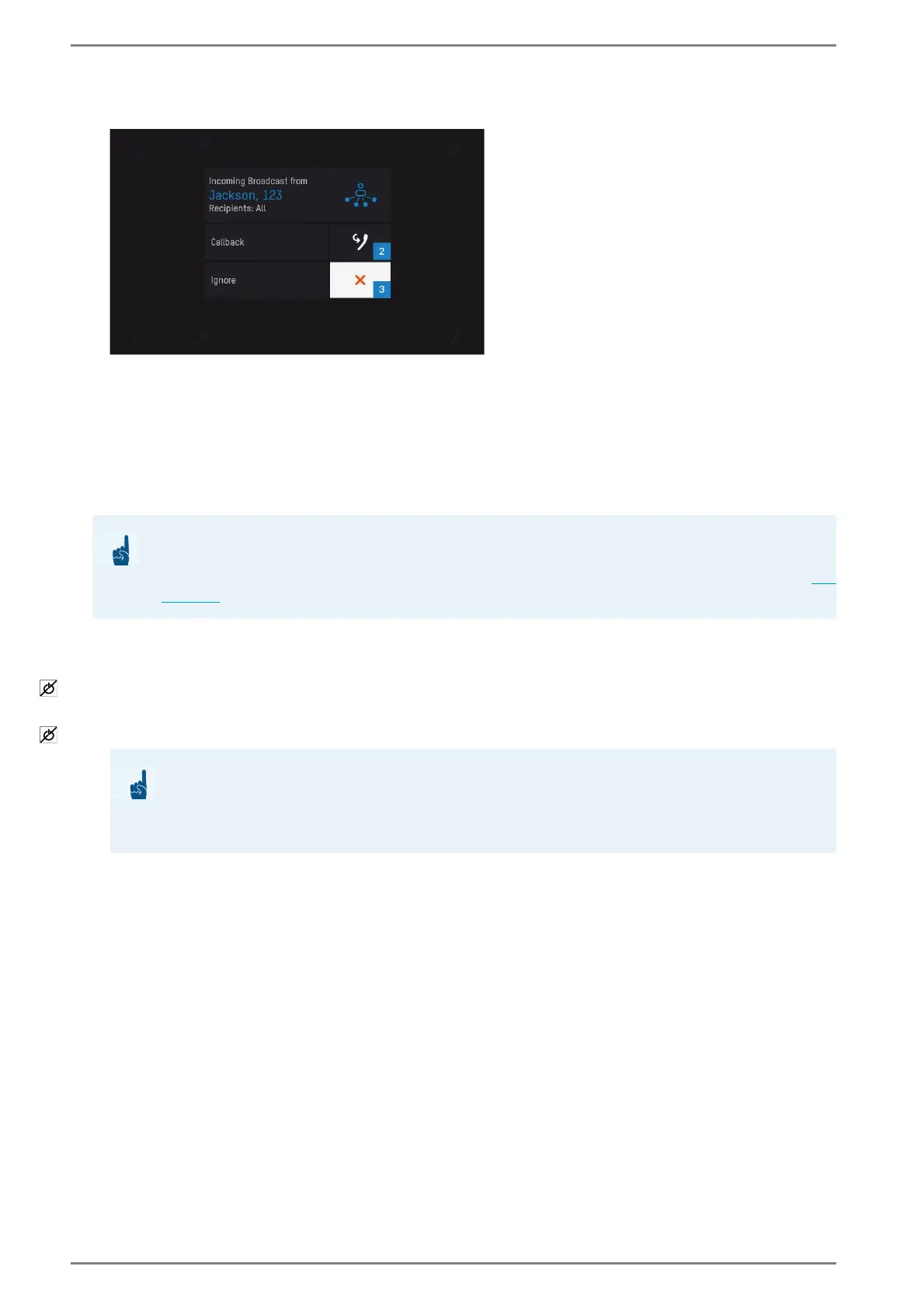
When the announcement of the All Call or group call is finished, the following screen appears:
Answer of All Call or group call
Tap on the answer button 2 in order to initiate a call to the initiator of the All Call or group call.
Tap on the white button 3 to close the dialogue. An answer is not possible.
Door opener
At an incoming call from a door station, the user of the DUETTO device can accept this call and open
the door via output control.
Configuration CCT 800
Go to: Subscriber > Door Opener
Right-click on the desired subscriber and select “add door opener function”.
Go to: Subscriber > Door Opener > desired subscriber > tab General
Right-click on the desired subscriber and select “add output”.
ATTENTION: Control of two or more doors
If the DUETTO device will control two or more door stations, select the option “default call”
in the section “Door Calls” at Customization > User interface, tab: Call View (
see
page 50)!
ATTENTION: Memory in Intercom Server required
Configured door stations require memory in the main memory of the Intercom Server. A
list of the memory capacities and further information about the configuration of door open
-
ers can be found in the manual “Intercom Server Configuration“!



 To Next Page