Web interface – Customization Control Station Duetto
68 2.0/0518
Logic rules configuration
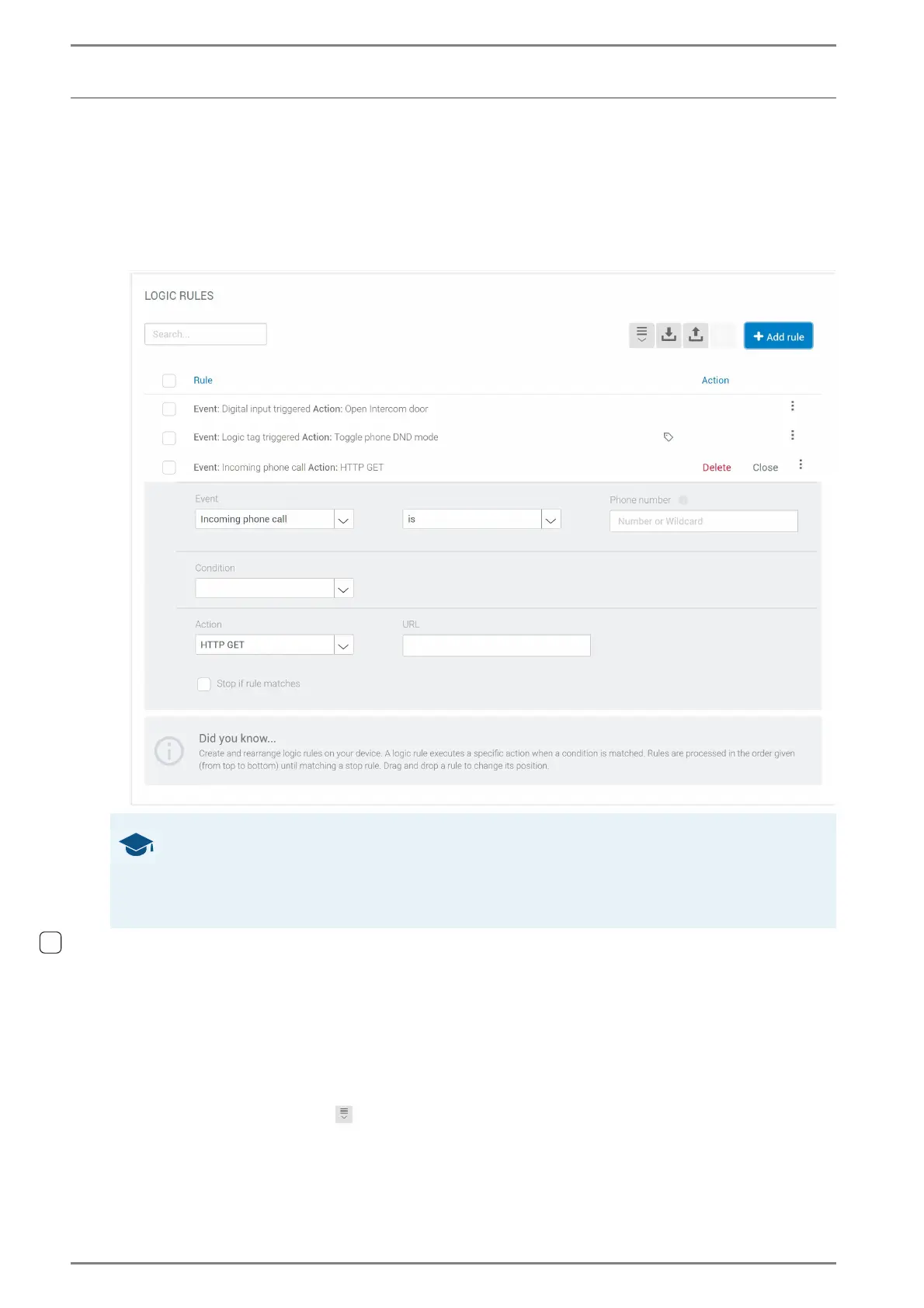
DUETTO > CUSTOMIZATION > RULES
In this section, actions can be configured that are executed when a specific condition is fulfilled (e.g.
sending command with HTTP GET method, switching to app or initiating a SIP call).
Click on the button Add rule to add a rule at the end of the list. The following dialogue appears:
Logic Rules
Search: When this box has been configured, logic rules can be filtered. Following search values
are available:
Numbers: e.g. 1, 2, 3, 4, ...
Logic tags: e.g. DND, HTTP GET, open intercom door,...
Events: Incoming phone call, Phone call connected, Phone call terminated, Incoming intercom
call, Intercom call connected, Intercom call terminated, Value changed in database
Actions: Apply button visual feedback, trigger logic tag, HTTP GET, HTTP POST, phone call,
terminate phone call, send DTMF tone, open SIP door, intercom call, terminate intercom call,
open intercom door, switch to screen
Expand: Click on the button to expand or collapse all configured logic rules.
GOOD TO KNOW: Rule order
The rules are listed in a descending order. If a condition is fulfilled, the top rule is always executed first
and the rule at the bottom is executed at last. Click on the respective rule header and drag and drop
the rule to the desired position. By moving a rule to another position, all other rules will adjust their
position automatically.



 To Next Page