Program interface Control Station Duetto
118 2.0/0518
Call contact: Tap on the desired entry to initiate a call to the respective subscriber.
Filter entries: Tap on the desired filter in order to filter all entries in the call history. The following
filters are available:
Show all calls 3
Outgoing and answered calls 4
Missed calls 5
Show call history: Tap on the button 6 next to the respective entry to display entire call history of
this contact.
Delete entry: Tap on the button 7 to delete the call entry from the list.
Broadcast
With broadcasts, audio signals can be sent from any SIP station to a group of SIP devices for audio output.
Therefore, either a PA, All Call or group call can be triggered at a multitude of SIP device receivers with only
one SIP device.
Initiate broadcast
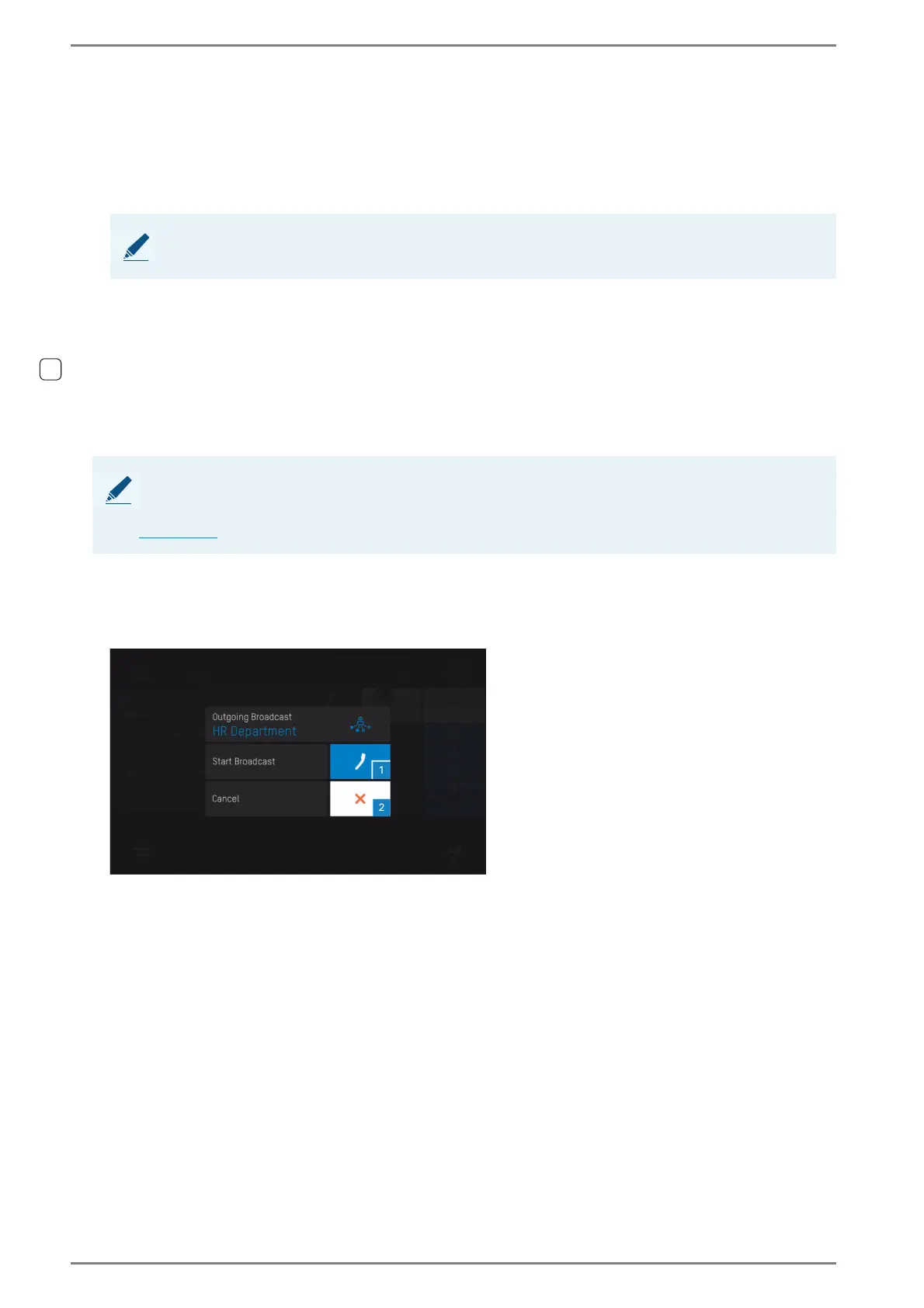
When the logic rule with the action “Start broadcast” is triggered at the DUETTO device, the follow-
ing screen appears:
Start the broadcast
Tap on the button 2 in order to cancel the broadcast, or
NOTE: Selected button is highlighted in blue
The button of the selected filter is highlighted in blue.
NOTE: Broadcast can only be triggered via logic rules at the DUETTO device
A broadcast can only be triggered at the DUETTO device via logic rules with the action “Start broadcast”
(e.g. trigger logic rule with configured button in a custom screen). For further information about logic rules,
see page 66
.



 To Next Page