Control Station Duetto Program interface
2.0/0518 119
Tap on the button 1 in order to start the broadcast (optionally, a gong sounds at the DUETTO
device).
Carry out the announcement
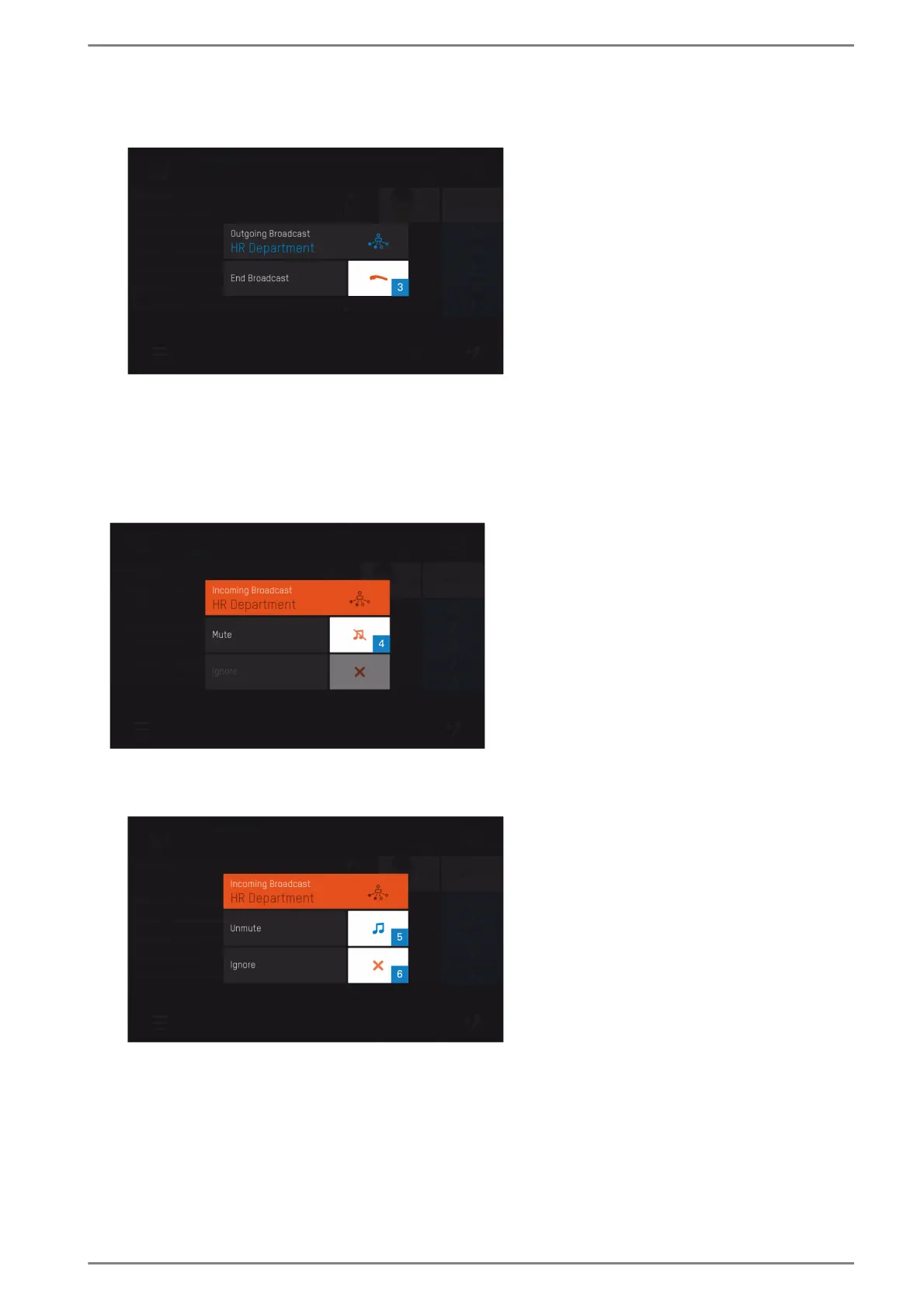
Tap on the button 3 in order to cancel the broadcast (optionally, a gong sounds at the DUETTO
device).
Incoming broadcast with priority 1 or 2
During an active incoming broadcast with priority 1 or 2, the following screen appears:
Incoming broadcast with priority 1 or 2
Tap on the button 4 to mute the broadcast. The following screen appears:
The broadcast must be muted first in order to cancel it prematurely
Tap on the button 5 to unmute the broadcast (broadcast can be muted again),
or tap on the button 6 to cancel the broadcast prematurely.
When the broadcast is terminated by the initiator, the screen will be closed automatically.



 To Next Page