Control Station Duetto Web interface – Device
2.0/0518 43
Camera settings
DUETTO > DEVICE > CAMERA
In this section, the settings of the camera service for the built-in video camera of EE 980CM or SIP-EE
980CM can be configured (camera identification, camera type, HTTP port, resolution, and fps).
Camera stream access
In the web browser, enter the following link to open the camera stream of DUETTO: http://<IP
address>:HTTP port/consumer. Alternatively, enter the following link: http://<IP ad
-
dress>:HTTP port/consumer.mjpeg
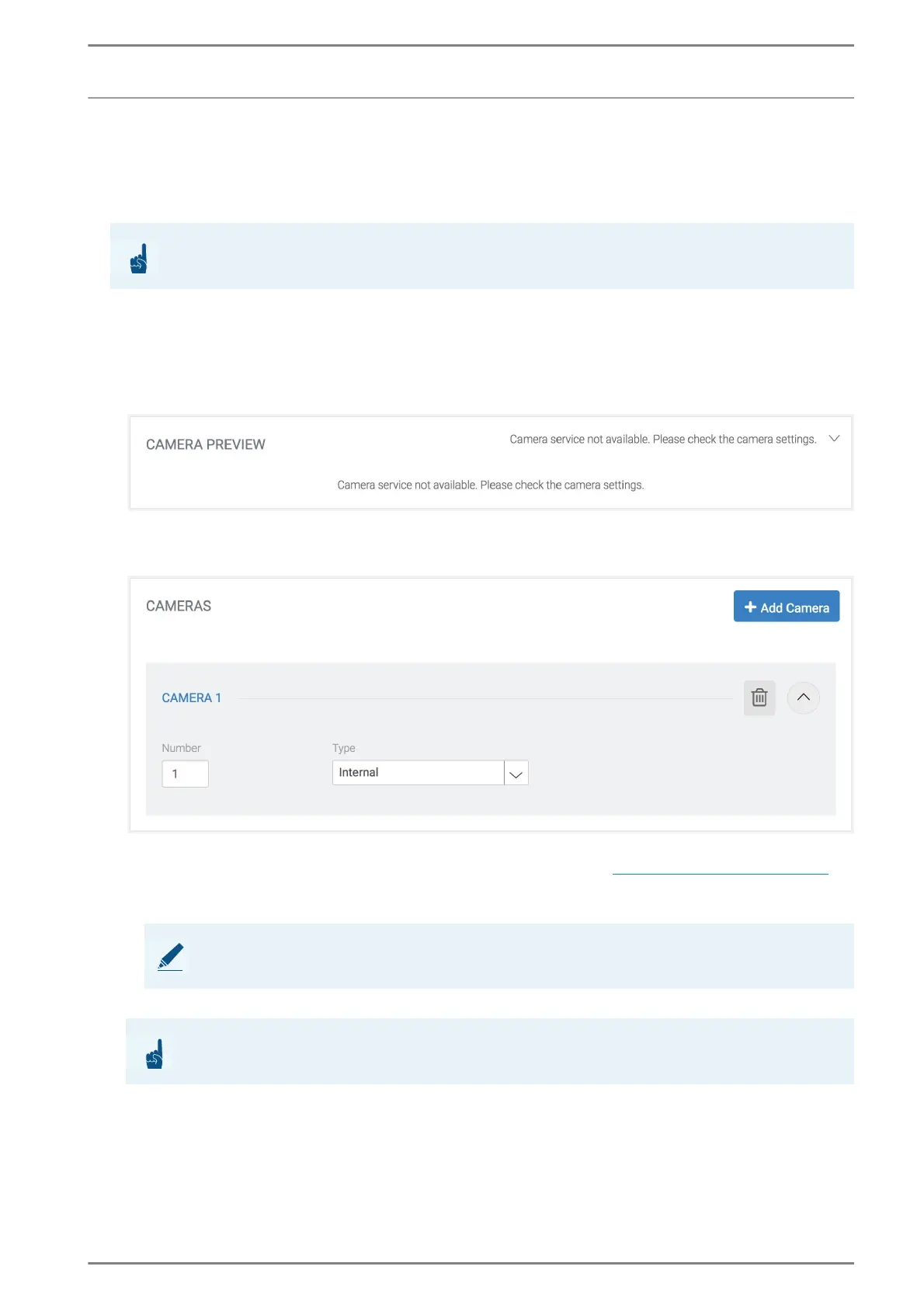
Camera Preview
In this section, a camera preview is shown. The camera settings have to be set.
Cameras
Number: In this field, enter a unique number for each configured camera. This number addi-
tionally needs to be referenced in the section “Consumers” (see “Consumers” on page 44).
Type: In this drop-down list, the camera type can be selected.
Internal: The internal camera of DUETTO is used.
Delete: Click on the delete button to delete the entire configuration of the camera.
Add Camera: Click on this button to add a new camera.
ATTENTION: Only for EE 980CM and SIP-EE 980CM
This section is only available for a DUETTO device with built-in video camera!
NOTE: USB cameras are not supported
By default, DUETTO does not support USB cameras.
ATTENTION: Delete all references
Cameras can only be deleted when all references to any consumer have been removed!



 To Next Page