Web interface overview Control Station Duetto
22 2.0/0518
Web interface overview
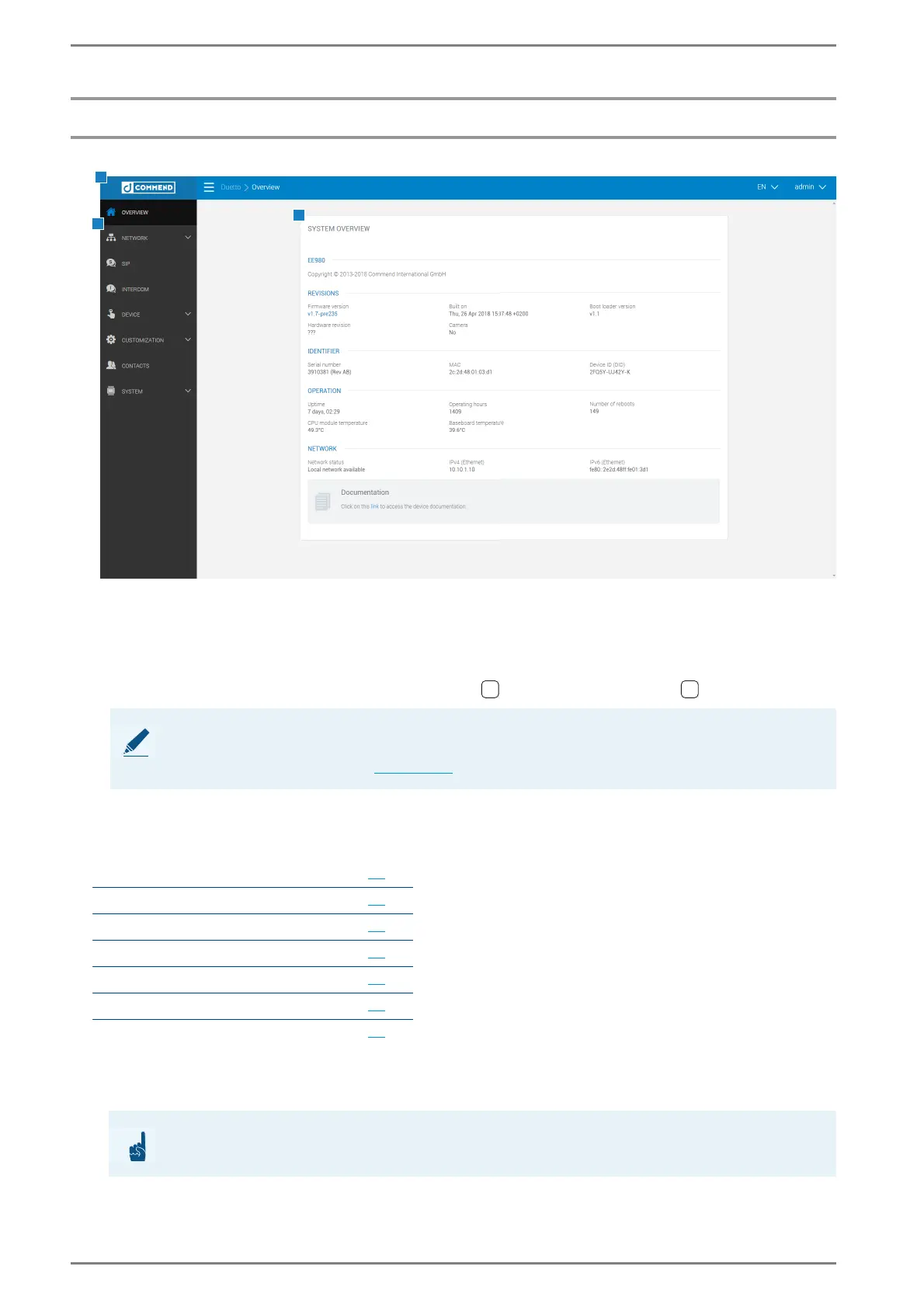
After a successful login, the home page of the web interface will appear:
Web interface – program surface
a Navigation bar
Breadcrumbs: Shows current the location in the web interface.
Language: The following languages are available:
DE: German, EN: English, FR: French, ES: Spanish , PL: Polish, RU: Russian .
Logout dialogue: Click on this button to log out.
b Menu
c Sections
The web interface is subdivided into different sections.
Note: Language of the DUETTO device will not be changed
The language of the DUETTO device will not be changed. For further information about changing the
language of the DUETTO device see page 79
.
Overview 22
Network 25
SIP 32
Intercom 37
Customization 50
Contacts 77
System 79
ATTENTION: Save settings
Save the settings first, otherwise all unsaved settings will be lost!



 To Next Page