Control Station Duetto Program interface
2.0/0518 125
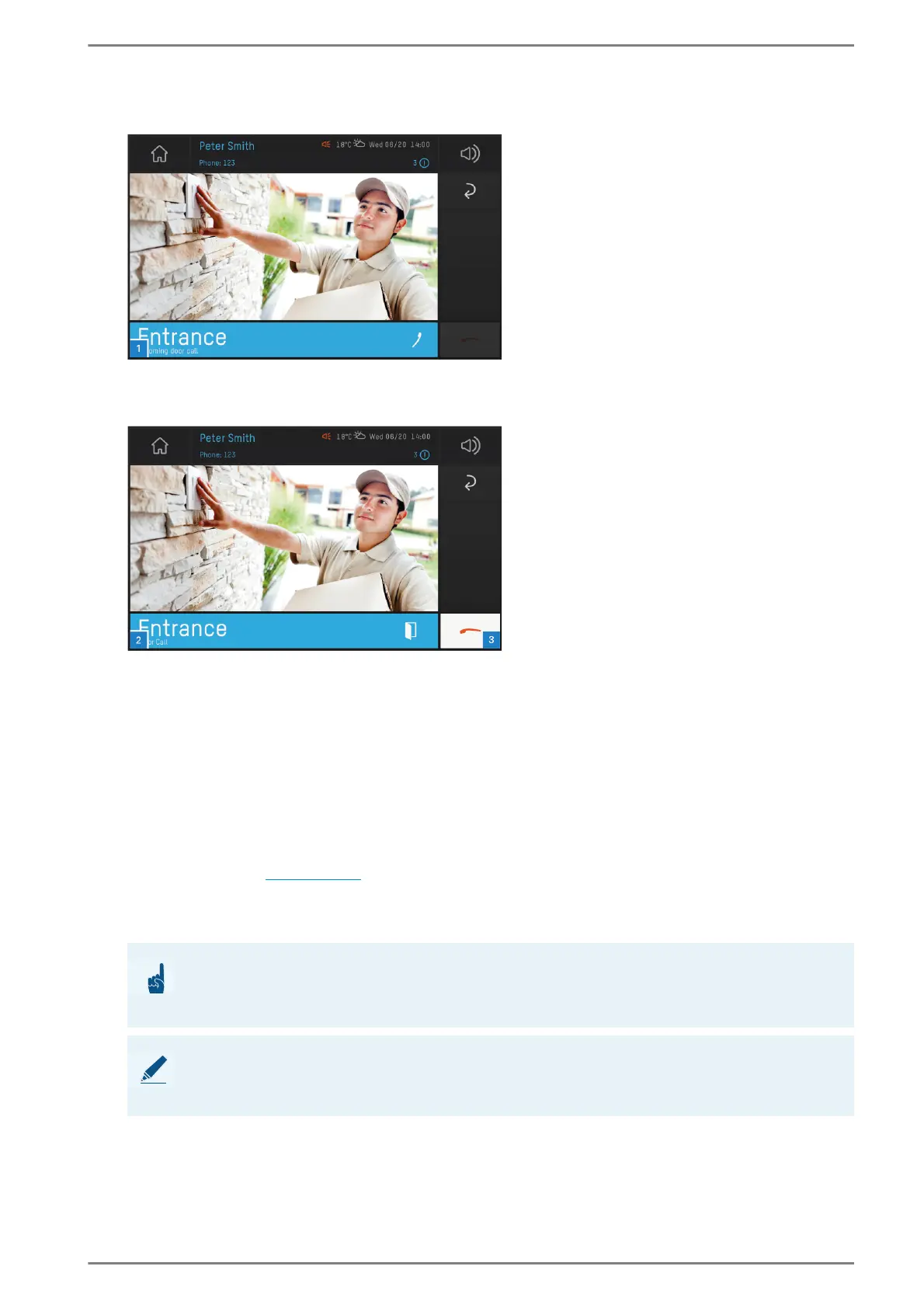
At an incoming door call, the following screen appears on the DUETTO device:
User interface “incoming door call”
Tap on the blue bar 1 to accept the incoming door call. The following screen appears:
User interface “door opener”
Tap on the blue bar 2 during an active door call in order to cancel the door call and to open the door,
or
tap on the handset button 3 to cancel the door call without opening the door.
Secretary transfer
Incoming calls can automatically be transferred to a secretary station without accepting this call on the
DUETTO device.
Configuration DUETTO
Open the call app (see page 104).
Activation: Via the keypad, enter the code “02” followed by the call number of the secretary station.
The activation of the secretary function will be confirmed by an audible signal.
Deactivation: Via the keypad, enter the code “030”.
ATTENTION: Secretary function state will not be shown
It will not be shown whether or not the secretary function is deactivated on the DUETTO
device!
NOTE: Further information
For further information about the configuration of secretary transfer, see manual “Intercom Server
Configuration”.



 To Next Page