Program interface Control Station Duetto
128 2.0/0518
Re-call request
If a called subscriber does not answer, the station is busy or in privacy mode, a re-call request can be
left at the called station with after-dialling the number „5“. The conversation is automatically cancelled.
A re-call request can be deleted again by calling the station once again and pressing number „6“.
Receive re-call request
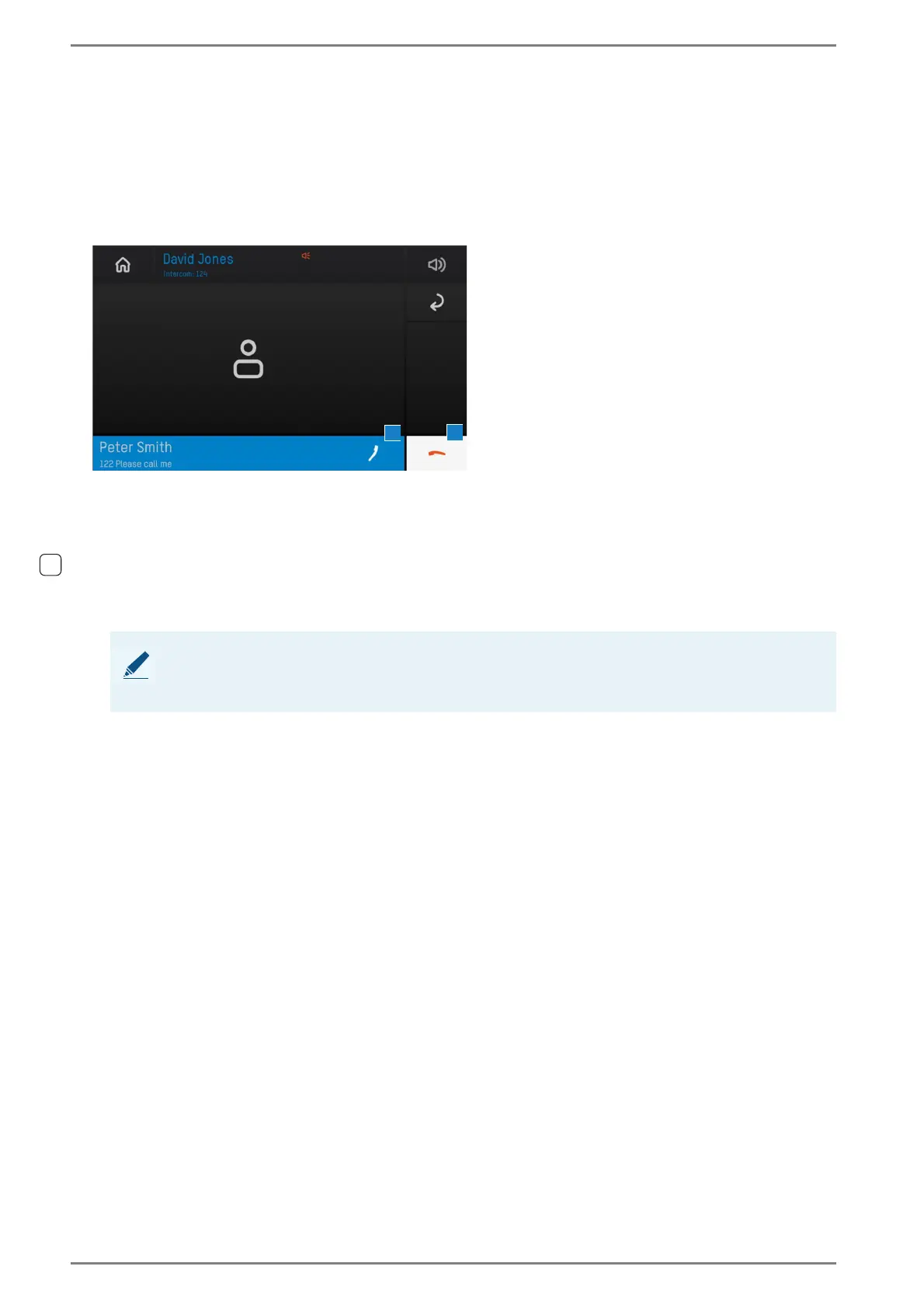
A re-call request is indicated at the called station in the following way:
Screen of a Re-call request
Tap on the blue bar 1 in order to establish a call to the respective subscriber and to delete the re-
call request.
Delete re-call request notifications
Active re-call requests can be deleted at the DUETTO device manually without establishing a call.
Tap on the handset button 2 in order to delete the active re-call request without establishing a call.
NOTE: Further information
For further information to receive and to receive re-call requests, see manual “Intercom Server Con-
figuration”.



 To Next Page