Control Station Duetto Program interface
2.0/0518 117
Call history
In the call history, all incoming and outgoing Intercom and SIP calls will be displayed.
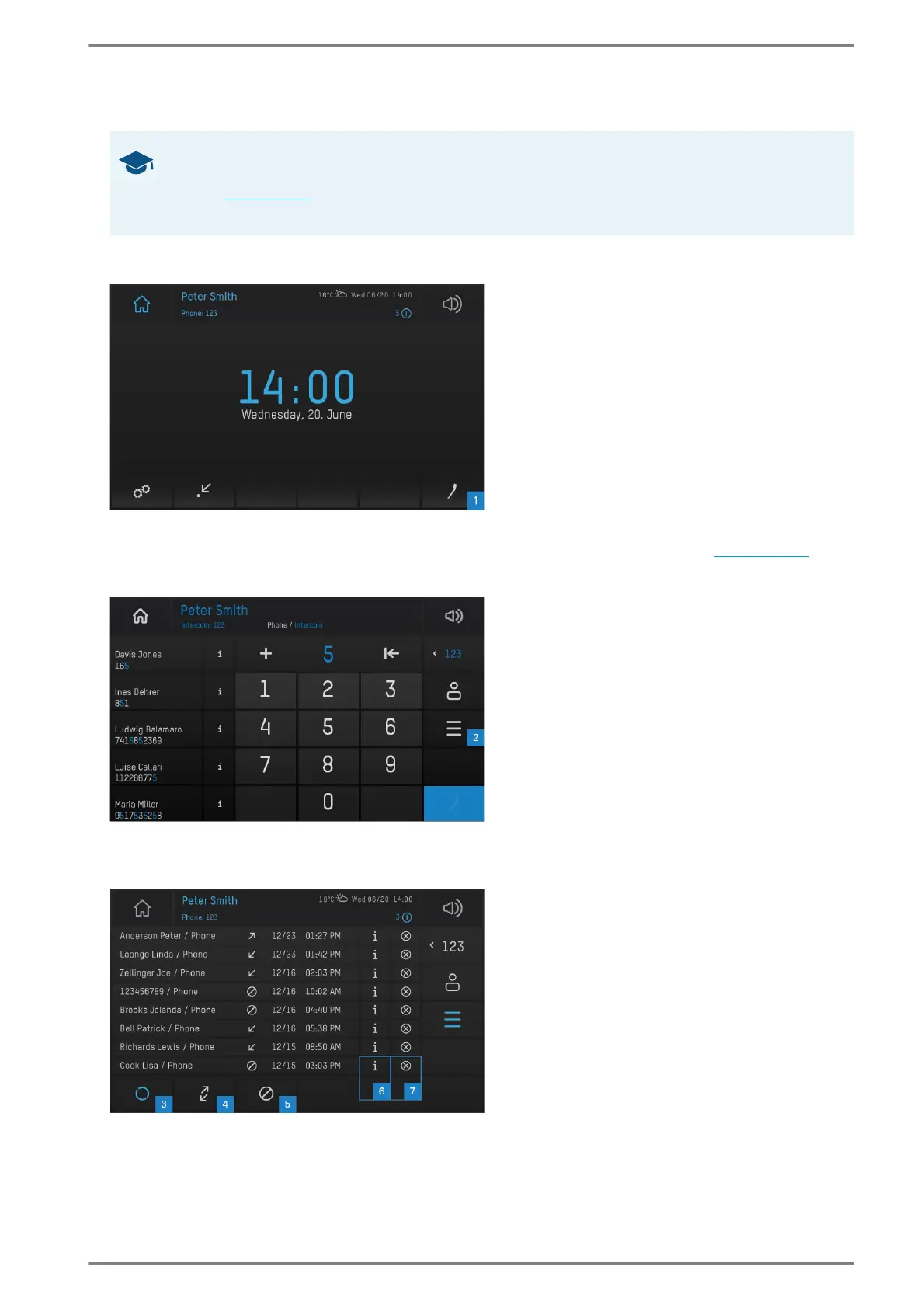
User interface “home screen”
Tap on the handset button 1 in the main menu bar in order to open the call app (see page 104). The
following screen appears:
User interface “call history”
Tap on the list button 2 to open the call history. The following screen appears:
User interface “call history filter”
GOOD TO KNOW: Restrictions in the classic Intercom user interface
The following function is only available for keyboards and numerical/alphanumerical key-
pads (see page 104). A detailed operating instruction of the call history in the classic Intercom
user interface can be found in the operating instructions “Series WS 810”.



 To Next Page