Program interface Control Station Duetto
126 2.0/0518
Intercom classic user interface
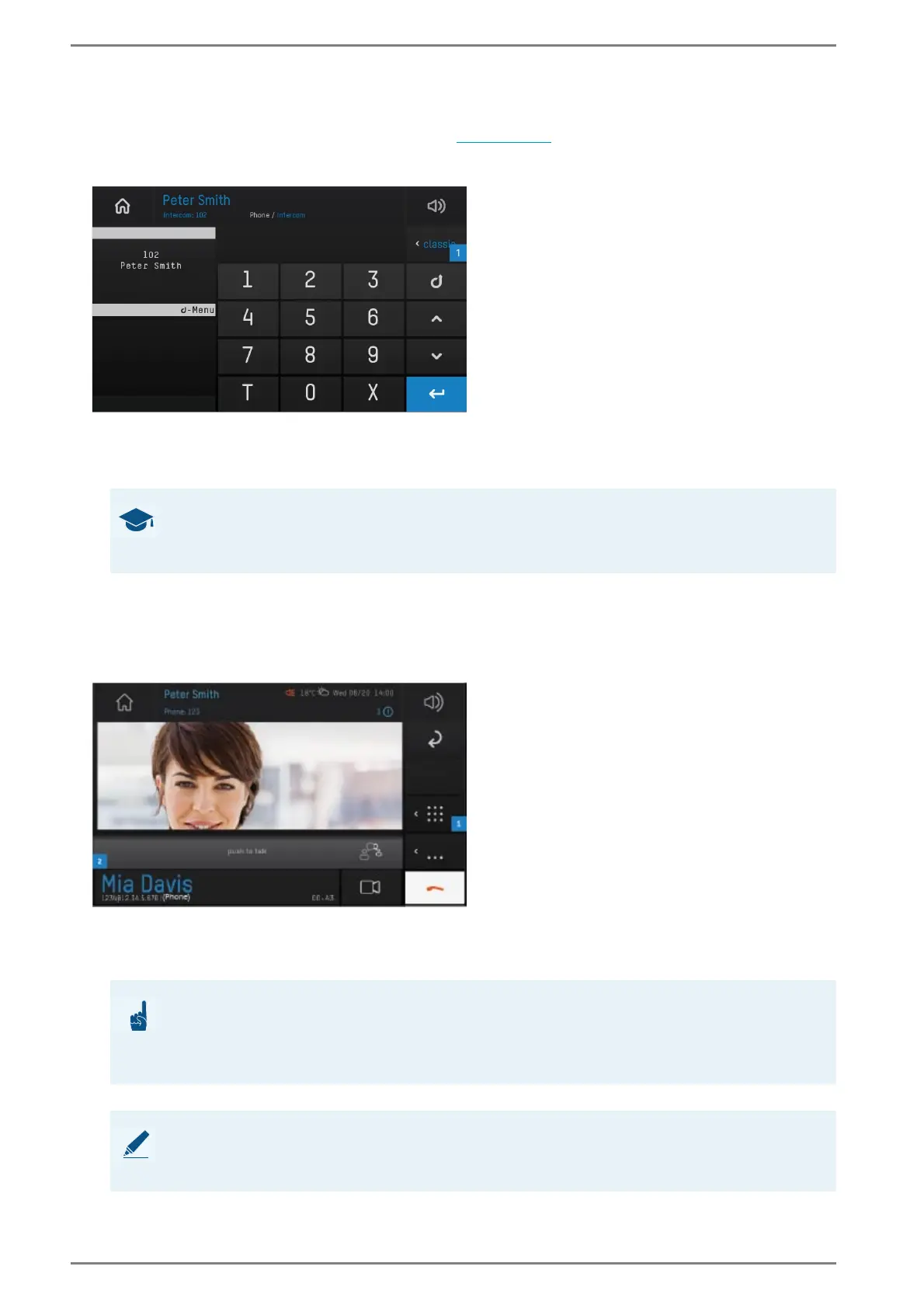
The classic Intercom user interface in the call app (see page 104) has the same input range, same range
of functions and same display screen as Intercom stations of Commend.
Intercom function “classic Intercom user interface”
Tap on the button 1 and select the field Classic in order to display the classic Intercom user inter-
face in the call app.
Push-to-talk
With the push-to-talk function (PTT), a simplex conversation can be performed. During a conversation,
the speech direction is controlled manually.
User interface “push-to-talk”
Activate push-to-talk: Tap on the keypad button 1 during an active call, tap on the button “T” on
the appearing keyboard and tap again on the keypad button
1.
Tap and hold the push-to-talk button 2 to talk.
GOOD TO KNOW: Operating of the user interface
A detailed operating instruction of the classic Intercom user interface can be found in the
operating instruction “Series WS 810”!
ATTENTION: Fixed push-to-talk function in simplex mode
If the Intercom station of the conversation partner has a permanently configured simplex
conversation mode, the “push-to-talk” function cannot be deactivated at the DUETTO de
-
vice during the conversation!
NOTE: Further information
For further information about the configuration of simplex and the push-to-talk function, see manual “In-
tercom Server Configuration”.



 To Next Page